


Failing to implement proper security measures can leave your site vulnerable to attacks, data theft, and severe reputational damage. However, all is not lost. By understanding common WordPress security mistakes and taking proactive steps to address them, you can dramatically enhance your site’s security.
So, let’s check out the top WordPress security mistakes you must avoid.
TL;DR: Key Security Takeaways for a Safer Website
- Keep WordPress core, themes, and plugins up to date to close known vulnerabilities and reduce the risk of cyberattacks.
- Use strong passwords, enable two-factor authentication, and restrict admin access to protect your dashboard from brute force attacks.
- Choose a secure hosting provider, install reliable security plugins, and enable SSL to protect sensitive data and user interactions.
- Perform regular backups, security audits, and monitoring to quickly detect threats and recover your site in the event of an incident.
What is a WordPress Vulnerability?
WordPress security vulnerabilities are flaws, misconfigurations, or weaknesses in your website’s structure or setup that attackers can exploit to compromise its security.
These vulnerabilities can originate from various sources, including outdated software, poorly coded WordPress plugins and themes, insecure hosting environments, and human errors.
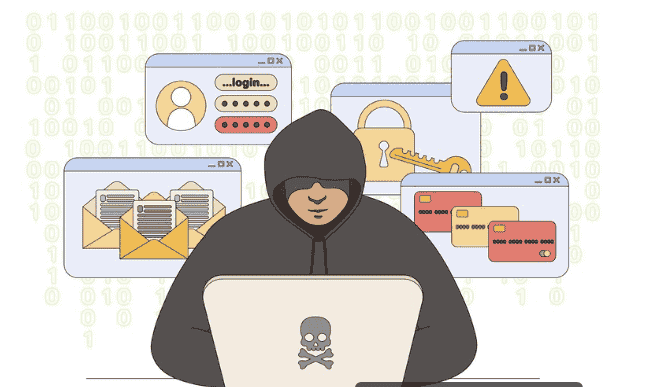
Human error is a common contributor to these vulnerabilities, often leading to misconfigurations or oversight of critical security settings. For instance, leaving default settings unchanged or using easily guessable credentials can give attackers easy entry points into your site.
Another significant source of vulnerabilities is third-party plugins and WordPress themes. While they enhance your site’s functionality and appearance, if not regularly updated or maintained, they can harbor security loopholes that attackers can exploit.
By identifying and addressing vulnerabilities before they are exploited, website owners can significantly fortify their site’s defenses and safeguard their data and reputation from malicious threats.
Why Are WordPress Sites Frequent Targets for Cyberattacks?
WordPress is the world’s leading content management system, powering millions of websites globally. However, this popularity makes it an attractive target for cybercriminals seeking vulnerabilities to exploit. Several factors contribute to WordPress sites being frequent targets for attacks.
- Widespread Popularity: The sheer number of WordPress installations increases the chances that attackers will find vulnerable sites. With such a vast user base, attackers can target multiple sites at once, increasing their odds of success.
- Third-Party Plugins and Themes: While plugins and themes enhance site functionality and design, they can also introduce security vulnerabilities. If not regularly updated or properly maintained, they may contain exploitable flaws that hackers can use to compromise a site.
- Outdated Software: Running outdated versions of WordPress core, plugins, or themes can open doors to known vulnerabilities. Cybercriminals often exploit these weaknesses, especially when security updates are ignored.
- Weak Credentials: Using weak or default login credentials makes it easier for attackers to gain unauthorized access. Brute-force attacks exploit these weak points, underscoring the need for strong, unique passwords and robust authentication mechanisms.
Hire Experts to Protect Your WordPress Site
Don’t leave your website vulnerable to cyber threats. Hire experts who specialize in WordPress security to protect your site from potential attacks.
Top Security Mistakes and Solutions for a Secure WordPress Website
Ensuring the security of your WordPress site is crucial to protect your data and maintain your online reputation.
By understanding common security mistakes and implementing solutions, you can create a more secure environment for your WordPress site.
Here are some of the top website security mistakes and their respective solutions.

Mistake 1: Poor Plugin and Theme Management
Outdated or poorly coded plugins and themes can create security vulnerabilities that hackers exploit. Neglecting updates and quality checks increases the risk of exploitation.
Solution: Regularly update your WordPress plugins and themes and remove any unnecessary or unsupported items for your site. Also, choose plugins and themes from reputable sources and conduct regular website audits.
Mistake 2: Insecure Hosting Environment
An insecure website hosting environment can lead to data breaches and unauthorized access. Weak server configurations and insufficient security measures contribute to these vulnerabilities.
Solution: Choose a reputable web hosting provider with strong security features, such as firewalls and malware protection. Plus, monitor your hosting environment regularly for any security issues.
Mistake 3: Not Using SSL/HTTPS
Without SSL/HTTPS, the data exchanged between your website and users is not encrypted. This lack of encryption makes it easier for attackers to intercept and manipulate sensitive information, such as login credentials and personal data.
Solution: Obtain and install an SSL certificate for your website to encrypt data transmission. Most hosting providers offer free SSL certificates, making it simple to enhance your site’s security and build trust with users.
Mistake 4: Weak Login Credentials
Using weak or default login credentials makes it easy for attackers to gain unauthorized access through brute force attacks and cross-site scripting (XSS). This compromises the security of your admin area.
Solution: Implement strong, unique, complex passwords that include a mix of letters, numbers, and symbols. Enable two-factor authentication (2FA) for an added layer of security.
Mistake 5: Lack of Security Plugins and Tools
Neglecting to use WordPress security plugins can leave your site vulnerable to threats. Without them, identifying and mitigating risks becomes challenging.
Solution: Install reputable security plugins that offer features like malware scanning, firewall protection, and real-time monitoring to safeguard your site against potential threats.
Mistake 6: Insufficient User Role Management
Poor user role management leads to excessive permissions, which attackers can exploit. This poses a risk of unauthorized access, malicious scripts, and data manipulation.
Solution: Define clear WordPress user roles and permissions, limiting access to only what is necessary. Regularly review and update user roles to ensure proper security management.
Mistake 7: Excessive Page and User Permissions
Granting users unnecessary permissions or access to pages can lead to misuse or accidental data breaches. This increases the risk of unauthorized actions that can compromise site integrity.
Solution: Apply the principle of least privilege, ensuring only legitimate users have the permissions necessary for their role. Regularly review user permissions and adjust them as needed to align with current security protocols.
Mistake 8: Inadequate Site Monitoring and Backup
Without proper monitoring, unauthorized changes or suspicious activity are difficult to detect. Additionally, a lack of regular backups can lead to data loss in case of an attack.
Solution: Use logging tools and activity trackers for real-time monitoring and set up automated anomaly alerts. Schedule regular backups and store them securely in multiple locations. For site monitoring and backups, you can use plugins like BlogVault, WP Remote, or WP Umbrella.
Mistake 9: Ignoring Common Security Threats
Failing to address common threats such as malware, SQL injection, and brute-force attacks leaves your site exposed to security breaches. With these threats, your site’s integrity and data are at risk.

Solution: Implementing best practices such as using strong passwords, securing your login area, regularly scanning for malware, or investing in malware removal services can help. Stay informed about new threats and update your WordPress site security accordingly.
Mistake 10: Ignoring Software Updates
Ignoring updates for WordPress core, plugins, and themes leaves your site vulnerable to known security flaws, as updates often include patches for them.
Solution: Regularly update your WordPress environment, including core files, plugins, and themes. Enable automatic updates where possible and routinely check for and apply the latest security patches.
Mistake 11: Exposing Sensitive Information
Exposing sensitive information, such as error logs or version numbers, provides attackers with insights into your website’s setup, facilitating targeted attacks and exploitation.
Solution: Configure your settings appropriately to restrict access to files containing sensitive information and hide WordPress version details. This will ensure that error messages do not reveal server paths or database errors.
Mistake 12: Weak Database Security
Weak database security measures, such as default prefixes or unencrypted connections, create opportunities for attackers to access and manipulate your data.
Solution: Use a unique database prefix instead of the default “wp_” and set strong passwords for your database. Additionally, configure your database server to allow only necessary connections and consider encryption for sensitive data.
Mistake 13: Not Securing the wp-config.php File
The wp-config.php file contains critical configuration details, including database credentials. If not properly secured, it can be accessed by unauthorized users, leading to potential site compromises.
Solution: Restrict file permissions, ensuring only necessary access. Move wp-config.php to a less accessible directory, if possible, and use additional security measures, such as IP restrictions or protective plugins.
Mistake 14: Excessive Admin Users
Having too many admin users increases the likelihood of unauthorized access and misuse of administrative privileges, which can lead to major security breaches.
Solution: Limit the number of admin users to only those who truly need full access. Regularly audit user roles and remove unnecessary admin accounts to minimize security risks.
Mistake 15: Failing to Log Out of Unused Sessions
Inactive or unused sessions can be hijacked by attackers to gain unauthorized access to the website without needing login credentials.
Solution: Implement automatic session timeouts that log users out after a period of inactivity. Encourage users to log out when finished and use plugins that manage session control.
Mistake 16: Not Protecting the WordPress Admin Dashboard
The WordPress admin area/dashboard is often the primary target of attacks. Failure to secure it can result in unauthorized access and control over your site.
Solution: Limit login attempts and restrict access to the admin dashboard by IP address. Use strong, unique credentials and consider renaming the admin login URL for added security.
Mistake 17: Insufficient Logging and Alerts
Without adequate logging and alerts, suspicious activities can go unnoticed, delaying response times to potential security threats.
Solution: Implement a comprehensive logging system that tracks and records all significant activities. Set up real-time alerts to notify you of any suspicious or unusual behavior.
Mistake 18: Exposing Information Through API
Insecure APIs can expose sensitive data and provide attackers with another vector for accessing and manipulating your website.
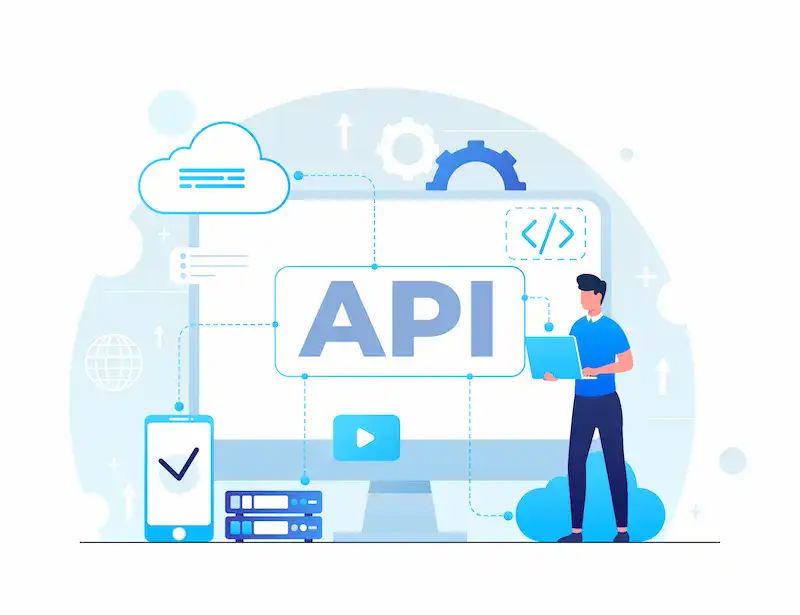
Solution: Implement strong authentication for API access and restrict API interactions to validated, trusted sources. Regularly review API permissions and usage.
Mistake 19: Not Using a CDN
Lack of a Content Delivery Network (CDN) makes your site vulnerable to distributed denial-of-service (DDoS) attacks and can slow down content delivery.
Solution: Integrate a CDN to improve site speed, performance, and security. CDNs often provide built-in DDoS protection and can serve content from multiple geographic locations to deliver content faster.
Mistake 20: Failing to Prevent Comment Spam
Comment spam or SEO spam can clutter your site with unwanted links that may contain malicious content or negatively affect your site’s SEO.
Solution: Use anti-spam plugins like Akismet to automatically filter out unwanted comments. Manually moderate comments and disable comments on older posts if necessary.
Mistake 21: Poor Redirect Practices
Improper redirects can be exploited to lead visitors to malicious sites or allow unauthorized access to protected areas of your site.
Solution: Ensure redirects are secure and originate only from trusted sources. Regularly audit redirect rules to prevent improper or harmful redirections.
Mistake 22: Insecure Media Uploads
Allowing insecure or unchecked file uploads can introduce malware or harmful scripts to your website.
Solution: Restrict upload types and sizes, and use secure upload scripts to scan and validate files. Store uploads in non-public directories when feasible.
Mistake 23: Not Changing the Default WordPress Login URL
Leaving the login URL as the default makes it easier for attackers to brute-force known entry points.
Solution: Change the default login URL to something less predictable and use plugins to help manage these changes securely.
Mistake 24: Poorly Managed Subdomains
Inadequate management of subdomains can create security gaps, making them vulnerable to attack.
Solution: Treat each subdomain with the same level of security as your main site. Regularly review and update security settings for all subdomains.
Mistake 25: Neglecting Security Audits
Failure to conduct regular security audits allows vulnerabilities to persist unnoticed, increasing the risk of successful attacks.

Solution: Implement routine security audits to identify and rectify vulnerabilities. Use professional security services if necessary for thorough assessments.
Mistake 26: Ignoring Server-side Threats
Neglecting server-side security exposes your website to attacks such as SQL injections and server configuration exploits.
Solution: Keep server software up to date and apply security patches promptly. Employ secure coding practices and regularly scan for server-side vulnerabilities.
Mistake 27: Weak XML-RPC Security
Weak security controls for XML-RPC functionality can facilitate brute-force attacks and allow attackers to execute multiple commands simultaneously.
Solution: Disable XML-RPC if not needed, or use plugins to control and secure XML-RPC access. Restrict access to only necessary functions and users.
Mistake 28: Insufficient Network Security
A lack of network security measures leaves your site vulnerable to a wide range of attacks, including DDoS and unauthorized access.
Solution: Protect your website with firewalls, intrusion detection systems, and secure network architectures. Also, update and test your network security measures regularly to keep them effective.
To Sum Up
Securing your WordPress site is a continuous process. Avoiding common mistakes and proactively adopting security measures will help fortify your site against threats.
Regularly update your software, use security plugins, and monitor your site for irregular activity. With these practices, you can minimize vulnerabilities and maintain a robust defense against cyberattacks. Remember, vigilance and timely updates are your best allies in the fight against cyber threats.
FAQs About WordPress Security
What are the most common WordPress security mistakes site owners make?
Many site owners ignore basic security practices. Using weak passwords, keeping outdated plugins, and installing too many themes and plugins are common WordPress mistakes. Unused plugins and abandoned plugins also create risks because they may contain malicious code.
Another issue is skipping regular updates while updating WordPress core and extensions. Without reliable backups and a secure hosting provider, even small vulnerabilities can compromise the entire website and allow attackers to steal sensitive data.
How can I prevent brute force login attempts on my WordPress site?
Brute force login attempts try thousands of password combinations to access your hosting account. You can reduce this risk with strong login security. Enable two-factor authentication and limit login attempts to prevent repeated failed logins. A WordPress security plugin can also monitor login attempts and block suspicious traffic before attackers gain access.
Why is a web application firewall important for WordPress security?
A web application firewall filters malicious requests before they reach your site. It can block suspicious traffic, prevent brute-force login attempts, and stop common threats such as cross-site request forgery. Many managed hosting services include firewall protection to keep WordPress secure and to restrict access to critical files and PHP files.
Should I remove unused plugins and themes from WordPress?
Yes. Remove unused plugins and themes regularly. Even inactive extensions can expose vulnerabilities if they are outdated or abandoned plugins. Keeping only essential tools improves security and performance across the WordPress ecosystem.
What security steps should every WordPress site follow?
Use a trusted WordPress security plugin, enable automated backups, and store reliable backups off-site. Choose a secure hosting provider with managed hosting services.
Disable directory indexing, protect WordPress functions, and scan files with online tools to detect malicious code. These steps help both you and your visitors keep the site secure and protect the entire website.

