


Your website is your digital storefront, and every second counts. If it takes too long to load, visitors will leave before they even see what you offer. That is why learning how to improve website speed and performance is one of the most impactful steps you can take to grow your business online. A fast site keeps users engaged and signals to search engines that your content deserves higher visibility.
Website speed is no longer just a technical detail. It directly influences user satisfaction, conversions, and brand credibility. Imagine a potential customer clicking your URL, only to face sluggish load times or shifting layouts. The result is frustration and lost opportunities.
This guide will break down the strategies and tools you need to achieve lightning-fast load times. From Core Web Vitals to advanced optimization techniques, you will learn how to create a seamless, high-performing website.
Website speed and performance can be improved by optimizing images, reducing unnecessary scripts, using efficient hosting, enabling caching, and improving code structure. Regular performance testing helps identify elements that slow down page loading and affect user experience. A faster website loads content more efficiently, supports smoother navigation, and can improve key performance metrics across different devices and network conditions.
Understanding Why Website Speed Matters: Performance, Rankings, and Conversions
A slow website doesn’t just annoy visitors; it directly impacts your business’s success. The speed of your web page is a key factor in how users perceive your brand and how search engines like Google rank your site.

Impact of Website Speed on User Experience and Engagement
When a web page loads quickly, visitors are more likely to stay, explore more of your site’s different parts, and engage with your content.
Conversely, a slow website frustrates users, causing them to bounce or leave before it even finishes loading. Studies show that a single-second delay in page load can decrease user satisfaction by as much as 16%. In today’s competitive landscape, a positive user experience is non-negotiable.
How Website Performance Affects SEO and Core Web Vitals
Google has made it clear that website performance is a significant ranking signal. The search engine’s algorithms favor fast-loading sites because they provide a better user experience.
This is especially true with the introduction of Core Web Vitals, a set of specific web vitals metrics that measure real-world user experience.
A strong score on these metrics can significantly boost your rankings in search results. A slow website, even with high-quality content, will struggle to rank highly.
The Connection Between Page Load Speed and Conversion Rates
The relationship between page speed and conversions is undeniable. A faster load speed often leads to a higher conversion rate. For e-commerce sites, this means more sales. For lead generation sites, it means more form submissions.
A study found that a one-second improvement in mobile site speed can increase retail conversions by over 8%. Improving website speed and performance directly impacts revenue.
Supercharge Your WordPress Website Speed Today
Get expert WordPress speed optimization with WPServices and transform your site into a fast, high-performing platform that boosts SEO, engagement, and conversions.
Measure Website Speed First: Tools and Core Web Vitals Metrics
Before optimizing your website, you need to know where you stand. The first, most crucial step is measuring your current site speed and identifying bottlenecks. Using the right tools will give you the accurate data to form a proper strategy.
Key Performance Indicators: Core Web Vitals Explained
Google’s Core Web Vitals provide a standardized way to measure a site’s performance from a user’s perspective. There are three primary metrics to focus on:
- Largest Contentful Paint (LCP): This measures how long it takes for the most significant content element on the web page to become visible. Think of it as the perceived load time. A good LCP score is under 2.5 seconds.
- Interaction to Next Paint (INP): Formerly First Input Delay (FID), INP measures the time from a user’s first interaction with a page (like a click) to the time the browser responds to that interaction. A good INP score is under 200 milliseconds.
- Cumulative Layout Shift (CLS): This metric measures visual stability. It quantifies how much a web page’s layout shifts unexpectedly while it loads. A good CLS score is less than 0.1.
Essential Speed Testing Tools: Google PageSpeed Insights, GTmetrix, and More
Several tools can help you test your website speed. Each one provides a different set of insights.
- Google PageSpeed Insights: This is a fantastic free tool from Google that comprehensively analyzes your web page’s performance on desktop and mobile devices. It gives you a score from 0 to 100 and a list of specific recommendations to improve website speed and performance.
- GTmetrix: This tool offers a detailed speed test report, including a waterfall chart showing the load time of every resource on your page. It breaks down your scores for LCP, INP, and CLS, making it easy to see what’s slowing you down.
- WebPageTest: A highly customizable tool that allows you to test your site from different parts of the world and on various network speeds. It’s great for getting data that reflects real user conditions.
- Seahawk’s Free Website Speed Test and Core Web Vitals Checker: Alongside popular tools, Seahawk offers robust solutions for WordPress and other platforms. Their Free Website Speed Test makes it simple to enter your site URL and instantly determine how fast your pages load, while the Core Web Vitals Checker provides deeper insights into metrics like LCP, INP, and CLS. These tools ensure you get complete and accurate data for performance optimization, which can be cross-checked with Google PageSpeed Insights or GTmetrix for validation.
How to Analyze and Interpret Website Performance Reports
Once you run a speed test, you’ll get a report full of data and recommendations. The key is to understand what the numbers mean.
Look for opportunities to fix the major issues, such as a slow server response time or large images. The waterfall chart is handy for identifying render-blocking resources and excessive HTTP requests.
Core Technical Strategies to Accelerate Website Performance
Optimizing your website performance requires a multi-faceted approach. By tackling the technical aspects of your site, you can achieve significant gains in load speed.

Reduce HTTP Requests and Adopt HTTP/2
Every resource on your web page, including images, CSS files, JavaScript files, and fonts, requires a separate HTTP request. The more requests your browser has to make, the longer the load time.
You can reduce these requests by combining CSS and JavaScript files into single, consolidated files. Additionally, ensure your server supports HTTP/2, a newer protocol that allows a browser to download multiple resources simultaneously over a single connection, drastically improving site speed.
Optimize Images with Compression, Formats, and Lazy Loading
Large, unoptimized images are one of the most common causes of a slow website. Here’s how to optimize them:
- Compress: Use a tool to compress your images without losing noticeable quality. A compressed image file size can be a fraction of the original.
- Use Modern Formats: Convert images to modern formats like WebP, which offers superior compression compared to traditional JPEGs and PNGs.
- Implement Lazy Loading: This technique defers loading images that are not yet visible to the user. An image only loads when a visitor scrolls down the page and it enters their viewport. This dramatically speeds up the initial page load.
Use Browser Caching Effectively for Faster Repeat Visits
When visitors visit your site, their browser has to download all the necessary resources. Browser caching allows the browser to store copies of these resources, like images and CSS files, locally.
The next time the same visitor returns to your site, their browser loads the cached resources from their local storage instead of re-downloading them. This makes repeat visits incredibly fast.
Leverage Content Delivery Networks (CDNs) for Global Speed Improvement
A Content Delivery Network (CDN) is a network of servers located in different parts of the world.
When visitors access your site, the CDN delivers your content from the server closest to them, not your original host server. This dramatically reduces latency and speeds up load time, especially for a global audience.
Minify and Combine CSS, JavaScript, and HTML Files
Minifying your code means removing all unnecessary characters, such as comments and white space, from your CSS, JavaScript, and HTML files.
This reduces the file size, making them faster to download. Combining multiple CSS and JavaScript files into a single resource minimizes the number of HTTP requests, further improving website performance.
Defer or Eliminate Render-Blocking JavaScript
When a browser encounters JavaScript files in the head of an HTML document, it stops rendering the page until those scripts are fully downloaded and executed.
This is called render-blocking and can cause a significant delay in the visible page load. To fix this, you should defer non-essential JavaScript files so they load after the critical content is rendered. You can also use the async or defer attributes.
Offload Libraries via Google Hosted Resources and Web Accelerators
Many websites use shared JavaScript libraries, such as jQuery. Instead of hosting these on your own server, you can link to them from Google Hosted Libraries.
This offloads the load from your server and takes advantage of a global CDN. Google has a vast network of servers, and there’s a good chance a user already has the library cached from another website.
Read Further: How to Clear Your WordPress Cache
Apply a Progressive Enhancement Strategy for a Faster Initial Load
A progressive enhancement strategy focuses on delivering essential content first, followed by more complex features.
This ensures that the user gets a functional, fast-loading web page immediately, even on a slow connection. The more advanced functionality, like animations or custom fonts, loads in the background, making the user experience feel much faster.
Platform-Specific and CMS-Friendly Tactics
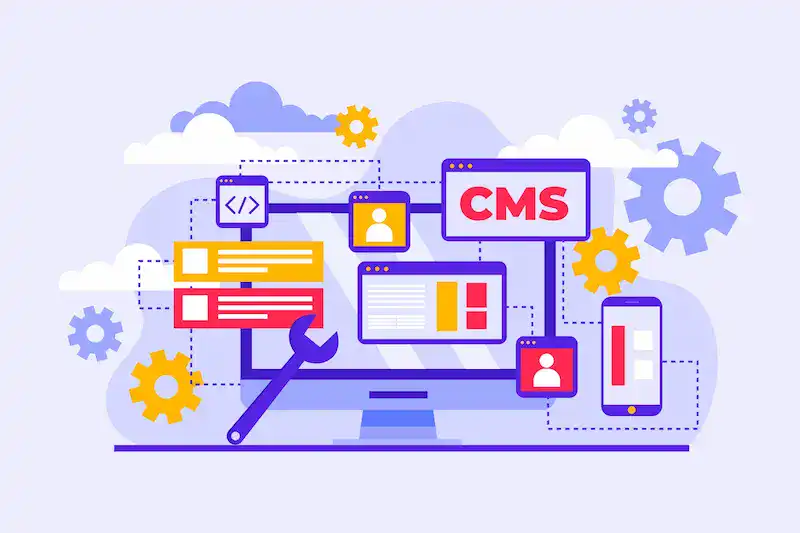
If your website is built on a Content Management System (CMS) like WordPress, you have specific tools and methods for improving its speed and performance.
Choose Reliable Hosting for Better Website Speed
Your hosting provider plays a huge role in your site’s performance. Cheap, shared hosting can often lead to a slow server response time.
Invest in a reliable, performance-optimized hosting plan, such as a managed WordPress host or a virtual private server (VPS), to give your site a solid foundation.
Select Lightweight Themes and Limit Plugin Usage in WordPress
Many WordPress themes are bloated with unnecessary features, which add extra CSS and JavaScript files and slow down your site.
Choose a lightweight, minimalist theme. Additionally, every plugin you install adds more requests and code to your website. Audit your plugins regularly and remove any that you don’t use.
Use Caching Plugins and Performance Optimization Tools
A quality caching plugin is essential for any WordPress site. These plugins generate static HTML versions of your dynamic pages, drastically reducing server load and speeding up delivery.
Look for plugins that offer features like CSS and JavaScript minification, image optimization, and lazy loading.
Optimize Fonts and Media for WordPress Performance
Just like images, fonts, and other media can significantly impact load time. To optimize them:
- Host Fonts Locally: Instead of relying on a third-party service, host your fonts on your server.
- Use Modern Formats: Convert your font files to modern formats like WOFF2.
- Lazy Load Video/Audio: Implement lazy loading for embedded videos and other media to prevent them from slowing down the initial page load.
Consider Automated Optimization Solutions like NitroPack
For a more hands-off approach, consider automated solutions like NitroPack. These services use a combination of techniques, including caching, minification, and CDN integration, to optimize your website speed automatically without having to configure everything manually.
These tools can be a great way to quickly improve website speed and performance and get a better score on your speed test.
Monitor, Analyze, and Maintain Performance Over Time
Optimizing your website isn’t a one-time project. It’s an ongoing process of monitoring and maintenance. Performance can degrade over time due to new content, plugins, or third-party resources.
Setting and Following Performance Budgets
A performance budget is a set of quantifiable limits on your web page’s performance metrics, such as file size, load time, and the number of HTTP requests.
Setting a performance budget helps you make informed decisions when adding new features or content, ensuring you don’t inadvertently create a slow website.
Using Real User Monitoring for Continuous Insights
While tools like Google PageSpeed Insights provide lab data, real user monitoring (RUM) gives you data from actual users as they interact with your site.
RUM helps you gain insights into how your website performs for different real users, on different devices, and in different locations.
Regular Speed Testing After Updates and Redesigns
Whenever you update your theme, install a new plugin, or improve your site’s performance, you should run a speed test to ensure the changes haven’t introduced problems.
Regular testing helps you catch issues early and maintain a fast load speed.
Conclusion: Fast Websites Win for SEO, User Experience, and Conversions
In the end, a fast website is a successful website. Optimizing your site’s performance is no longer a luxury; it’s a necessity.
Focusing on core web vitals, using the right tools to analyze and monitor your data, and implementing a proactive process to improve website speed and performance create a better customer experience.
A faster load time leads to higher search engine rankings, more satisfied visitors, and a more profitable business.
FAQs About Improving Website Speed and Performance
How can I determine my website page speed on desktop devices?
You can test your page speed on desktop devices by entering your site URL into tools like Google PageSpeed Insights or GTmetrix. These tools provide accurate data about how quickly your website loads and highlight opportunities to improve overall performance.
What is Cumulative Layout Shift, and why does it matter for performance?
Cumulative Layout Shift (CLS) measures how much visible content moves while a page loads. A high CLS negatively impacts user experience on both mobile and desktop devices. Keeping CLS low ensures your website feels stable and complete as users interact with it.
How does Largest Contentful Paint affect website speed optimization?
Largest Contentful Paint (LCP) is a metric that measures the time it takes for the largest visible element, such as an image or heading, to load. A good LCP score improves overall performance and contributes to higher search rankings.
Why is optimizing CSS files important for improving website speed?
Unoptimized CSS files can delay rendering and slow page load time. By minifying and compressing CSS files, you reduce unnecessary code, which leads to faster loading and improved performance across devices
Can you give an example of how to improve performance using accurate data?
For example, by analyzing your site URL in PageSpeed Insights, you may find that unused CSS files are slowing load time. Fixing this based on accurate data ensures measurable improvements in speed and overall performance.

