WordPress vs Wix is one of the most important comparisons when choosing the right platform for your website. WordPress offers full control, flexibility, and powerful SEO tools, while Wix focuses on simplicity with an easy drag-and-drop builder and faster setup.
Choosing between these two depends on your goals, technical comfort, and long-term plans. Whether you want to build a simple site quickly or create a scalable, high-performance website, this guide breaks down the key differences so you can make the right decision with confidence.
TL;DR:
- WordPress offers full control, advanced SEO, and long-term scalability for growing websites.
- Wix is easier to use and best for beginners who want a quick, simple setup.
- WordPress is ideal for blogs, large websites, and complex projects.
- Wix works well for small business sites, portfolios, and basic websites.
- WordPress offers flexibility through plugins, custom code, and control over hosting.
- Wix provides an all-in-one solution with hosting, security, and built-in features.
WordPress and Wix Overview
WordPress is an open-source content management system (CMS) that lets you build and manage websites with full control. It allows you to customize design, features, and functionality using themes, plugins, and custom code. It is best suited for blogs, business websites, and large-scale projects that need flexibility, scalability, and advanced SEO capabilities.
Wix is a website builder that lets you create websites using a drag-and-drop editor. It is an all-in-one platform that includes hosting, design tools, and built-in features, making it easy to launch a website quickly. It is best suited for beginners, small business websites, portfolios, and users who want a simple setup without technical complexity.
Key Differences: WordPress vs Wix
WordPress and Wix differ mainly in control, flexibility, ease of use, and scalability. The table below highlights the key differences to help you compare both platforms quickly.
| Feature | WordPress | Wix |
| Platform Type | Open-source CMS | Website builder |
| Ease of Use | Moderate learning curve | Very easy to use |
| Customization | Full control with plugins and code | Limited to built-in tools |
| Design Flexibility | High (themes + custom design) | Moderate (template-based) |
| SEO Capabilities | Advanced and customizable | Basic to moderate |
| Hosting | Self-hosted (you choose provider) | Built-in hosting |
| Scalability | Highly scalable | Limited for complex growth |
| Ecommerce | Powerful with WooCommerce | Built-in but limited |
| Pricing | Flexible (depends on setup) | Fixed subscription plans |
Ease of Use and Setup: Getting Started
The journey of website creation often begins with evaluating the ease of setup. Here, WordPress and Wix offer contrasting experiences.

Wix: The Drag-and-Drop Champion for Beginners
Wix thrives on simplicity. It offers a highly intuitive drag-and-drop editor. This makes website creation accessible to anyone. Technical skill is not a barrier. It functions as an all-in-one, hosted solution. Wix handles web hosting and domain connection and provides built-in features. This significantly streamlines the initial setup.
For rapid deployment, Wix ADI can even generate a functional site based on a few questions. Basic site creation generally does not require coding, making it an excellent choice for a visual approach.
However, this ease comes with a trade-off. Unlike WordPress, Wix can limit control over the underlying code. Once you choose a Wix template, you cannot easily switch without rebuilding your entire site.
Know More: WordPress Emergency Support: What to Do When Your Site Crashes
Keep Your WordPress Site Worry-Free
Focus on growing your business while we keep your website secure, updated, and running at peak performance; 24/7.
WordPress: Empowering Control, Steeper Learning Curve
WordPress, an open-source content management system (CMS), offers unparalleled control. However, it comes with a steeper learning curve. This is especially true for beginners.
Unlike Wix, WordPress is self-hosted. You must arrange your WordPress hosting and connect a custom domain separately. Many WordPress hosting providers offer one-click WordPress installation. Yet, the initial setup involves more steps than Wix.
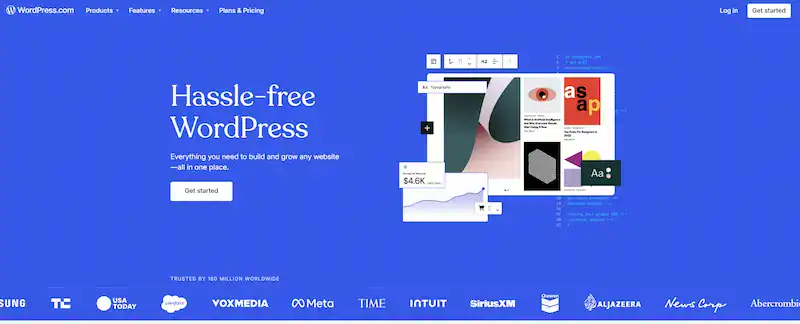
The Gutenberg Block Editor has significantly improved content creation. It is more visual and user-friendly. Furthermore, popular WordPress plugins like Elementor provide robust drag-and-drop page builder functionalities. These mimic and often surpass Wix’s visual editing experience.
However, managing themes, WordPress plugins, and regular updates requires active involvement and a degree of technical understanding. The payoff for this initial effort is a robust platform that offers complete control and flexibility.
Verdict on Ease of Use: For absolute beginners prioritizing immediate gratification, Wix is the easier starting point. WordPress is a more empowering choice for those willing to invest more time for greater control.
Further Reading: Top Enterprise WordPress Agencies: All You Need to Know for Success
Website Design and Flexibility: Crafting Your Visual Identity
Your website’s design is your digital storefront. Both platforms offer tools to create attractive sites. Their approaches to design flexibility differ significantly.
Wix Template Library
Wix boasts a vast collection of professionally designed templates. These cater to various industries. The Wix Editor allows extensive customization of these templates. It uses intuitive drag-and-drop tools. Wix also integrates AI features for design suggestions.
All Wix sites are mobile-optimized, ensuring a smooth user experience. However, once you select a Wix template, switching can be challenging, often requiring you to rebuild your site.
WordPress Themes
WordPress offers an almost limitless array of themes, including thousands of free options and premium themes. This selection provides immense flexibility, and WordPress users can leverage influential page builders and plugins.
They customize any WordPress theme to their exact specifications. Unlike Wix, WordPress allows users to switch and update their entire WordPress theme easily. This happens at any time without losing content. You can also develop custom themes. This offers web designers ultimate creative freedom.
Verdict on Design Flexibility: WordPress offers superior design flexibility and long-term scalability. This makes it the choice for truly custom websites. Wix provides excellent out-of-the-box design solutions. However, it has limitations for deep customization and future redesigns.
Related Topic: Hostinger Website Builder vs WordPress: Which Platform is Right for You
Features and Functionality: What Can You Build?
Beyond aesthetics, a website’s functionality determines what can be achieved online. Both platforms offer rich features, but their extensibility models differ significantly.
Wix: Built-in Solutions and App Market
Wix provides a comprehensive suite of built-in features, including contact forms and basic SEO tools. The Wix App Market offers a curated collection of applications to extend functionality and cover various needs.
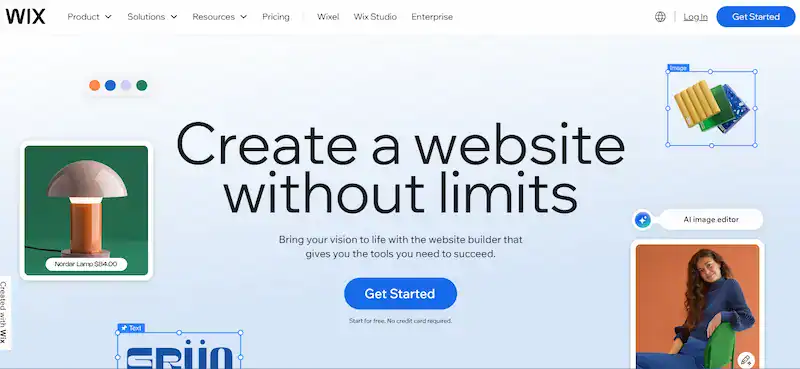
These apps integrate seamlessly within the Wix ecosystem. While convenient, the app market selection is smaller. It is smaller compared to WordPress plugins. Very advanced features might require higher-tier plans or separate app purchases.
WordPress: The Power of Plugins
WordPress’s strength lies in its vast plugin ecosystem. Over 60,000 free plugins are available, along with countless premium options. WordPress users gain access to a solution for virtually any website’s functionality.
Whether you need advanced SEO tools or robust security features, there’s a WordPress plugin for it. WooCommerce, a WordPress plugin, transforms any WordPress site into a powerful online store. While this offers incredible power, it also means more active management, including updates and ensuring compatibility.
Verdict on Features and Functionality: WordPress offers limitless extensibility through its plugin ecosystem, making it suitable for almost any website type and future expansion. Wix provides a more streamlined experience with its built-in features. Its curated App Market is ideal for users who prefer simplicity over ultimate customization.
Learn More: How to Convert Framer to WordPress
Search Engine Optimization (SEO): Getting Found Online
Search engine optimization (SEO) is crucial for website visibility. It ensures potential website visitors can find your content through search engines like Google.
The Importance of SEO in 2026
In 2026, effective SEO means optimizing for mobile-first indexing. It also means ensuring fast page speed and creating high-quality content. Building strong backlinks is vital. Technical SEO is paramount. Integrating with Google Search Console and Google Analytics provides valuable insights.

Wix SEO
Wix has made significant strides in its SEO capabilities. It now offers improved technical SEO features and mobile-first indexing. AI-powered SEO recommendations are included. Wix provides built-in SEO tools, such as the Wix SEO Wiz. This includes automatic XML sitemap generation and user-friendly meta tag editing.
You can customize URLs and integrate with Google Search Console. While Wix is far better for SEO than it was in previous years, it still offers less granular control. This applies to advanced technical SEO elements.
WordPress SEO
WordPress remains an SEO powerhouse. It offers superior control and flexibility. Leading WordPress SEO plugins, such as Yoast SEO, offer advanced optimization features. WordPress users fully customize meta tags, titles, and descriptions. They manage canonical tags and implement structured data with precision. The platform allows highly customizable URL structures (permalinks).
It offers excellent integration with Google Search Console and Google Analytics for comprehensive performance tracking. WordPress SEO requires a deeper technical understanding to be fully utilized. However, it empowers users to implement sophisticated SEO strategies to achieve optimal search engine rankings.
Verdict on SEO: While Wix has improved significantly, WordPress offers greater control and flexibility for advanced SEO strategies. This makes it the preferred choice for those serious about dominating search rankings. WordPress is unmatched for WordPress site owners who want full command over their SEO.
Explore Further: WordPress Admin Code Optimization Tips to Boost Your Site’s Speed
Blogging Features: Content Creation Powerhouse
For many website owners, blogging forms the core of their content strategy.

WordPress Blog
WordPress famously started as a blogging platform. Its robust blogging features remain a cornerstone. WordPress provides advanced content management tools, including post scheduling and comprehensive category management. It also includes an excellent media library.
The Gutenberg block editor simplifies the creation of rich, multimedia blog posts. WordPress blogs can be extensively customized with themes and plugins. They offer a range of features, including advanced commenting systems and social sharing tools.
This makes WordPress ideal for professional bloggers and writers seeking a flexible and scalable blogging platform. Blogging with WordPress provides a robust foundation for content marketing.
Blogging with Wix
Wix includes an integrated blogging platform with a user-friendly editor. It is suitable for adding a blog section to a small business website and casual blogging. It offers basic features for creating and categorizing posts.
Image/video embedding is also simple. While straightforward and easy to use, the Wix blog is generally less feature-rich and less customizable than a dedicated WordPress blog. It may not suffice for advanced users and is not ideal for professional bloggers.
Verdict on Blogging: WordPress is the clear winner for serious bloggers. This is due to its comprehensive features and scalability. It also has a vast ecosystem of blogging-specific plugins. If blogging is central to your website’s purpose, we recommend WordPress.
E-commerce Features: Selling Online
Creating an online store requires specialized features. These are for product management, secure transactions, and order fulfillment.

WordPress E-commerce (WooCommerce)
For e-commerce, WordPress truly shines with WooCommerce, the world’s most popular e-commerce plugin. WooCommerce is free, open-source, and incredibly powerful. It allows WordPress site owners to build highly scalable online stores and offers extensive features, including the management of product variations, inventory, and shipping.
It also handles taxes and a wide array of payment gateways. Thousands of WooCommerce extensions are available for specialized e-commerce functionality. They provide ultimate control and flexibility for your online store. Setting up a WooCommerce store can involve more than Wix. However, the level of control and potential for growth is unmatched.
Wix E-commerce (Wix Stores)
Wix offers built-in e-commerce features through Wix Stores. These are easy to use and allow quick setup for small to medium-sized online stores. Wix provides a user-friendly interface for product management. It supports various payment methods and also includes basic marketing and analytics tools.
Wix handles hosting for your online store and ensures security with SSL certificates. While Wix Stores simplifies getting an e-commerce site online, it can be limiting. This applies to extensive inventories or complex product variations. Unlike Wix, you might find less flexibility for advanced e-commerce functionality without relying on specific Wix apps.
Verdict on E-commerce: WordPress with WooCommerce offers unparalleled power. It provides scalability and customization for stores of any size, making it the superior choice for serious e-commerce ventures. Wix is an excellent option for smaller online shops. These prioritize ease of use and rapid deployment.
Discover More: Partnering with the Best White Label WordPress Agency
Hosting, Security, and Maintenance: Behind the Scenes
The operational aspects of your website are crucial. This includes hosting, security, and ongoing maintenance. They are vital for its long-term success.
Wix: Managed Hosting and Built-in Security
Wix handles hosting entirely and provides a fully managed solution. They take care of server uptime, performance, and updates. Every Wix site automatically comes with SSL certificates. Wix implements DDoS protection and has continuous security monitoring.
This hands-off approach significantly simplifies maintenance. Wix handles all platform updates and security patches, which is a significant advantage for beginners.
WordPress: Self-Hosted Responsibility
With WordPress, you are responsible for choosing your own WordPress hosting provider. This gives you complete control over your hosting environment. You can select a plan that matches your specific performance and security needs. This includes shared, VPS, or specialized managed WordPress hosting. However, this also means shared responsibility for security.
Your web hosting company manages server-level security. But you are responsible for keeping WordPress core, themes, and plugins up to date. Installing security plugins and implementing regular backups are essential practices. This is for WordPress site owners to maintain website security.
While updates can be automated, many advanced users can access greater control by managing them manually.
Verdict on Hosting, Security, and Maintenance: Wix offers a hassle-free, all-inclusive approach to hosting and security. It is ideal for those who prefer a “set it and forget it” solution. WordPress provides greater control over your hosting environment and security measures. However, it requires more active user management and responsibility.
Pricing and Costs: A Financial Comparison in 2026
Understanding the financial implications is critical. This is before committing to a platform.
Wix Pricing Plans
Wix operates on a tiered subscription model. Plans range from “Light” to “Business Elite” and “Enterprise.” These plans typically include hosting, a free custom domain for the first year, and SSL security. They also have built-in features. While Wix offers a free plan, it comes with Wix ads and limitations. This makes a premium plan essential for a professional online presence.
Ecommerce features generally require higher-tier business plans. Wix’s pricing is predictable. It offers a clear monthly or annual cost. However, for advanced features or scaling, the costs can escalate significantly.
WordPress Costs
The core WordPress software is open-source and free. The primary costs for a WordPress site are web hosting and a custom domain name. Hosting can range from affordable shared hosting to more expensive managed WordPress hosting. It typically costs $5-$100+ per month. A custom domain is around $10-$20 per year.
Optional costs include premium themes and premium plugins. These can be one-time purchases or annual subscriptions. While a WordPress website can be very cost-effective, complex needs or reliance on many premium plugins can increase the overall expenditure. Unlike Wix, you have more control over your budget.
Verdict on Pricing: Wix offers predictable, all-in-one pricing. This can be more expensive in the long term for feature-rich sites. WordPress can be cheaper for basic sites. It provides more control over cost. However, the total price can vary greatly. It depends on the chosen WordPress hosting, themes, and plugins.
Scalability and Flexibility: Growing Your Website
The ability of your website to grow and adapt is vital. This is for long-term success.
Wix Scalability
Wix scales well for small to medium-sized websites. It is also suitable for basic e-commerce. Wix Studio, a newer offering, targets agencies and enterprises. It provides more robust solutions.
However, Wix still has limitations. These apply to highly complex functionalities or massive custom development. It also offers less flexibility for migrating content off the platform.
WordPress Scalability
WordPress is highly scalable. It suits any type and size of website, from personal blogs to enterprise-level solutions. It handles immense traffic and complex databases. Flexible WordPress hosting options, including shared and dedicated servers, accommodate growth.
Unlimited customization is possible with plugins, custom code, and integrations. It is also easier to migrate data and move to different web hosting companies. This provides WordPress users with complete control over their growth.
Verdict on Scalability: WordPress is the undisputed leader in scalability and long-term flexibility. It adapts to virtually any future need. Wix is suitable for growing businesses within its ecosystem. However, it has limitations for extreme scaling or complex custom requirements.
Also Read: WordPress Website Loading Very Slow
Support and Resources: Getting Help When You Need It
Access to reliable support and resources is essential. This is for smooth website operation.
Wix Support
Wix provides dedicated customer support via phone, chat, and an AI chatbot. It also offers an extensive Wix Help Center with guides and tutorials. Personalized support options are available on higher plans. Resources are curated within the platform, providing a straightforward support experience.
WordPress Support
WordPress boasts a massive global community, including forums and social media groups. There is extensive official documentation. Support is also available from WordPress hosting providers, theme developers, and plugin creators.
Thousands of online tutorials, blogs, and courses exist. The option to hire freelance developers or agencies for personalized support is also available. While not centralized, the breadth of WordPress support is unparalleled.
Verdict on Support: Wix offers centralized, direct support that is ideal for beginners. WordPress relies on a decentralized, community-driven support model, which is vast but requires more initiative to navigate.
Related: Is a WordPress Consultation Right for You: What to Expect and How to Prepare
Conclusion
WordPress is the better choice if you want flexibility, advanced SEO control, and long-term growth. It gives you full ownership of your website and allows you to scale without limitations. If your goal is to build a high-performance site or grow traffic over time, WordPress is the stronger option.
Wix is ideal if you want simplicity and speed. It works best for beginners, small business websites, and projects that need a quick launch without technical setup. If ease of use matters more than deep customization, Wix is the right fit.
FAQs
Which is better, WordPress or Wix, for building a website?
WordPress is better for flexibility, SEO, and long-term growth, while Wix is better for beginners who want an easy website builder with quick setup. The right choice depends on whether you prioritize control or simplicity.
Is WordPress or Wix better for SEO in 2026?
WordPress is better for SEO because it offers advanced control over technical optimization, plugins, and site structure. Wix has improved its SEO tools, but it still lacks advanced features for advanced strategies.
Can you switch from Wix to WordPress without losing SEO?
You can switch, but it requires careful migration to avoid SEO loss. You need to move content, set up redirects, and maintain URL structure to preserve rankings and traffic.
Which platform is more cost-effective for small businesses?
Wix offers fixed pricing with hosting included, making budgeting easier. WordPress can be cheaper initially, but costs vary depending on hosting, themes, and plugins used.
Is WordPress or Wix better for ecommerce websites?
WordPress is better for large or complex ecommerce stores due to scalability and customization. Wix is suitable for small online stores that need a simple and fast setup.
Do you need coding skills for WordPress or Wix?
Wix does not require coding skills and is designed for beginners. WordPress can be used without coding, but technical knowledge helps you unlock more customization and advanced features.