

WordPress contact forms play a direct role in generating leads. Yet many site owners struggle with unreliable email delivery. Contact form submissions often land in spam or never reach the inbox at all. This leads to missed opportunities and a loss of potential revenue. However, there is a simple solution. You can switch from the default WordPress email system to SMTP.
This change improves deliverability, increases trust, and ensures every lead reaches you without fail. In this guide, you will learn how SMTP works, why it is essential, and how it can dramatically improve lead generation on your WordPress site.
Why WordPress Contact Forms Fail Without SMTP?
WordPress contact forms often fail when you rely on the default PHP mail function. This built-in method is not designed for reliable email delivery. Many hosting providers block or restrict PHP mail because it is frequently used by spammers.

Others throttle it, which leads to delays or complete delivery failures. As a result, your contact form emails may go straight to spam, never arrive, or reach your inbox long after a lead has submitted the form.
These issues create serious problems for any business. When notifications do not come through, you lose potential clients before you even know they reached out. Every unanswered inquiry lowers your conversion rate and weakens trust. This is why switching to SMTP is essential.
SMTP provides authenticated and secure email delivery, ensuring your messages reach the inbox consistently. With SMTP, you can close the communication gap and capture every lead without worrying about lost form submissions.
Need Help with SMTP Setup on WordPress?
Our team can handle the entire configuration process, resolve deliverability issues, and ensure your contact forms function flawlessly. Reach out now to get fast, reliable support.
What SMTP is and Why it Matters?
SMTP stands for Simple Mail Transfer Protocol. It is the industry-standard method for sending emails. Instead of relying on your hosting server, SMTP uses proper authentication, secure connections, and verified sending domains.
This makes your emails appear trustworthy. Email providers such as Gmail, Outlook, and Yahoo recognize these authenticated messages and treat them as legitimate.
In simple terms, SMTP tells email providers, “This message is real and safe.” Because of this, SMTP ensures:
- Better inbox placement
- Reduced spam filtering
- Consistent email delivery
- A reliable lead capture system
When your contact form emails always reach your inbox, you can respond faster, follow up confidently, and convert more leads.
How SMTP for WordPress Contact Forms Can Boost Lead Generation?
SMTP plays a key role in strengthening your lead-generation system. It ensures your communication is reliable, consistent, and fast. When your messages reach the right place at the right time, you can capture more leads and nurture them effectively.
Here is how SMTP enhances your results.
- You Never Miss a Lead: SMTP delivers every form submission instantly. As a result, you can respond quickly and keep prospects engaged. This speed often leads to higher conversions because your reply lands when interest is at its peak.
- You Build Trust with Prospects: Timely responses signal professionalism. With improved deliverability, your messages reach inboxes without delay. This helps you maintain consistent communication and build trust from the very first interaction.
- You Strengthen Your Brand Reputation: Authenticated emails protect your domain from being marked as spam. This not only keeps your messages safe but also improves your long-term sender reputation. Therefore, future emails are more likely to land in the inbox.
- You Improve Team Workflows: SMTP ensures accurate notifications. Your team no longer needs to check manually for new leads. Instead, the right people receive alerts instantly, keeping your pipeline organized and efficient.
- You Support Automated Marketing: Automation works only when every trigger fires correctly. With SMTP, CRM syncing, autoresponders, and drip campaigns, everything runs smoothly without delays. This creates a smooth, reliable marketing flow that supports consistent lead nurturing.
Benefits of SMTP for Different Businesses
Reliable email delivery is important for every industry. With SMTP, various types of businesses can enhance their communication and increase conversions. Here is how various sectors benefit from using SMTP.
- Agencies depend on a steady flow of project inquiries. With SMTP, every quote request arrives on time. This allows teams to respond quickly and capture more leads.
- SaaS businesses rely heavily on demo requests and trial signups. SMTP helps deliver these notifications instantly. As a result, sales teams can follow up faster and improve conversion rates.
- Local service providers need quick and reliable communication. When emails are delivered consistently, businesses can secure more appointments and respond to service requests without delay.
- For eCommerce stores, pre-sale questions often influence buying decisions. SMTP ensures these messages reach the right inbox immediately. This allows store owners to respond fast and reduce abandoned purchases.
- Consultants and coaches must establish trust through consistent and timely communication. SMTP helps them respond more quickly when prospects inquire about pricing or availability. This consistent responsiveness improves credibility and boosts conversions.
Best SMTP Providers for WordPress
Choosing the right SMTP provider is essential because it directly affects email deliverability. A reliable service ensures that your contact form messages reach your inbox promptly.
Moreover, a good SMTP provider helps you maintain a clean sending reputation, which is crucial for long-term lead generation. Here are the top options trusted by businesses of all sizes.
SendLayer
SendLayer is known for its simplicity and strong performance. It is a great choice for beginners and small businesses that want dependable email delivery without dealing with complex settings. It offers a clean dashboard, fast sending speeds, and helpful analytics to monitor performance.
Brevo (formerly Sendinblue)
Brevo combines SMTP services with a powerful email marketing platform. This makes it perfect for businesses that want more than just email delivery. It supports automation, segmentation, and campaign management, allowing teams to centralize their communication tools.
Mailgun
Mailgun is designed for developers and high-volume senders. It offers a flexible API, easy integrations, and strong scalability. Because of its advanced features, it suits companies with technical teams or businesses that send transactional emails at scale.
Amazon SES
Amazon SES stands out for its affordability and enterprise-level reliability. It provides robust infrastructure at a very low cost, making it ideal for growing businesses and large organizations. While setup can be slightly technical, the long-term savings and performance are worth it.
Google Workspace SMTP
Google Workspace makes it simple to send authenticated emails from your business domain. It offers strong security, seamless integration for Gmail users, and reliable deliverability. This makes it an excellent choice for businesses already operating within the Google ecosystem.
Each provider has unique strengths. Therefore, your final choice depends on your budget, the volume of emails to be sent, and your technical requirements.
How to Set Up SMTP on WordPress (Step-by-Step Guide)
Setting up SMTP becomes smooth and manageable when you use the right tools. The steps below walk you through everything in a clear and practical way.
Step 1: Install an SMTP Plugin
Start by installing a reliable SMTP plugin. WP Mail SMTP is the most popular choice because it offers seamless setup and strong deliverability. After installation, activate it from your WordPress dashboard so you can begin configuring the settings.
Step 2: Choose Your SMTP Provider
Next, open the plugin settings and select your preferred SMTP provider. WP Mail SMTP supports major providers, making it easy to connect your site regardless of your plan or service. This flexibility simplifies your setup and prepares your site for smooth email delivery.
Step 3: Enter Your SMTP Credentials
Then, add the SMTP details supplied by your provider. These include the SMTP host, port number, username, password, and encryption type, such as SSL or TLS. Entering these credentials correctly ensures your emails route through a secure and reliable server.
Step 4: Verify Your Domain
Some providers require domain authentication to enhance security and sender reputation. You may need to add DNS records, such as SPF, DKIM, or DMARC. This step improves deliverability and prevents your messages from being flagged as spam.
Step 5: Send a Test Email
After completing the configuration, use the “Email Test” feature in the plugin. This quick test confirms that your connection works and that your emails can be sent without issues.
Step 6: Start Receiving Reliable Form Notifications
Once everything is verified, your WordPress contact forms will send notifications instantly and consistently. As a result, your lead-generation system becomes dependable and efficient.
Tips to Optimize Your Contact Forms for More Leads
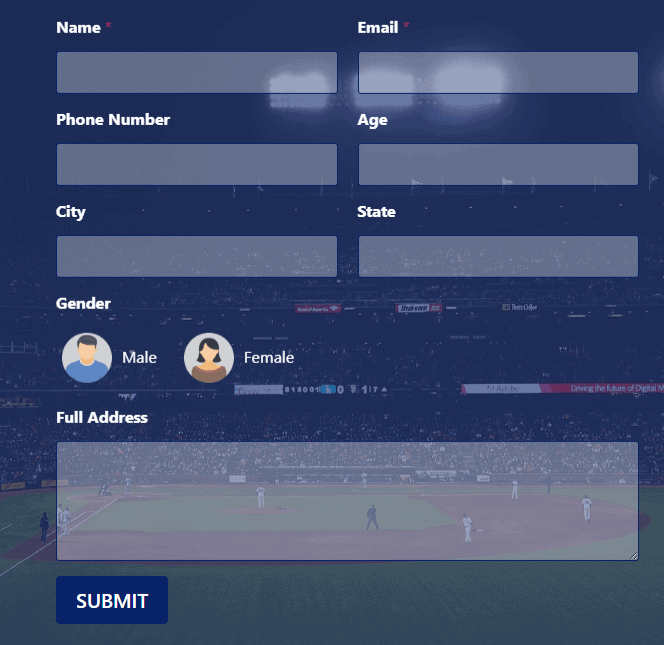
A reliable SMTP setup is only half of the equation. You also need well-designed contact forms that guide visitors toward taking action. When your forms are clear, simple, and trustworthy, conversions rise naturally. Here are practical tips to help you create forms that attract more leads.
- Use Clear, Simple Fields: Begin by keeping your form fields concise and straightforward. Ask only for details that truly matter. This reduces friction and encourages more users to complete the form.
- Add Strong Calls to Action: Next, include direct and compelling calls to action. Phrases like “Get a Free Quote,” “Request a Demo,” or “Book a Consultation” guide users and improve submission rates.
- Include Trust Signals: Add trust-building elements such as testimonials, certifications, privacy statements, or secure badges. These reassure visitors that their information is safe and valued.
- Use Conditional Logic: You can also streamline the experience with conditional logic. It shows or hides fields based on what users choose, which keeps forms clean and personalized.
- Integrate Your CRM: Finally, connect your form with your CRM. Integrations with tools like HubSpot, Salesforce, or Zoho ensure leads move directly into your sales pipeline for quick follow-ups.
This combination of simplicity, clarity, and trust creates a smooth user experience and boosts conversions.
Tools That Enhance WordPress Contact Form Performance
Improving email deliverability is only the first step. You can strengthen your lead-generation system even further by adding supportive tools. These tools enhance user experience, increase conversions, and help prevent disruptions. Here’s how they elevate your forms.
- Spam Protection: This is crucial for maintaining a clean inbox. Tools like reCAPTCHA, hCaptcha, or built-in anti-spam features block bots and reduce unwanted submissions. As a result, your team can focus on real inquiries instead of sorting through junk.
- Multi-Step Forms: These forms break down long forms into smaller, more manageable sections. This structure keeps users engaged and reduces friction. Moreover, it encourages visitors to complete the form because the process feels easier and more organized.
- A/B Testing: It helps you understand what your audience responds to. You can test headlines, CTAs, colors, and field arrangements to optimize your design. With these insights, you can optimize your forms based on real user behavior rather than guesswork.
- Lead Magnet Delivery: Lead magnets work best when delivered instantly. Automating the delivery of eBooks, PDFs, checklists, and templates improves user satisfaction. And since SMTP ensures messages arrive on time, prospects receive their resources without delay.
Bonus: Tips to Fix SMTP Host Issues in WordPress
SMTP host errors can disrupt email delivery and slow down your lead-generation process. However, you can resolve most issues with a few reliable troubleshooting steps. Here are practical ways to fix SMTP host problems and restore smooth email flow.
- Check Your SMTP Credentials: Start by confirming your SMTP host, port, username, and password. Even a small typo can break the connection. Always copy these details directly from your provider’s dashboard.
- Verify the Correct Port and Encryption: Different providers use different ports. Some require SSL, while others use TLS. Therefore, ensure that you select the correct combination based on your provider’s documentation.
- Ensure DNS Records Are Updated: If your DNS records are incorrect or incomplete, your emails may not be delivered successfully. Update SPF, DKIM, and DMARC records to strengthen authentication and fix host errors.
- Check Firewall or Hosting Restrictions: Some hosting companies block outbound SMTP ports. Contact your host or switch to an SMTP API connection if needed.
- Test Your SMTP Connection: Use the email test feature in your SMTP plugin. This helps you identify whether the issue comes from the plugin, hosting, or provider.
- Get Professional Support to Resolve the Issue: If the problem persists, seek expert assistance. A WordPress developer or your SMTP provider’s support team can diagnose deeper server-side problems and resolve them quickly.
Conclusion
SMTP transforms the way your WordPress site handles email submissions from contact forms. It replaces unreliable default mailing systems with secure, authenticated, and trustworthy delivery. As a result, you never miss a lead. You respond faster. You build credibility. And you boost conversions.
When paired with optimized forms, strong CTAs, and CRM integration, SMTP becomes a powerful tool for maximizing lead generation. Start using SMTP today and enjoy reliable communication that supports your business growth.
FAQs About STMP for WordPress Contact Forms
Why am I not getting emails on WordPress?
You may not be getting emails on WordPress because your hosting server is blocking or limiting the default PHP mail function. As a result, your messages fail to send or land in spam folders. The simplest solution is to use an SMTP plugin, such as WP Mail SMTP. It authenticates your emails, improves deliverability, and ensures your contact form messages reach your inbox consistently.
Do I need technical skills to set up SMTP?
No, you can set it up easily using a plugin like WP Mail SMTP. The plugin guides you through every step.
Which SMTP provider is best for beginners?
SendLayer and Brevo are great for beginners because they offer simple dashboards and easy setup.
Will SMTP improve my contact form conversions?
Yes, SMTP helps deliver every submission instantly. Faster responses lead to better conversions.
Can I use SMTP with any contact form plugin?
Yes, SMTP works with all major form plugins, including WPForms, Contact Form 7, and Gravity Forms.

