


WordPress powers a large share of the internet. But building a visually appealing website is not enough. Today, online businesses must also ensure that every user can access and navigate their site without barriers. That is where WordPress web accessibility compliance becomes essential.
When your website meets accessibility standards, it becomes usable for everyone, including people with disabilities. It also strengthens your brand, improves search visibility, and reduces legal risks.
In this guide, you will learn why accessibility matters, how WordPress supports it, and what steps you can take to stay compliant.
What Are Web Accessibility Standards?
Web accessibility standards are guidelines that help businesses create websites that work for all users. These standards ensure that people with visual, auditory, motor, or cognitive disabilities can interact with online content without difficulty.
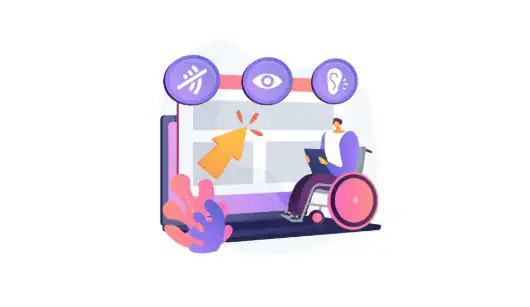
The most recognized set of standards is the Web Content Accessibility Guidelines (WCAG). WCAG outlines the best practices for accessible design and development. It focuses on making content perceivable, operable, understandable, and robust. These principles guide teams in building websites that are inclusive and easy to use.
Assistive technologies also play a vital role. Tools like screen readers, braille displays, and voice navigation devices depend on structured, accessible code. When your WordPress site follows accessibility standards, these tools can interpret your content correctly.
Accessibility is not only a best practice; it is a necessity. It fulfills legal, ethical, and business responsibilities. Providing equal access is a fundamental expectation, and every modern website should reflect that commitment.
Don’t Wait Until Accessibility Issues Affect Your Brand
Get expert guidance today and start building a website that meets compliance standards and supports every user.
Understanding WordPress Website Accessibility Requirements
In many regions, accessibility compliance is part of the law. In the United States, the Americans with Disabilities Act (ADA) requires websites to offer equal access. This applies to small businesses, enterprise companies, nonprofits, and government-related organizations.
WCAG provides the technical guidelines for achieving that access. Most businesses aim to meet WCAG 2.1 Level AA, as it covers essential features users need for a positive experience.
WordPress site owners must ensure that their design, content, and code follow these guidelines. Accessibility applies to everything from theme selection and plugin usage to media formats and navigation layout.
Failing to prioritize accessibility can lead to lawsuits, fines, lost customers, and long-term damage to your brand. Because accessibility is a shared responsibility, site owners and developers must work together to keep the site compliant.
How Accessible Websites Benefit Businesses?
Accessible websites offer more than compliance. They deliver better experiences for all users, not just those with disabilities. Because accessibility encourages clean structure and clear navigation, your entire audience benefits from improved usability.
Accessibility also boosts your SEO performance. Search engines can crawl and index accessible sites more efficiently. Structured headings, alt text, and readable code help search bots understand your content better. As a result, your site may rank higher for relevant keywords.
Businesses also reduce legal exposure by staying compliant. Many countries, including the United States, enforce accessibility requirements. Avoiding lawsuits protects your brand reputation and minimizes financial risks.
Most importantly, accessible websites reach larger audiences. When people with diverse abilities can use your site, your potential customer base expands. More people can shop, read, and interact with your content without obstacles. This leads to better engagement and more conversions.
Tips for Creating an Accessible WordPress Site
Creating an accessible WordPress website begins with understanding your users and removing barriers that may prevent them from engaging with your content.
A thoughtful approach ensures that everyone, including people with disabilities, can navigate, understand, and interact with your website. Below are key areas that help you move toward full accessibility, along with actionable insights.
Tip 1: Choosing the Right Theme and Designing for Accessibility
Selecting the right theme is one of the most important steps. An accessibility-ready theme gives you a strong foundation because it follows clean coding standards and includes features like keyboard-friendly navigation and semantic HTML.

Moreover, these themes often meet many WCAG guidelines right out of the box, which saves time during development.
Designing for accessibility requires careful attention to color contrast, font size, spacing, and layout consistency. Simple, predictable designs help users with visual or cognitive challenges.
Likewise, accessible design ensures that content works seamlessly across assistive technologies. As a result, your site becomes easier to navigate while still maintaining a professional appearance.
Tip 2: WordPress Web Accessibility for Diverse Users
Accessibility is not a one-size-fits-all concept. Users have diverse needs, from visual and auditory limitations to motor and cognitive disabilities. Therefore, your WordPress site must support multiple access methods.
For instance, users with visual impairments may rely on screen readers or magnifiers to access content. Those with hearing difficulties need captions or transcripts for audio and video. Users with mobility challenges may depend on keyboard-only navigation or voice commands.
By considering these variations, you create a website that works for everyone.
Additionally, providing clear language, simple menus, and logical structure improves usability across all audience segments.
Tip 3: WordPress Web Accessibility Features and Plugins
WordPress offers a strong ecosystem of features and plugins designed to enhance accessibility. The platform already includes semantic markup and accessible default themes. Yet plugins extend these capabilities even further.
Tools like accessibility scanners identify issues such as missing alt text, poor color contrast, or incorrect heading order.
Furthermore, services like accessiBe and plugins like WP ADA Compliance Check or Ally (One Click Accessibility) can help automate improvements while giving you clear instructions on what needs attention.
Although automation cannot fix everything, these tools streamline your workflow and ensure ongoing alignment with accessibility guidelines.
Tip 4: Creating an Accessibility Statement
An accessibility statement communicates your commitment to offering equal access to every user. It also builds trust by showing that your website is actively working toward meeting WCAG and ADA requirements.
In this statement, explain the standards your site follows, any known limitations, and how users can reach you if they encounter accessibility issues.
This transparency helps users feel supported. Additionally, it signals to regulators and partners that your business values inclusivity and takes compliance seriously.
Tip 5: Maintaining WordPress Website Accessibility and Compliance
Accessibility is not a one-time task. Websites evolve through updates, new content, added plugins, and design adjustments. Every change introduces the possibility of new accessibility challenges. Therefore, regular monitoring is essential.
Using automated tools, performing manual audits, and testing with assistive technologies help you stay compliant. Moreover, documenting processes and educating your team ensures long-term consistency and reliability.
By maintaining accessibility over time, you offer a better user experience and protect your business from legal and reputational risks.
Common Web Accessibility Issues and How to Fix Them
Web accessibility issues are more common than many WordPress site owners realize.
Even small errors can make a website difficult to navigate for users who rely on assistive technologies. Addressing these issues early helps create a smoother, more inclusive browsing experience for everyone.
Below are the most frequent problems and how to resolve them.
- Missing or Improper Alt Text: Missing alt text limits access for users who depend on screen readers. Without descriptions, important visuals lose context. To fix this, add concise, meaningful alt text to every image. This simple step improves accessibility and strengthens SEO.
- Non-Functional or Inaccessible Interactive Elements: Buttons, forms, and menus must work for all users. When these elements lack proper labels or do not respond to keyboard commands, they create barriers. Ensure every interactive component is coded correctly and fully operable using both mouse and keyboard.
- Poor Keyboard Navigation: Many users navigate only with a keyboard. If your site’s tab order is illogical or focus indicators are missing, they will struggle. Improve accessibility by enabling clear focus states and maintaining a predictable navigation flow.
- Low Color Contrast: When text does not contrast strongly with its background, readability suffers. Adjust your color palette to meet WCAG contrast ratios. This improves visibility for users with low vision and enhances overall clarity.
- Assistive Technology Compatibility Issues: Incorrect code structure can confuse screen readers . To avoid this, use semantic HTML and test your site with popular assistive tools. Regular testing ensures your content is interpreted accurately and consistently.
The Future of Web Accessibility
The landscape of web accessibility is rapidly transforming as digital technology advances. New innovations are making it easier for businesses to maintain accessible WordPress sites while improving user experience for people with diverse abilities.
Below are key areas shaping the future of accessibility and what they mean for site owners.
- Emerging Tools and Smarter Automation: Automation is becoming more powerful. AI-driven scanners and accessibility-checking tools can now detect issues with greater accuracy and speed. These solutions streamline audits, highlight errors in real time, and guide developers through effective fixes. As a result, maintaining accessibility becomes more efficient and proactive.
- Advancements in Assistive Technologies: Assistive tools are evolving quickly. Screen readers, voice navigation, and adaptive devices are becoming more intuitive and responsive. These advancements help users interact with websites more smoothly, which makes it even more important for WordPress sites to remain compatible and standards-based.
- Stronger Global Guidelines and Standards: Accessibility regulations and WCAG guidelines continue to expand. New criteria emphasize mobile accessibility, cognitive support, and multimedia clarity. Therefore, site owners must stay updated and adapt their websites to meet these evolving expectations.
- Growing Awareness and Inclusion Efforts: More businesses now recognize the value of inclusive digital experiences. This increased awareness is driving better design practices, stronger development habits, and deeper commitment to accessibility.
Conclusion
WordPress accessibility compliance is crucial for establishing an inclusive and successful online presence. It helps businesses offer equal access, improve SEO performance, mitigate legal risks, and expand their reach to a wider audience. When you follow WCAG guidelines, choose the right themes, use accessibility plugins, and maintain ongoing compliance, your website becomes more usable for everyone.
Accessibility strengthens your brand, boosts engagement, and supports your long-term growth. By making your WordPress site accessible today, you build a better experience for tomorrow’s users.
FAQs About Website Accessibility and Compliance
What is the purpose of web accessibility on a WordPress site?
Web accessibility helps remove accessibility barriers on any web page, allowing visually impaired users and screen reader users to browse with ease, which in turn leads to a positive user experience.
How do I make my WordPress site ADA-friendly?
You can work toward WordPress ADA compliance by following the guidelines outlined in the ADA guidelines and running an accessibility audit to ensure ADA compliance across your entire website.
What should I focus on first when improving accessibility?
Start by building accessible websites with proper heading structures, descriptive alternative text, and clear link text. This creates a solid foundation for accessible web design.
Are there tools or professionals who can help?
Yes, WordPress professionals or experienced WordPress developers and tools can fix accessibility problems and support WordPress users throughout the development process.
How do WordPress themes impact accessibility?
Choosing an accessible theme from the WordPress theme directory helps website owners build a site that support screen reader compatibility, keyboard accessible features, and other assistive technologies.
What plugins or tools improve compliance?
Tools offering automated scanning and automated testing can detect issues such as missing form field labels, audio descriptions, or contrast errors, helping maintain an ongoing commitment to improved accessibility.
Does accessibility help SEO and business growth?
Yes, accessible design provides SEO benefits and strengthens a brand’s presence in the digital space while making sites more usable for people with visual impairments who depend on inclusive websites.

