


Running a successful eCommerce store takes more than adding products and hoping for the best. To compete in 2025, your WooCommerce store needs speed, security, powerful features, and smooth user experiences. That is where WooCommerce plugins come in.
WooCommerce is one of the most powerful and flexible eCommerce platforms available today. Built on WordPress, it allows store owners to launch and grow their online businesses easily. But out of the box, WooCommerce has limits. You need the right plugins to take your store from basic to brilliant.
WooCommerce plugins are tools that extend the core functionality of your store. They help you improve load times, boost SEO, recover abandoned carts, offer flexible payment options, and enhance the checkout page. These plugins can also help you create multilingual WooCommerce stores, set wholesale pricing, or integrate push notifications.
In this article, we will highlight 25 must-have WooCommerce plugins. These top WooCommerce extensions are designed to boost performance, drive sales, and help your online store grow. Whether you run a small eCommerce site or manage a large WooCommerce store, these plugins can make a significant difference.
Why WooCommerce Plugins Are Essential for Your Online Store

The WooCommerce platform is powerful, but plugins unlock its full potential. Think of them as building blocks. Each WooCommerce plugin adds a feature or solves a problem for your store.
Need better SEO? Install an SEO plugin. Want to offer wholesale pricing? Use a plugin for that. Looking to optimize the WooCommerce checkout page? There is a plugin for that, too.
These extensions enhance customer experience, improve performance, and increase conversions. Plugins help store owners track customer data, automate marketing, create flexible payment gateways, and offer personalized shopping experiences. They also make it easier to manage your WordPress site without needing custom code.
Simply put, WooCommerce plugins are essential for building, scaling, and maintaining a successful online store.
Ready to Supercharge Your WooCommerce Store?
Get expert help to install, customize, and optimize the perfect WooCommerce plugins for peak performance.
How Plugins Address Common eCommerce Challenges
Every eCommerce store faces challenges. Customers abandon carts, pages load slowly, and sales drop due to poor user experience. WooCommerce plugins offer direct solutions to these problems.
Want to reduce cart abandonment? Add a cart recovery plugin that sends automated emails or SMS. Are you dealing with slow page speeds? Use caching or image optimization plugins to speed up your WooCommerce site.
Are you struggling with a lack of store functionality? WooCommerce extensions are available for product filtering, custom checkout fields, and customer relationship management.
WordPress eCommerce plugins give you the tools to overcome the hurdles most online stores face. Your store can become faster, smarter, and more profitable with the right combination.
Also Read: How to Change the Empty Cart Message in WooCommerce
How to Choose the Right WooCommerce Plugins for Your Store
Not every plugin is right for every store. Choosing the best WooCommerce plugins requires careful thought. You want powerful features, but you also need compatibility and performance.
First, check if the plugin works with your current WordPress theme and other plugins. Conflicts can break your store. Second, avoid installing too many plugins. Too many extensions can slow down your site and cause plugin bloat.
Look for user-friendly interfaces and plugins that do not require custom code. Ensure the plugin has strong reviews, regular updates, and active support. Start with a free version before upgrading to the premium plugin if possible.
Before full integration, always test the plugin in a staging environment. Monitor its effect on your store performance and the WooCommerce dashboard. A perfect plugin might not be right for your specific WooCommerce site.
Top WooCommerce Plugins for Performance and Sales
Choosing the right plugins can transform your WooCommerce store from average to exceptional. Below are the top WooCommerce plugins that boost speed, sales, and user experience.
OptinMonster
OptinMonster is the most powerful conversion optimization software in the market. It helps you convert abandoning website visitors into subscribers and customers.

You can use it on your eCommerce website to reduce cart abandonment, increase sales conversion, grow your email list, show targeted website messages, onsite retargeting, and more.
YITH WooCommerce Wishlist
YITH WooCommerce’s wishlist plugin allows your customers to save products to their wishlist. They can use the wishlist to make the purchase later or share their wishlist with friends and family.

This is a perfect add-on for your online store during busy holiday seasons when people are making their shopping lists and purchasing gifts.
WooCommerce Multilingual
Non-English WordPress websites surpassed the English WordPress websites in 2014. Since then, more WooCommerce stores have been created in languages other than English. WooCommerce Multilingual adds the compatibility layer with the popular WPML WordPress multilingual plugin.

This allows you to translate your product and other WooCommerce pages into multiple languages. Your customers can choose to browse your website in their preferred language.
WooCommerce Products Slider

The WooCommerce Products Slider allows you to easily create beautiful product sliders and carousels and add them anywhere on your WooCommerce store.
WooCommerce Customizer
The WooCommerce Customizer provides an easy user interface for using built-in WooCommerce filters. These filters allow you to customize things like button text, labels, fields, and more.

Normally, you would have to write PHP code to use these filters. With WooCommerce customizer, you can easily use those filters from a simple settings page (no coding necessary).
WooCommerce EU VAT Compliance

As the name suggests, this simple plugin makes your WooCommerce shop compliant with the new EU VAT. It will automatically detect your customer’s location and will display prices with the correct VAT from the first page.
Order Delivery Date for WooCommerce

This plugin allows users to choose a delivery date for products during checkout. WooCommerce store owners can see the desired delivery date on their orders page in the admin area.
YITH WooCommerce Quick View
WooCommerce Quick View allows your customers to peek into product details by simply hovering their mouse over a button. This enables customers to quickly access product information without leaving the product listings or shop page.

Users can see a larger product image, product description, and an add-to-cart button in a lightbox pop-up.
WooCommerce PDF Invoices & Packing Slips

This nifty plugin allows you to email PDF invoices and packing slips to customers. Users can also download their invoices and slips from their accounts area. As a site admin, you can also generate invoices in bulk, download them, and email them to users from an admin area.
YITH WooCommerce Compare

As the name suggests, this plugin allows your customers to compare two or more WooCommerce products side by side. You can choose which fields users will see in the comparison table and reorder them.
WooCommerce Menu Bar Cart

Usually, your WooCommerce theme would prominently display a cart button at the top. However, if your theme doesn’t show a cart button, or you don’t like its placement, then WooCommerce Menu Cart will fix this for you.
It allows you to add the cart button to your WordPress navigation menu. It works with any WordPress theme and displays a cart icon, items, and price in your navigation menu.
YITH WooCommerce Ajax Search

Speed is crucial for the success of any website, particularly for online stores. A single-second page load delay can significantly increase cart abandonment and lower user engagement.
YITH WooCommerce Ajax Search offers a powerful search feature that instantly displays products as users start typing. It uses Ajax to fetch the results, meaning your users can search without leaving the page they are viewing.
MailChimp for WooCommerce

MailChimp is one of the top email marketing services in the world. Its official WooCommerce extensions integrate email marketing into your eCommerce website.
WooCommerce Checkout Field Editor

Do you want to add custom fields to the WooCommerce checkout page? The WooCommerce Checkout Field Editor plugin allows you to easily add, customize, and rearrange fields on your online store’s checkout page.
This allows you to customize your customers’ checkout experience and use the data to grow your business.
Smart Coupons for WooCommerce
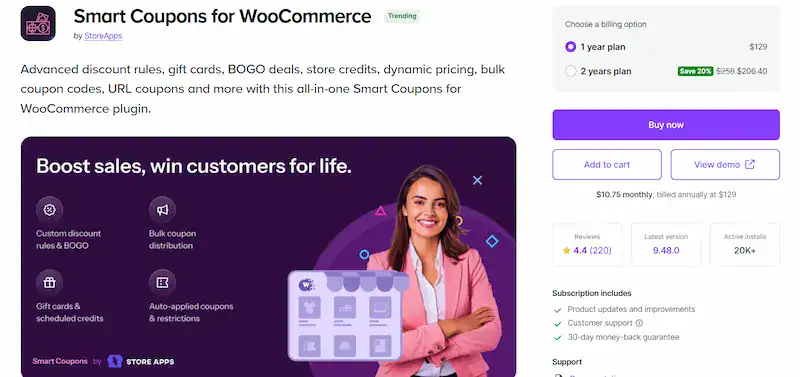
Smart Coupons is a powerful WooCommerce extension that lets you create and manage advanced discount campaigns. It supports bulk coupon generation, auto-apply features, gift cards, store credits, and coupon restrictions to maximize your store’s performance and boost sales.
WooCommerce Subscriptions

WooCommerce Subscriptions is the perfect WooCommerce plugin for creating and managing products with recurring payments. It supports multiple billing schedules, integrates with over 25 payment gateways like Google Pay, and helps store owners generate consistent revenue from loyal customers.
OneSignal: Web Push Notifications

OneSignal is a free WooCommerce plugin that allows you to send targeted web push notifications to your customers. This plugin integrates seamlessly with WooCommerce sites and helps re-engage users, promote product pages, announce flash sales, and recover abandoned carts.
MailPoet: Email & Newsletter Plugin

MailPoet is a powerful WooCommerce plugin that lets you send emails, newsletters, and product updates directly from your WordPress dashboard. It integrates with WooCommerce to send targeted emails like purchase history follow-ups, abandoned cart reminders, and product recommendations, helping you boost sales with minimal effort.
Minimum Purchase Amount For Woo Cart

This powerful WooCommerce extension lets you set minimum purchase values for your store. It includes role-based rules and free shipping thresholds to boost order value. It is fully customizable, translation-ready, and easy to integrate with your WooCommerce site.
YITH WooCommerce Gift Cards

YITH WooCommerce Gift Cards is the perfect plugin for selling customizable gift cards in your store, boosting revenue, and attracting new customers. It helps increase conversions, especially during the holiday season, while encouraging higher spending and expanding your customer base.
WooCommerce Currency Switcher

As the name suggests, this plugin allows customers to easily switch currencies and get real-time conversion rates in their local currency. You can add the currency switcher by using the shortcode or a sidebar widget.
Variation Swatches for WooCommerce

This WooCommerce plugin replaces boring dropdowns with beautiful color, image, and button swatches for product variations. It enhances product pages, improves the shopping experience, and works seamlessly with popular WordPress themes. Customers can easily choose sizes, colors, and styles in a visually engaging way.
WooCommerce Products Filter

WooCommerce Products Filter allows your site customers to filter products by categories, attributes, product tags, product custom taxonomies, and price. You can add the filter anywhere using the shortcode or the sidebar widget.
WooCommerce Shortcodes

WooCommerce comes with many shortcodes that you can use throughout your website to add products, buttons, and more. The WooCommerce Shortcodes plugin adds a drop-down in your WordPress visual editor, allowing you to easily select and insert shortcodes in content areas like posts, pages, or products.
Booster for WooCommerce

Booster for WooCommerce allows you to add several useful features to your WooCommerce website, allowing you to run your online store more efficiently. It uses a modular approach similar to Jetpack and acts as a plugin suite with tons of features.
Best Practices for Installing and Managing WooCommerce Plugins
Proper plugin installation and management can make or break your WooCommerce site. Follow these best practices to keep your WordPress website secure, fast, and fully optimized.
Steps to install and manage WooCommerce plugins effectively:
- Log in to your WordPress dashboard and navigate to Plugins → Add New
- Use the search bar to find the WooCommerce plugin you need
- Click Install and then Activate Plugin from the results
- Configure plugin settings to match your store’s goals and features
- Regularly check for plugin updates to fix bugs and improve security
- Test plugin compatibility with your current WooCommerce theme and other plugins
- Avoid installing too many plugins to prevent performance issues
- Use tools like Google Analytics to track how plugins affect site performance
- Remove or replace plugins that slow down your eCommerce website
- Audit your plugins monthly to eliminate unused or outdated WooCommerce extensions
These steps will help store owners maintain a clean, efficient, high-performing WooCommerce site.
Conclusion: Supercharge Your WooCommerce Store with These Plugins
Your WooCommerce store has enormous potential. But to unlock it, you need the right tools. The 25 must-have WooCommerce plugins we will cover in this blog can help you solve real problems and create better shopping experiences.
These plugins give you a competitive edge, from boosting SEO to recovering lost sales. Use them to enhance your checkout page, connect with retail and wholesale customers, and offer customers flexible payment options.
Do not overload your store with multiple plugins. Instead, combine the best WooCommerce plugins strategically. Focus on features that directly impact your store’s performance and growth.
Start implementing these top WooCommerce plugins today and watch your online store thrive.
FAQs About Must-Have WooCommerce Plugins
How many WooCommerce plugins should I install?
Keep it lean. Use only the plugins you need. Installing multiple WooCommerce plugins can slow down your site if not managed properly.
Are free WooCommerce plugins safe to use?
Yes, but choose well-reviewed plugins from trusted sources. Always test the free version before committing to the premium plugin.
Do I need a developer to install plugins?
No. Most plugins have a user-friendly interface and drag-and-drop functionality. You can install them directly from your WordPress dashboard.
Can plugins help improve my WooCommerce SEO?
Absolutely. Use an SEO plugin like Rank Math or Yoast to optimize your product and shop pages for better rankings.
Will plugins work with a multilingual WooCommerce store?
Yes. Many plugins offer multilingual support or integrate with translation tools for your WordPress website.

