

With the rapid advancement of technology, the threat of websites is constantly evolving. Cybercriminals are becoming increasingly sophisticated, employing various tactics to infiltrate systems. Malware, short for malicious software, is one of the most common and dangerous threats individuals and businesses face. This is why choosing an expert WordPress malware removal service is critical. This article will explore the importance of malware removal services, what they offer, and how they can safeguard your digital assets.
What is Malware and Its Impact?
Malware encompasses a variety of malicious software, including viruses, worms, trojans, ransomware, and spyware. Each type of malware has its own destructive capabilities. For example, viruses can corrupt files and steal personal information, while ransomware can lock you out of your system until a financial ransom is paid.
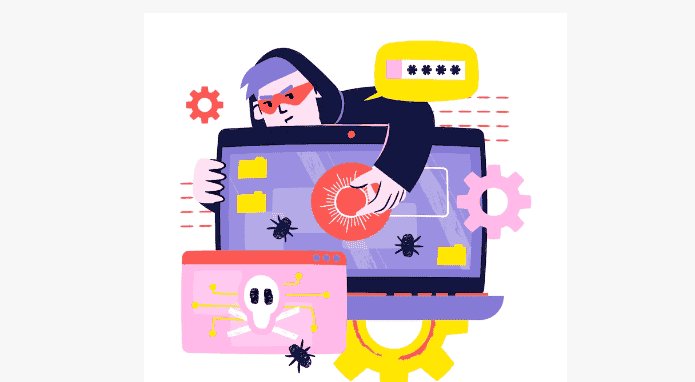
The impact of malware can be devastating. For individuals, this can mean loss of sensitive data, financial theft, or personal inconvenience. For businesses, malware can result in loss of customer trust, significant financial losses, and damage to the company’s reputation. In severe cases, malware attacks can even cause operational shutdowns.
Learn: How Professional WordPress Services Can Help Scale Your Agency Business
Why Opt for a Professional WordPress Malware Removal Service?
While there are many reasons to choose a professional malware removal service, here are the top benefits of investing in it:
- Expert Knowledge and Tools: Malware removal services employ cybersecurity experts equipped with the latest knowledge and tools. They regularly update their skills to understand new threats and counter them effectively.
- Efficient Identification and Removal: Professionals can quickly identify various types of malware, even the ones designed to evade traditional detection methods. They use advanced scanning techniques to ensure no malware is left undetected.
- Comprehensive Protection: After cleaning up malware, these services provide measures to secure your system against future threats. This includes installing security updates and configuring your system for optimal security.
- Cost-Effectiveness: Although hiring a malware removal service involves an upfront cost, it is ultimately more cost-effective than dealing with the extensive damage malware can cause.
- Data Recovery: In cases where malware has corrupted or deleted data, professional services can often recover lost information, potentially saving you from irreversible losses.
Check out: Boost Your Site Speed with the Best LCP WordPress Plugins
How Do We Help with WordPress Malware Removal?
WPServices offers specialized WordPress malware removal services to protect your website from harmful threats. Here’s an overview of what our services include:

Expert Malware Detection and Removal
Our team of professionals excels in identifying and eliminating a wide range of malware that could compromise your WordPress site.
- Comprehensive Scanning: We utilize advanced scanning tools to thoroughly examine every aspect of your website, ensuring no malware goes undetected.
- Prompt Removal: Once identified, our experts swiftly remove all traces of malware, restoring your site to a safe state.
The Hidden Threat: Database-Level Malware
When most people think of malware, they focus on infected files or malicious scripts hidden in WordPress themes or plugins. However, a significant number of threats live deep within the WordPress database itself. These can include malicious code injected into posts, options tables, or user records, often bypassing traditional file-based malware scanners.
Database-level infections are hazardous because they are harder to detect and can regenerate malicious content even after a website cleanup. For example, a hidden JavaScript redirect or an encoded iframe embedded in a post can silently redirect your traffic or compromise user data long after the visible malware has been removed from the core WordPress files.
Our WordPress malware removal service specializes in identifying and cleaning these hard-to-reach infections. We perform a comprehensive malware scan across your WordPress site, including a deep analysis of the database tables to find and remove suspicious code and unauthorized modifications.
This process includes:
- Scanning the wp_options, wp_posts, and wp_users tables for malicious content
- Identifying and removing hidden scripts, encoded payloads, or suspicious shortcodes
- Restoring legitimate content and settings after eliminating malicious software
- Implementing proactive protections to prevent future attacks
By addressing these database-level risks, we ensure your WordPress website is truly clean and not just appearing malware-free on the surface.
Securing Your Website Against Future Threats
Beyond just removing existing malware, we take proactive measures to protect your website from future attacks.
- Security Enhancements: We implement security plugins and configure settings to bolster your website’s defenses against potential threats.
- Regular Monitoring: Our services include regular monitoring to detect any suspicious activity and ensure your site remains secure over time.
Detailed Reporting and Support
Transparency and support are key components of our service, keeping you informed and supported throughout the process.
- Comprehensive Reports: After malware removal, we provide detailed reports outlining the detected threats and actions we took to eliminate them.
- Ongoing Support: Our team is available for WordPress support and guidance, addressing any concerns and ensuring your website remains in optimal condition.
Custom Solutions Tailored to Your Needs
We understand that every website is unique, and we offer solutions that are customized to meet your specific requirements.
- Tailored Security Plans: Based on the nature of your website, we develop personalized security plans that provide the best protection for your specific situation.
- Scalable Services: Whether you run a small blog or a large e-commerce site, our services are scalable to fit your needs, ensuring comprehensive protection across the board.
Comprehensive Guide: Best Shared Hosting for Small Business
Secure Your WordPress Site Today!
Don’t let malware compromise your website and brand reputation. Our malware removal service provides fast, actionable solutions to protect your digital assets.
What to Look for in a Malware Removal Service?
Before hiring a WordPress agency, research its reputation. Look for reviews, case studies, and testimonials from past clients. Positive feedback and a solid reputation are good indicators of reliability and effectiveness.
- Range of Services: Consider what services are offered beyond malware removal. Some services provide ongoing monitoring, data backup solutions, and personalized website security. A comprehensive package can provide better long-term protection.
- Certification and Expertise: Ensure that the service employs certified cybersecurity professionals. Credentials and certifications (such as CISSP, CEH, or CompTIA’s Security+) demonstrate a company’s commitment to quality standards and continuous learning.
- Response Time: In cyber incidents, time is of the essence. Find out how quickly a service can respond to your needs. Fast action can significantly reduce the damage caused by malware.
- Cost Transparency: Choose a service with clear pricing. Understand what you are paying for and ensure there are no hidden fees. A transparent pricing structure helps budget and manage costs effectively.
Why Backups Matter Before Cleanup
One essential step often overlooked is creating a complete backup of your site before starting any malware removal process. Malware cleanup can be complex, especially when working with infected files, database entries, or compromised .htaccess files. A clean backup can save valuable data and minimize downtime if something goes wrong during the process.
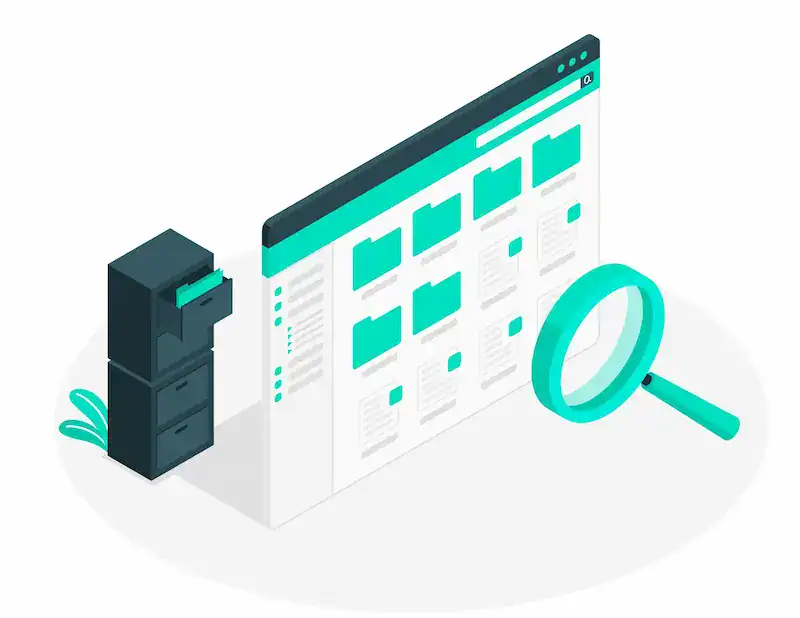
Our WordPress malware removal service always starts with a secure backup of your website files, database, and configurations such as wp-config.php and .htaccess. This safeguards your content and enables us to compare compromised versions with clean ones to identify suspicious modifications or unauthorized accounts.
Having a backup is also important because:
- Some malware removal tools or plugins may mistakenly delete critical files during a scan
- Manual interventions in the WordPress core or theme files can lead to site instability
- Re-infections may require reverting to a previous clean version before reapplying security measures
We use professional backup tools and store copies on secure, off-site servers, ensuring ongoing protection even during the most aggressive malware cleanup efforts. Remember, no matter how advanced a removal service is, there is no replacement for a well-maintained and secure backup strategy.
Manual Cleanup vs Automated Tools: What Works Best?
Many WordPress users rely on security plugins or automated malware scanners for detection and cleanup. While tools like Wordfence, MalCare, or Sucuri offer great features, they may not always be effective against complex or obfuscated malicious code. Automated tools can flag false positives or overlook hidden backdoors in core files or themes.
Manual cleanup, performed by experienced security experts, goes a step beyond by:
- Analyzing server logs and FTP activity to find suspicious code
- Comparing infected files with the official WordPress core repository
- Identifying unwanted scripts and hidden cron jobs running in the background
- Detecting hardcoded database injections or altered user permissions
Our approach combines the best of both worlds. We begin with a full malware scan using advanced tools, followed by a hands-on review from our team. This hybrid method ensures we find even the most deeply embedded threats and eliminate them at the source.
While free plugin versions can offer basic protection, relying solely on them for WordPress malware removal may leave your site vulnerable to security threats. A professional malware removal service is often the most reliable solution for hacked websites that require precise remediation and ongoing protection.
Tips for Personal and Organizational Protection
Here are some of the actionable tips that one can use to protect their sensitive data and information online.
- Regular Updates: Keep your operating systems and software up to date. Updates often include patches for security vulnerabilities that malware could exploit.
- Strong Passwords: Use complex passwords and change them regularly. Consider using a password manager to keep track of them securely.
- Employee Training: For businesses, educating employees about cybersecurity best practices can significantly reduce the risk of malware infections.
- Backup Solutions: Regularly back up data using reliable cloud services or physical storage devices. Backups can help restore critical data in a malware attack.
- Use VPNs: A Virtual Private Network (VPN) can protect data transmitted over the internet, making it more difficult for malware to intercept sensitive information.
Fast Response and Transparent Service: What to Expect
When your WordPress site is hacked, time is critical. The longer your malware infection goes unchecked, the higher the chances of search engine blacklisting, customer data theft, or further compromise of essential files. One of the most overlooked aspects when choosing a WordPress malware removal service is how quickly they respond and how transparently they operate.
Here’s what to look for:
- Emergency response times: Some services offer guaranteed response within 6 to 12 hours, which can be crucial in stopping malware attacks early.
- Service Level Agreements (SLAs): Reputable companies clearly define their remediation timeline, cleanup process, and follow-up steps.
- Detailed reporting: After cleaning, you should receive a full report on the infection, including how the malware entered, what was affected, and what steps were taken to fix it.
- Post-cleanup monitoring: Top-tier services offer unlimited cleanups for a set period and continue to monitor your site for any signs of reinfection.
- Transparent pricing: Avoid services that quote vague prices or hide essential features behind paywalls. Look for clearly listed packages and what each includes.
We prioritize rapid response, full disclosure, and expert support every step of the way. Our team works closely with you and your web host to isolate infected environments, clean compromised systems, and provide actionable insights to harden your WordPress security moving forward.
Final Thoughts
Choosing an exemplary WordPress malware removal service is crucial and can greatly impact digital security. Whether for personal use or business, investing in professional help ensures your systems are safe from evolving threats.
With expert intervention, prompt response, and comprehensive protection measures, you can mitigate the risks and protect essential data and privacy. By understanding the importance of these services and implementing preventive measures, you can navigate the digital world with greater confidence and security.
FAQs About WordPress Malware Removal Services
Can I remove malware myself without a professional service?
While certain tools make DIY removal possible, they are not always reliable, especially for sophisticated malware. Professionals can ensure complete removal and provide necessary protections.
Are free malware removal tools effective?
Free tools can detect and remove basic threats but may not offer complete protection against advanced malware. Professional malware removal services offer more comprehensive solutions and support.
How do I clean my WordPress site from malware?
To clean your WordPress site from malware, create a full backup. Utilize WordPress security plugins like Wordfence or Sucuri to perform a thorough malware scan, identifying any infected files, which should then be deleted or restored from clean backups. Additionally, reinstall the WordPress core files to ensure they are clean and update all themes and plugins to their latest versions.
How to remove a virus from a WordPress site?
To remove a virus from your WordPress site, first identify the virus. Manually remove infected website files and replace them with clean versions. Ensure the database does not contain any malicious code. Post the WordPress malware cleanup process, install security plugins to provide ongoing protection and prevent further infections.
Do you provide hacked website repair?
Yes, we provide comprehensive hacked WordPress site repair services. Our expert team can identify and remove malicious code or files, restore your site to its original condition, and implement enhanced security measures to prevent future attacks. We also aim to minimize downtime and ensure your website is secure and fully operational.
How to detect malware on a WordPress website or malicious code?
Malware can be detected in WordPress with WordPress plugins. These malware scanner tools scan your site for any malware presence. Additionally, monitor your site for unauthorized changes, and use plugins to keep track of user activity for unusual behavior.
How to secure WordPress from malware?
Securing WordPress from malware involves regularly updating WordPress core, themes, and plugins to close any security gaps. Implement strong, complex passwords for all accounts and encourage users to do the same. Limiting login attempts can prevent brute force attacks, and securing your site with an SSL certificate helps protect data during transmission.

