

If you are still relying on back-and-forth emails, phone tag, or a physical paper diary to manage appointments, you are likely losing revenue. This is where WordPress booking plugins become your most valuable employee, one that works 24/7, never sleeps, and ensures your booking calendar is always up to date.
For businesses ranging from beauty salons and tutoring services to online classes and healthcare providers, automating the booking process is not just a luxury; it is a necessity. A robust booking system transforms your WordPress website into a fully functional scheduling engine.
In this comprehensive guide, we will explore the 7 best WordPress booking plugins for 2026.
TL;DR: Quick Takeaways
- WordPress booking plugins automate scheduling for beauty salons, tutoring businesses, online classes, and healthcare providers.
- The best plugins offer Google Calendar sync, automated reminders, secure payments, and flexible time slot control.
- WP Amelia and Bookly lead the way in advanced features, while Simply Schedule Appointments suits beginners and solopreneurs.
- Choosing the right plugin reduces no-shows, prevents double bookings, and boosts revenue with 24/7 availability.
What Are WordPress Booking Plugins and Why They Matter
A WordPress booking plugin is a software extension that integrates a scheduling interface directly into your WordPress site.

It allows clients to view your real-time availability, select a service or time slot, and book an appointment without requiring any action on your part.
Why do these plugins matter so much?
- 24/7 Availability: Your appointment business remains open around the clock. Clients can accept bookings at 2:00 AM while you sleep.
- Reduced No-Shows: With automated email notifications and appointment reminders (via SMS or email), clients are far less likely to forget their slots.
- Eliminate Double Bookings: A good WordPress scheduling plugin syncs with your personal calendar (such as Google Calendar) to ensure you are never booked for two events at the same time.
- Streamlined Admin: Instead of manually inputting data, you get a user-friendly admin dashboard where you can manage bookings, export bookings for analysis, and view a clear calendar overview.
Also Learn: Essential WordPress Services for Small Businesses
Launch Smart Booking Experiences With WordPress
Power your services with custom WordPress booking solutions built for performance, scalability, and seamless user experiences.
What to Look for in a WordPress Booking Plugin
Not all booking plugins are created equal. Before diving into the reviews, it is essential to understand the features that distinguish a basic tool from a robust appointment booking process.
Essential Booking Features Every Plugin Should Have
Your plugin must offer a seamless user experience. Look for a customizable booking form that aligns with your brand’s aesthetic.
The booking form should be intuitive, allowing clients to select services, staff members, and times easily.
- Unlimited Services: You should be able to customize unlimited services with different price points and durations.
- Time Slot Booking: Flexibility is key. Can you set custom service durations (e.g., 30 mins vs. 90 mins)? Can you add buffer times between appointments to allow for cleaning or preparation?
- Booking Rules: You need control. Look for options to set future booking limits (e.g., clients can’t book more than 3 months in advance) or cancellation policies.
Explore Further: Top Must-Have Paid WooCommerce Plugins to Supercharge Your Online Store
Payment Gateway Support and Integration
To secure revenue, your booking form should handle payment details securely. The best WordPress appointment plugin for your needs will support online payments via major gateways, such as Stripe, PayPal, or Square.
Some plugins also allow for deposit payment options, which are essential for reducing cancellations. If you run an e-commerce setup, consider using WooCommerce bookings integration to leverage your existing checkout flow.
Calendar Sync, Staff & Service Management
If you have a team, you need a plugin that effectively handles resource scheduling.
- Google Calendar Sync: Two-way sync is non-negotiable for most. It pushes web bookings to your phone and pulls personal events to block your web availability.
- Staff Management: Can each staff member have their own calendar and working hours?
- Multiple Locations: If you operate across various branches, the plugin must seamlessly manage them.
Further Reading: Importance of WordPress Web Accessibility Compliance for Online Businesses
SEO, Performance & Mobile Responsiveness
A heavy plugin can slow down your site. Ensure the booking widget is lightweight and mobile-responsive.
A significant portion of your clients will likely book via their smartphones. Furthermore, properly structured booking pages can help with local SEO, driving more traffic to your appointments online page.
In‑Depth Plugin Reviews: Top 7 WordPress Booking Plugins
We have thoroughly tested and analyzed the market to bring you the best WordPress booking plugins currently available. Whether you need a simple free plugin or a complex enterprise solution, there is something here for you.
WP Amelia: Best All‑In‑One Appointment Booking Plugin
WP Amelia is often cited as the gold standard for WordPress appointment booking. Its modern, enterprise-level interface looks stunning on both the back end and front end. It relies on a Single Page App (SPA) design, making the booking process feel incredibly smooth and app-like without page reloads.
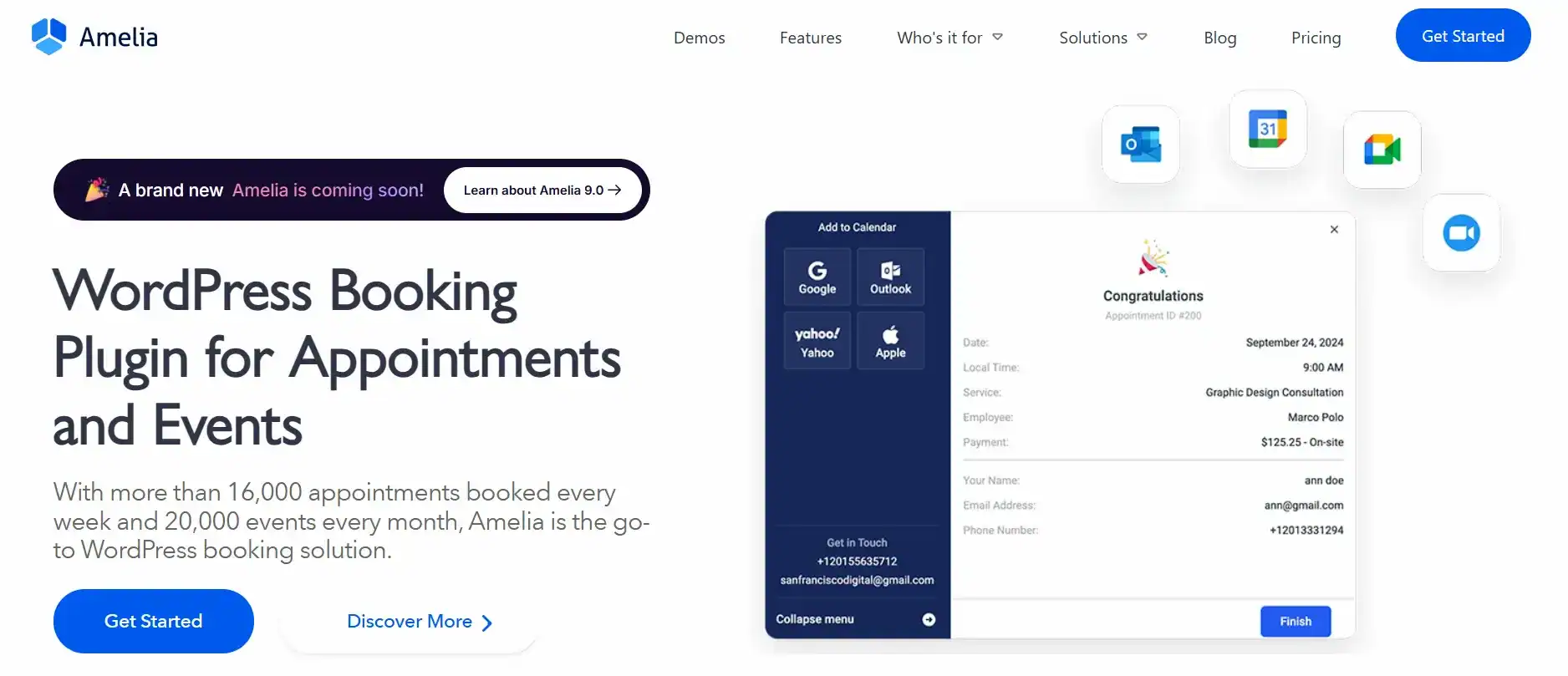
- Key Features: It excels at staff and service management, making it easy to schedule appointments for multiple employees. It supports Google Calendar sync, Outlook sync, and even Zoom/Google Meet integration for online classes.
- Notifications: You can send automated email and SMS reminders to customers about upcoming slots.
- Best For: Gyms, spas, law firms, and private clinics seeking a premium, polished look.
- Pricing: Offers a robust free version (Amelia Lite) and a competitive Pro version.
Why we love it: The dashboard provides insightful analytics on your booking revenue and occupancy rates, acting as a mini-CRM for your appointment business.
Bookly: Flexible WordPress Booking and Scheduling Plugin
Bookly is a highly popular appointment scheduling plugin known for its extreme customizability. If you want to customize every color, field, and step of the booking form, Bookly is the tool for you.

- Key Features: It offers a sleek booking calendar and allows for unlimited services and staff members in the Pro version. The plugin is renowned for its add-on model, which lets you purchase the core plugin and add extensions for specific features, such as group bookings, coupons, or specialized payment gateways.
- Experience: The client-facing form is fully responsive and supports touch gestures on mobile. It handles multiple bookings in a single session (cart system), which is great if a client wants to book a haircut and a manicure back-to-back.
- Best For: Businesses that need a highly tailored solution and don’t mind paying for specific add-ons to build their perfect system.
The Events Calendar: Best for Event Scheduling and Booking
While primarily known as an event management tool, The Events Calendar (specifically with its ticketing add-ons) is the industry leader for event scheduling and booking. If your “appointments” are actually concerts, webinars, or workshops with many attendees, this is superior to a standard 1:1 appointment plugin.
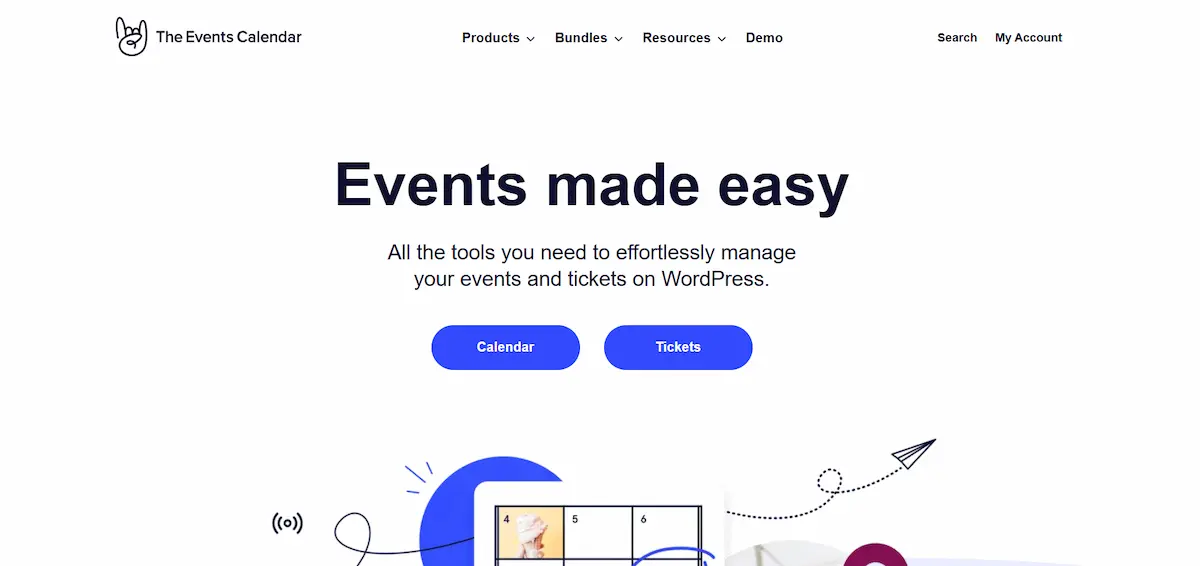
- Key Features: It creates a beautiful calendar view of upcoming events. When paired with “Event Tickets,” it allows users to RSVP or buy tickets.
- Booking Process: Unlike a standard time-slot booking system, this is date- and event-centric. It handles group bookings naturally by selling multiple tickets to one buyer.
- Best For: Conference organizers, concert venues, and community centers.
Simply Schedule Appointments: Best for Beginners and Solopreneurs
If you find other plugins too complex, Simply Schedule Appointments is a breath of fresh air. It is arguably the most user-friendly WordPress appointment booking plugin on the market. The setup wizard gets you up and running in under 5 minutes.
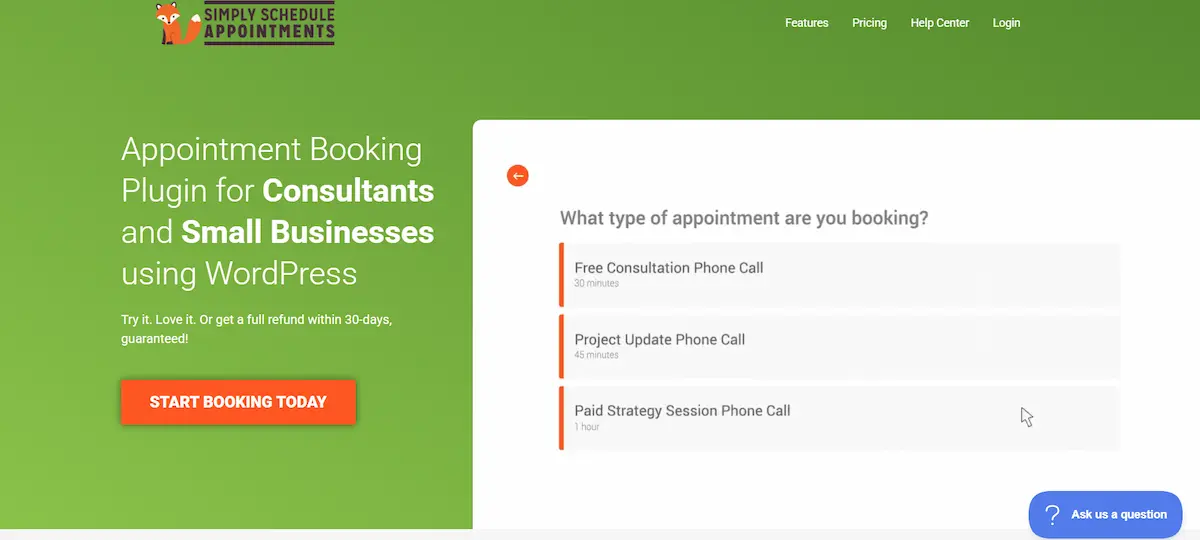
- Key Features: It integrates seamlessly with page builders such as Elementor, Divi, and Beaver Builder. The free version is generous, but the paid tiers unlock additional features, including Google Calendar, payment gateways, and Mailchimp integrations.
- Scheduling: It handles blackout dates and advanced scheduling rules (e.g., “minimum 24-hour notice”) effortlessly. It is designed to prevent double bookings reliably.
- Best For: Consultants, coaches, and small business owners who want a “set it and forget it” solution.
BookingPress: Affordable All‑in‑One Booking Solution
BookingPress has rapidly gained popularity by offering premium features in its standard plans that other plugins charge extra for. It is a comprehensive booking system that feels very complete right out of the box.

- Key Features: It supports 35+ payment gateways without requiring paid add-ons. You get SMS notifications, WhatsApp integration, and staff management included.
- Flexibility: It is excellent for recurring appointments and allows you to customize unlimited services with specific durations and pricing. The admin panel is clean, offering a superb calendar overview of your month.
- Best For: Service businesses on a budget that still need advanced features, such as reliable online payments and extensive gateway support.
MotoPress Appointment Booking Plugin: Best for Flexible Scheduling
The MotoPress Appointment Booking plugin is a powerhouse for businesses that sell time. Whether you are renting out equipment or booking hourly consultations, MotoPress handles custom service durations exceptionally well.
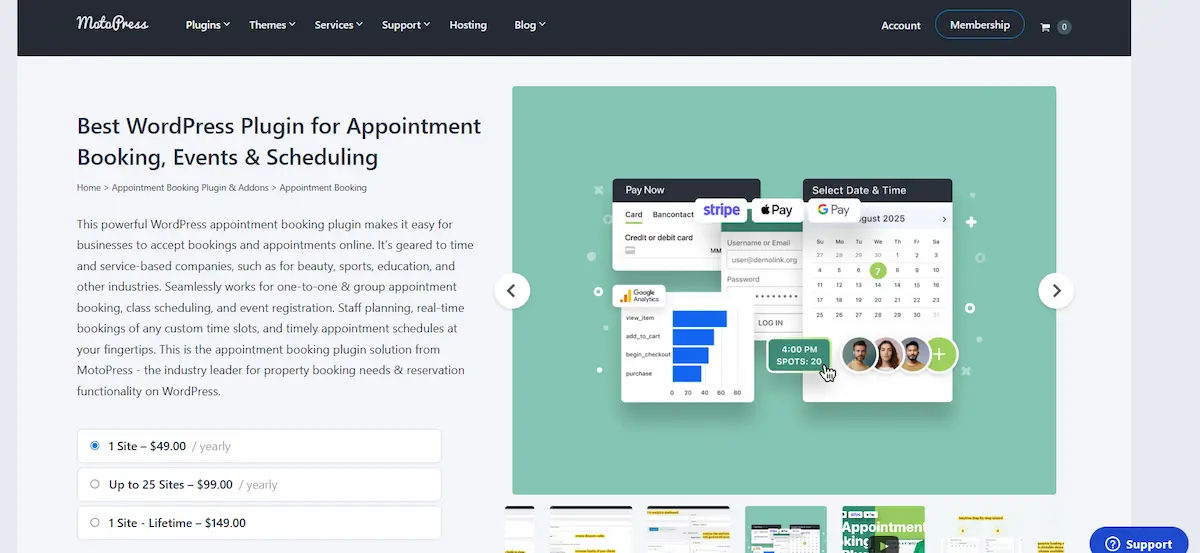
- Key Features: It allows for buffer times before and after appointments (vital for cleaning or prep). You can easily manage bookings across multiple locations and define custom schedules for each employee.
- Interface: It provides a centralized calendar where admins can view payments, client details, and statuses. It also supports WooCommerce bookings integration for a unified e-commerce experience.
- Best For: Tutoring businesses, equipment rental shops, and healthcare practitioners who need precise control over time slots.
Booking Calendar: Simple & Classic WordPress Booking Solution
As one of the oldest plugins in the repository, Booking Calendar has stood the test of time. While its UI might look slightly more “classic” than Amelia’s, it is incredibly robust and versatile.
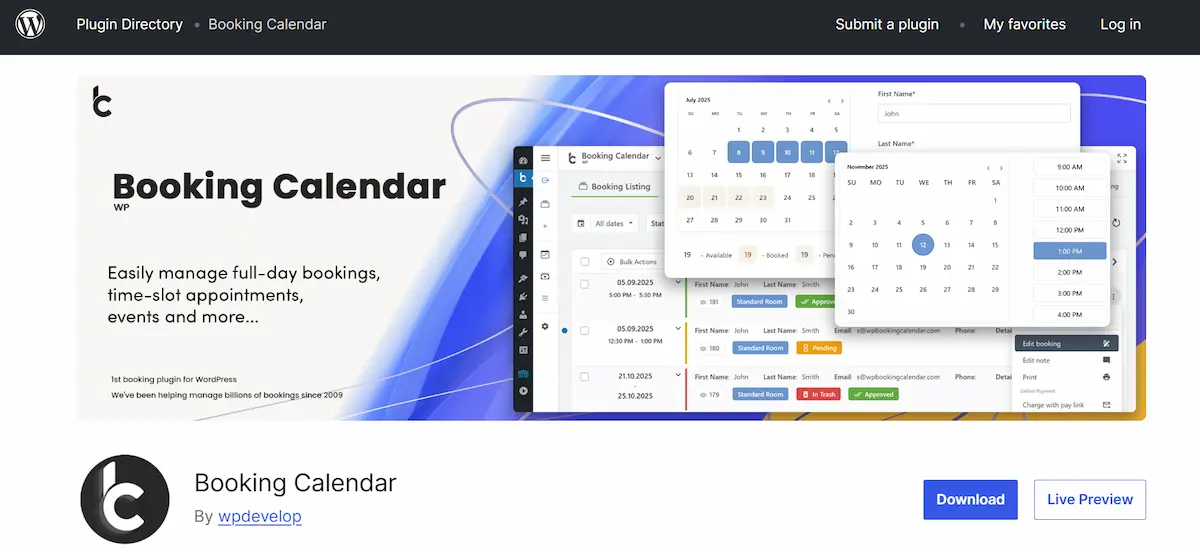
- Key Features: It is unique because it supports both resource scheduling (like accommodation bookings or equipment rental) and service appointments. You can block out full days or specific hours.
- Pricing Model: It is famous for its one-time payment structure for premium versions, avoiding the yearly subscription fatigue. The free plugin version is competent for basic needs.
- Best For: Bed & Breakfasts (accommodation bookings) and traditional businesses that want a reliable, one-time purchase tool.
Security, GDPR, and Data Protection for Booking Systems
When you accept bookings, you are collecting sensitive personal data, including names, email addresses, phone numbers, and sometimes payment details. It is vital to ensure that your WordPress site and booking plugin are GDPR-compliant.
- Data Storage: Most top plugins (like Amelia and BookingPress) store customer data directly in your WordPress database. Ensure your hosting is secure.
- Consent Checkboxes: Add a mandatory “I agree to the Privacy Policy” checkbox to your booking form.
- Erasure Requests: A robust booking system lets you easily export or delete a client’s history when they request “the right to be forgotten.”
- Payment Security: Never store credit card numbers on your server. Use the plugin’s integrations with secure online payment gateways (Stripe/PayPal), which handle PCI compliance for you.
Conclusion: Choosing the Best WordPress Booking Plugin for Your Business
Selecting the best booking plugin depends entirely on your specific business model and needs. For those prioritizing visual appeal and modern features, WP Amelia is the top choice, while Bookly offers extreme customization for complex requirements.
If ease of use is paramount, Simply Schedule Appointments is the clear winner for quick setup. For a budget-friendly option packed with features, BookingPress is hard to beat.
The Events Calendar remains the industry standard for events and ticketing, whereas the MotoPress Appointment Booking Plugin excels in time-slot precision and rentals.
Finally, for accommodation or resource booking, the classic Booking Calendar is a strong contender. By implementing one of these tools, you are upgrading your infrastructure, saving time, reducing administrative headaches, and providing the seamless appointment booking process clients expect.
FAQs About Best WordPress Booking Plugins
Which is the best appointment scheduling plugin for WordPress?
WP Amelia and Bookly are often considered the best options for appointment scheduling plugins. They support multiple services, flexible time slots, and smooth booking resource management. They work well for both you and your customers.
Do these booking plugins support Google Calendar integration?
Yes. WP Amelia and Bookly offer Google Calendar integration. Appointments sync automatically. This prevents double bookings and helps manage online classes, healthcare sessions, and in-person meetings.
Can I manage multiple services with one plugin?
Yes. These plugins enable you to manage multiple services from a single dashboard. You can assign staff, durations, and pricing. This is ideal for beauty salons, tutoring businesses, and healthcare providers.
Are automated reminders included?
Automated reminders are built in. Customers receive email or SMS alerts before their appointments. This reduces no-shows and improves scheduling efficiency for both you and your clients.
Are these plugins suitable for online classes and healthcare bookings?
Yes. They support online classes, healthcare consultations, and tutoring businesses. You can easily manage booking resources, accept payments, and schedule sessions. This makes them reliable for professional use across industries.

