Choosing between Elementor vs Gutenberg is one of the most common questions in the WordPress ecosystem today. Both tools help you build and design WordPress pages, but they take very different approaches to the web design process. Understanding those differences is the first step toward making the right decision for your website.
This article delivers a thorough, neutral, and up-to-date comparison. It covers everything from the basics of each tool to its features, performance, pricing, and real-world use cases.
TL;DR: Elementor and Gutenberg Quick Comparison
- Elementor offers visual drag-and-drop design tool with advanced styling and templates.
- Gutenberg delivers faster performance with lightweight, clean core code.
- Elementor suits landing pages and creative layouts, while Gutenberg fits blogs and content-driven sites.
- Both builders support SEO, but Gutenberg’s default speed optimization makes it easier.
Elementor and Gutenberg Overview: Page Builder vs Block Editor
Before diving into a detailed comparison, it helps to understand what each tool actually is. Elementor and Gutenberg belong to the same broad category of website editing tools, but they serve that category in meaningfully different ways.
What is Gutenberg and How Does the WordPress Block Editor Work?
Gutenberg is the default editor built into WordPress. It replaced the Classic Editor with WordPress 5.0 and has since evolved significantly. The name comes from Johannes Gutenberg, the inventor of movable type, a nod to WordPress’s publishing roots.

The Gutenberg editor works by organizing all content into individual blocks. Each block represents a single piece of content, a heading, a paragraph, an image, a button, or a video. You add, rearrange, and configure these blocks directly on a single editing canvas. The result is a clean and structured content creation experience.
Key facts about Gutenberg:
- Built into WordPress: No installation required. It is available on every WordPress website by default.
- Block-based architecture: Content is built from Gutenberg blocks that are added to the page sequentially.
- Full Site Editing (FSE): Newer versions of WordPress extend the Gutenberg editor to headers, footers, templates, and the entire site layout, not just individual posts and pages.
- Patterns and templates: Gutenberg includes a growing library of block patterns and page templates that users can insert with one click.
- Free version: The core Gutenberg editor is completely free. Additional block plugins extend their functionality at no cost.
Gutenberg is primarily designed with content writers and bloggers in mind, though its full site editing capabilities are steadily expanding its appeal to designers and developers.
What is Elementor Page Builder?
Elementor is a dedicated page builder plugin for WordPress. It operates as a frontend editor, meaning you see your design changes in real time as you make them, without switching between a backend editor and a preview. This live editing experience is central to the Elementor user experience.
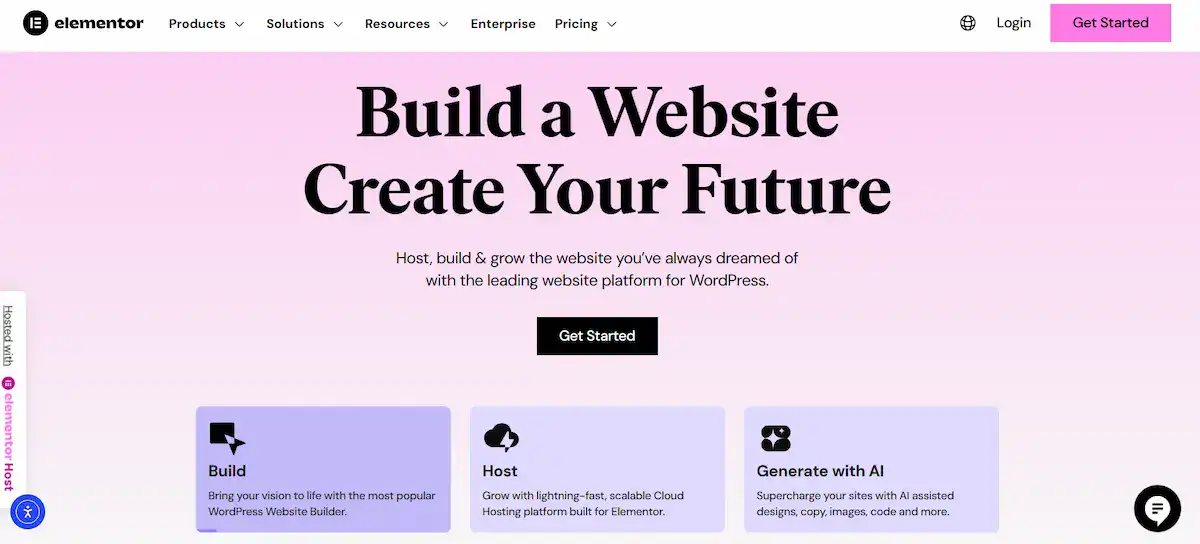
The drag-and-drop interface lets you pick design elements from the left panel and drop them anywhere on your page. You can position widgets, images, buttons, forms, and sections wherever you want with precise control. There is no need to write CSS, HTML, or PHP to achieve complex layouts.
Key facts about Elementor:
- Page builder plugin: Installed separately from WordPress. It adds a parallel editing environment on top of the default WordPress editor.
- Drag-and-drop functionality: The core interaction model is visual. You drag elements onto the canvas and drop them into place.
- Widgets library: Elementor offers dozens of widgets, sliders, carousels, tabs, counters, WooCommerce elements, and more.
- Theme builder: Elementor Pro includes a full theme builder that lets you visually design headers, footers, and single post templates.
- Free and Pro versions: A free version is available. Elementor Pro unlocks advanced widgets, the theme builder, and the full template library.
Elementor targets designers, marketing teams, agencies, and anyone who needs more design freedom than the default WordPress editor provides.
Redesign Your WordPress Site for Better Performance
Upgrade from an outdated builder setup to a fast, conversion focused website with our expert WordPress redesign services.
Core Differences Between Elementor and Gutenberg in WordPress Architecture
Understanding how each tool fits into WordPress architecture clarifies a lot of the practical differences you encounter day to day.
| Aspect | Gutenberg | Elementor |
|---|---|---|
| Type | Built-in block editor | Third-party page builder plugin |
| Editing environment | Backend editor | Frontend / real-time editor |
| Core interaction | Block-based editing | Drag and drop builder |
| Installation | Default WordPress, no install needed | Plugin installed from the dashboard |
| Full site editing | Yes, natively supported | Plugin installed from the dashboard |
| Primary audience | Content writers, bloggers, developers | Designers, agencies, marketers |
| Cost | Free | Free + paid Pro version |
Gutenberg is tightly woven into WordPress core. Its code runs lean because it shares resources with WordPress itself.
Elementor runs as a separate plugin, which gives it more design capabilities but also adds its own scripts and styles to the page.
Elementor vs Gutenberg Features Comparison
Now that the structural differences are clear, it is time to look at the features side by side. This is where the comparison gets granular and genuinely useful for decision-making.

Ease of Use and Learning Curve for Beginners and Developers
Gutenberg has a relatively gentle learning curve for anyone familiar with writing on the web. Adding blocks feels intuitive. You click the plus icon, pick a block type, and type your content. The interface stays clean and minimal, reducing visual noise and helping content writers focus.
That said, Gutenberg’s full site editing features introduce more complexity. Understanding how templates, template parts, and patterns interact requires some WordPress knowledge. Beginners may feel overwhelmed when they move beyond basic blog posts into site-wide design.
Elementor feels more immediately powerful for visual design, but also more overwhelming at first. The panel of widgets, the section/column structure, and the three-panel editing interface (navigator, canvas, settings) take time to learn. Once users clear that initial learning curve, most find the drag-and-drop builder highly productive.
Developers tend to prefer Gutenberg because it aligns with WordPress coding standards and uses React-based JavaScript. It is easier to extend programmatically. Elementor also supports custom CSS and has a developer API, but it generates proprietary shortcode-style data that is harder to migrate or version-control.
Verdict on ease of use: Gutenberg wins for simplicity and content writing. Elementor wins for visual design speed once the learning curve is cleared.
Design Control, Layout Customization, and Template Libraries
Gutenberg offers meaningful design control through block settings, typography controls, spacing options, and colors. The introduction of global styles in newer WordPress versions allows site-wide design consistency.
Block patterns provide pre-built layout combinations that users can insert and modify. However, achieving complex layouts, like overlapping sections, advanced animations, or pixel-precise positioning, remains difficult without custom CSS.
Elementor delivers substantially more design flexibility out of the box. Its styling options cover margins, padding, borders, backgrounds, typography, animations, and responsiveness settings at the element level. You can build complex layouts with columns, sections, and inner sections.
Elementor’s template library offers hundreds of pre-built page templates and individual section designs, spanning dozens of industries and use cases.
Design capabilities at a glance:
- Gutenberg: Clean layouts, global styles, block patterns, and limited advanced design elements without add-ons.
- Elementor: Full design control, hundreds of templates, advanced animations, custom CSS support, and responsive design previews for different devices.
If your design vision involves highly customized pages, Elementor offers the tools to execute it without writing code. Gutenberg is better suited to straightforward, content-first layouts.
Also Read: Best White Label Gutenberg Development Agencies
Performance, Page Speed, and Technical SEO Impact
Page speed is a critical factor for both user experience and SEO. Google uses Core Web Vitals as a ranking signal, making performance a practical concern rather than just a technical one.

Gutenberg has a natural performance advantage. Because it is built into WordPress, it does not add a separate plugin layer. Blocks output clean HTML. Pages built with Gutenberg are typically lighter and faster, resulting in better performance scores in tools like Google PageSpeed Insights.
Elementor loads additional JavaScript and CSS files to power its drag-and-drop functionality and the range of widgets it supports.
Earlier versions of Elementor drew complaints about bloated code, but the team has made significant strides in recent years. Elementor now supports asset-loading optimization, loading only the scripts needed for the widgets on a given page.
Practical tips for performance with each tool:
- With Gutenberg, use a lightweight theme and a good caching plugin to maximize page speed.
- With Elementor, enable the built-in performance optimizations in the settings panel, use a fast host, and minimize the number of third-party add-ons loaded site-wide.
For SEO, both tools produce indexable HTML content that search engines can read. Neither tool inherently hurts or helps SEO rankings, but page speed, accessibility, and proper heading structure all contribute to search performance, and Gutenberg tends to produce cleaner output by default.
Widgets, Blocks, Third-Party Add-ons, and Integrations
Gutenberg ships with a solid core set of blocks. These cover all the essentials: headings, paragraphs, images, lists, buttons, tables, code blocks, columns, and media embeds.
Gutenberg also integrates natively with WooCommerce through dedicated product blocks, making it a viable option for eCommerce sites without additional plugins.
Elementor offers a wider built-in widget set. Widgets cover sliders, image carousels, tabs, accordions, progress bars, countdown timers, forms, social sharing, Google Maps, video backgrounds, and more. Elementor Pro adds WooCommerce widgets, a form builder, a pop-up builder, and dynamic content fields.
The Elementor ecosystem also includes thousands of third-party add-ons. Extensions like Essential Addons for Elementor and Premium Addons further expand the widget library.
This broad ecosystem is one of Elementor’s biggest strengths, though loading too many add-ons can slow down website performance.
Pricing Comparison: Free Version vs Premium Features
Gutenberg is completely free. It comes bundled with every WordPress installation. Third-party block plugins are largely free, with some offering premium tiers for advanced features. You can build a fully functional, professional-looking website with zero budget using Gutenberg and a free block-based theme.
Elementor follows a freemium model. The free version of Elementor is available from the WordPress plugin repository and provides access to the drag-and-drop builder and
a solid set of basic widgets. Elementor Pro is a paid subscription that unlocks the theme builder, advanced widgets, the full template library, form builder, popup builder, and WooCommerce features.
Elementor Pro pricing is based on the number of sites you plan to use it on. Plans are renewed annually. The cost is manageable for professionals and agencies, but represents an ongoing budget commitment that Gutenberg does not require.
Summary: If budget is a top priority, Gutenberg wins clearly. If the advanced features in Elementor Pro justify the investment for your project, the cost may be well worth it.
Elementor vs Gutenberg Use Cases: Which Builder is Right for Your Website Goals?
Features only matter in context. The right tool depends on what you are building, who you are building it for, and your priorities. Here is how each builder maps to common use cases.
Best Builder for Bloggers, Content-Heavy Sites, and SEO-Focused Projects
For bloggers and content writers, Gutenberg is a natural fit. The block editor is designed around the content creation workflow. Writing blog posts, embedding media, formatting headings, and publishing content all feel seamless in the Gutenberg environment. The interface does not get in the way; it stays out of the way.
Content-heavy sites benefit from Gutenberg’s clean HTML output and its tight integration with the WordPress editor. Blog posts, articles, documentation pages, and news sites work beautifully in Gutenberg without any unnecessary overhead.
For SEO-focused projects, Gutenberg’s performance advantage is meaningful. Faster pages, clean code, accessible HTML structure, and no extra plugin weight all contribute to a better performance score. When you pair Gutenberg with a quality SEO plugin and a well-optimized theme, the result is a lean and search-engine-friendly website.
Gutenberg is also ideal for teams where content writers publish frequently. The familiar writing interface, which some compare to an improved version of a classic text editor, means less technical friction during the content creation process.
Best Builder for Marketing Websites, Landing Pages, and Creative Portfolios
Elementor shines when design is the priority. Marketing websites, promotional landing pages, agency sites, and creative portfolios all demand precise visual control and distinctive styling. Elementor’s drag-and-drop builder and deep styling options enable complex, high-impact designs without a line of code.
Landing pages, in particular, benefit enormously from Elementor’s capabilities. You can build full-width sections, hero areas, animated counters, testimonial sliders, call-to-action blocks, and conversion-focused forms, all from a single, visual editing interface. The template library provides starting points that can be customized to match your brand and vision.
For agencies building websites for clients across different industries, Elementor Pro‘s theme builder is a game-changer.
You can design custom headers, footers, archive pages, and single-post templates for each client without writing any PHP. This dramatically speeds up the design and development process for businesses that manage many sites.
WooCommerce-powered product pages, membership sites, and event pages also benefit from Elementor’s widget range and design capabilities. When the website needs to look and convert like a professional marketing product, Elementor is hard to beat.
Using Elementor and Gutenberg Together on the Same WordPress Site
Many WordPress users do not realize that Elementor and Gutenberg can coexist on the same site. This hybrid approach is more common than it might seem, and it often makes good practical sense.
A typical setup looks like this: Use Elementor to design the homepage, landing pages, and other visually complex page layouts.
Use Gutenberg to write and manage blog posts, documentation, and other content-first pages. Each tool handles its job best, and there is no technical reason the two cannot operate side by side.
There are a few things to keep in mind when using both tools:
- Consistency: Establish global style guidelines for colors, fonts, and spacing so both editing environments produce a cohesive look across the site.
- Performance: Running both tools on every page adds unnecessary overhead. Use Elementor only on the pages that need its design capabilities.
- Team workflow: Content writers may prefer to stay in Gutenberg, while designers use Elementor. A clear handoff process avoids accidental overwrites.
- Theme compatibility: Choose a theme that works well with both editors. Block-based themes designed for full site editing may behave differently when Elementor is active.
The two builders do not conflict by default, but using them thoughtfully, rather than indiscriminately, produces the best results.
Final Verdict on Elementor vs Gutenberg
Neither Elementor nor Gutenberg is the universal winner. The right choice depends entirely on your project’s needs, your budget, and your own strengths as a builder or content creator. Here is a clear summary to guide your decision:
The Gutenberg editor and the Elementor page builder represent two different philosophies for building websites.
Gutenberg believes in simplicity, speed, and native integration. Elementor believes in design freedom, visual control, and a rich feature ecosystem. Both philosophies have genuine strengths. Your job is to decide which set of strengths matches your goals.
There is no wrong answer here, only the answer that is right for your website, your team, and your users.
Elementor vs Gutenberg FAQs
Is Elementor better than Gutenberg for beginners?
Elementor feels easier for beginners who want visual editing. You drag and drop elements and see changes instantly. Gutenberg uses blocks and a simpler interface. It works well, but it may take time to understand the layout structure.
Which is faster: Elementor or Gutenberg?
Gutenberg is generally faster because it is built into WordPress core. It produces cleaner and lighter code. Elementor can slow down a site if you use many widgets or heavy designs without optimization.
Is Gutenberg better for SEO than Elementor?
Gutenberg has an edge in technical SEO due to cleaner code and better performance. However, you can optimize both builders with proper SEO plugins, caching, and image compression.
Do I need Elementor Pro, or is the free version enough?
The free version works well for basic pages. You need Elementor Pro for advanced features like theme building, pop-ups, dynamic content, and WooCommerce customization.
Can I use Elementor and Gutenberg together on one site?
Yes, you can use both on the same website. Many users build landing pages with Elementor and create blog posts with Gutenberg for better speed and simplicity.