


Keeping pace with the changes in SEO trends is crucial for website owners, web developers, and SEO professionals. One such change is Google’s recent removal of cached page access. But what does this mean for your website’s performance and SEO strategy? Let’s delve into the world of Google cached pages, explore the impact of their removal, and uncover alternative methods for maintaining optimal site performance and visibility.
1. Understanding Google’s Cache Pages
Google’s cache was a way to view snapshots of web pages. It allowed users to access stored versions of pages, which was useful not only for user experience but also to preserve content accuracy at specific points in time. For SEO experts and developers, cached pages were invaluable. They provided insights into how Google indexed content and offered a fallback when live pages experienced issues.
2. Why Google Removed Cached Page Access?
Recently, Google discontinued cached page access, a decision driven by multiple factors that align with emerging web trends and privacy considerations. This move impacts how web content is managed and accessed. Thus, here’s brief on why Google cache was disabled.
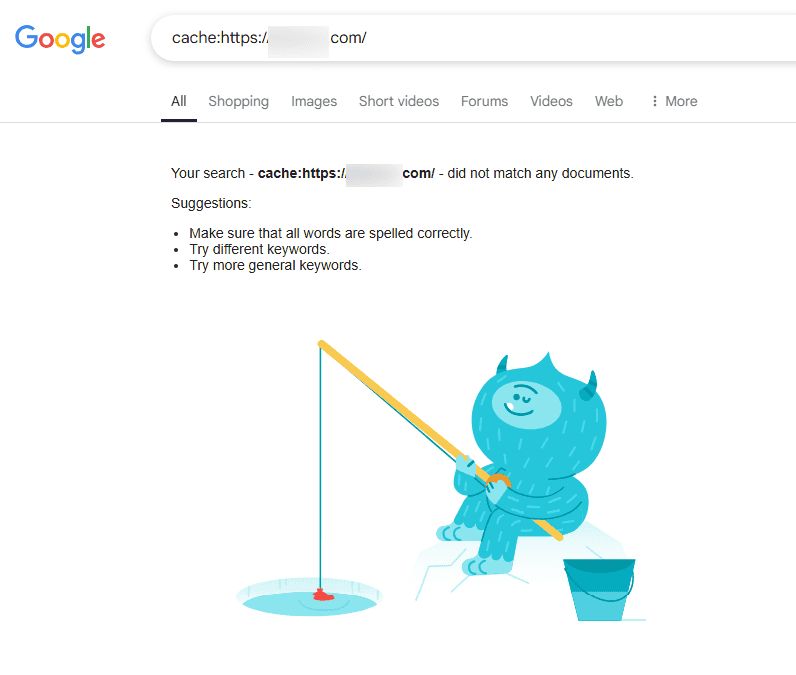
Privacy Concerns
In an era where data privacy has become increasingly crucial, Google recognized the potential risks associated with storing cached pages. These snapshots captured how a page appeared at a specific time, which could inadvertently include sensitive or outdated information.
By eliminating cached pages, Google aims to mitigate these risks and enhance user privacy protections. Users no longer have to worry about older or sensitive versions of their personal information being accessible through cached links. This aligns with broader industry trends towards stronger privacy standards.
Adapting to Dynamic Web Content
The web is evolving rapidly, with a significant shift towards dynamic and frequently updated content. Traditional caching mechanisms, while useful, often struggled to keep up with these changes. Cached pages might not always reflect the most current information of a site, leading to potential discrepancies and user confusion.
By removing cached pages access, Google encourages website owners to prioritize keeping their live sites updated and performing optimally. This shift also aligns with the increasing use of technologies like AJAX and real-time data updates, which involve more dynamic interactions than static cached pages can appropriately capture.
Empowering Website Owners
The decision to remove cached pages also empowers website owners by giving them greater control over their content. It ensures that once something is updated or removed from a live site, it promptly reflects in search results as well.
Owners no longer need to worry about outdated versions of their web pages lingering in public view through cached copies. This helps maintain the integrity and accuracy of their content, supporting a more controlled and intentional online presence.
Looking Forward
As online environments become more sophisticated, the focus shifts towards real-time interactions and content delivery. By transitioning away from cached snapshots, Google is paving the way for a more modern, secure internet landscape where content is both responsive and relevant.
Learn more: Proven Strategies for Boosting Your Google Business Profile Traffic
3. Google Cached Page Removal: Impact on Website Owners and Developers
Google’s decision to eliminate cached page access has introduced new challenges and considerations for both website owners and developers. This shift necessitates a closer focus on site performance and the adoption of new tools and strategies.
Increased Performance Expectations for Website Owners
Without the fallback of cached pages, website owners must ensure their sites are consistently optimized and perform well. This change elevates the importance of factors like site speed, mobile responsiveness, and overall user experience.
Search engines, Google included, are placing more emphasis on these elements when determining search rankings. A slow or underperforming site can quickly result in a drop in rankings, affecting visibility and traffic. Thus, owners are encouraged to regularly audit their sites, leveraging performance tools and metrics to maintain optimal conditions.
Read: Boost Your Site Speed with the Best LCP WordPress Plugins
Adaptation for Web Developers
For web developers, Google’s cached pages served as a valuable resource for understanding how pages were indexed and perceived by search engines. With that resource no longer available, developers must pivot to other tools, such as Google’s Search Console, the URL Inspection tool, and PageSpeed Insights, to gain insights into search engine interactions with their content.
These tools provide real-time feedback and help identify issues like crawl errors, mobile usability problems, and loading speeds that need to be addressed.
Shift in Analytical Approach
The removal of cached page access also signals a shift in analytical approaches. Developers and SEO professionals must prioritize real-time data and analytics over historical snapshots, ensuring that their understanding of a page’s performance is up-to-date. This can lead to more proactive and frequent site assessments, fostering a mindset of continuous improvement rather than reliance on periodic cached snapshots.
Read: Essential WordPress Services for Small Businesses
4. Exploring Alternatives to Google Cached Pages
In the wake of Google removing its cached web pages feature, these alternative tools have become integral for webmasters and SEO professionals aiming to optimize their sites. Whether it’s through real-time indexing insights, leveraging structured data, or maintaining historical archived pages, these resources supplement the void left by Google Cache Pages and help ensure that websites remain competitive and well-indexed.
URL Inspection Tool in Google Search Console
The URL Inspection Tool, part of Google Search Console, is a valuable tool for webmasters. It allows users to view a real-time analysis of how Google crawls and indexes any given page. This tool provides detailed reports on indexing status, last crawl date, and any identified errors or issues that might impede a page’s performance.

It’s indispensable for diagnosing problems and ensuring a page is optimized for search engine visibility. Its ability to offer instant feedback helps webmasters make timely adjustments to enhance site performance and compliance with Google’s requirements.
Rich Results Test Tool
For websites employing structured data to enhance their presence in search results, the Rich Results Test tool is particularly useful. This tool validates structured data implementation and helps webmasters ensure that their pages are eligible for rich snippets, which appear in search results as enhanced listings with additional information such as reviews, recipes, or events.

Rich snippets improve click-through rates by making search results more attractive and informative. By using this tool, developers can diagnose and rectify any issues with structured data, thus maximizing their site’s visibility and functionality in search engine results.
The Wayback Machine
The Wayback Machine is a well-known digital archive that captures periodic snapshots of web pages. While it does not offer insights into how search engines view pages, it provides a historical record of a site’s content, design, and structure over time.
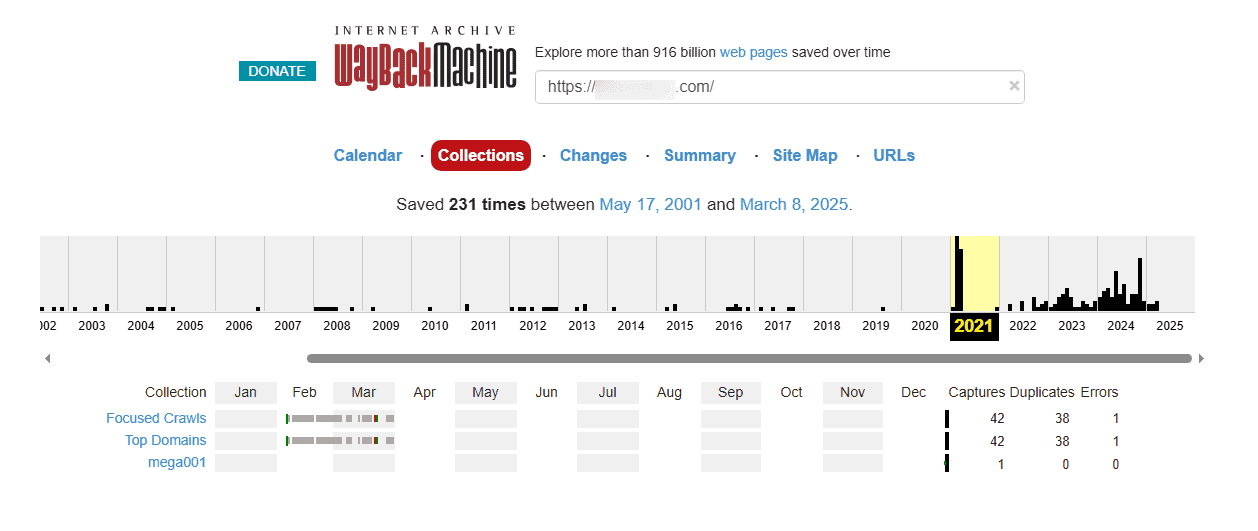
This can be particularly valuable for evaluating past content strategies, design evolution, or tracking changes in competitor sites. It’s a useful tool for digital historians, researchers, and any web professional interested in preserving or reviewing the historical aspects of web presence.
Other Search Engines
Despite Google’s removal of cached pages, other search engines such as Bing and Yahoo! continue to offer cached page views. By examining these caches, webmasters can gain an alternative perspective on how different search engines index and display their content.
This can highlight discrepancies in indexing practices across platforms and help strategize for broader search engine optimization efforts. Additionally, it can aid in troubleshooting content that might not be performing well on Google but fares differently on other platforms.
Know more: Common WordPress Malware Types and How to Fix Them
5. Web Content Preservation Strategies
The removal of Google’s cached pages highlights the need for effective web content preservation strategies. Ensuring that content is available and accessible requires a thoughtful approach to archiving and caching.
Using the Wayback Machine for Archiving
Website owners can rely on the Wayback Machine to capture and store historical snapshots of their sites. This digital or internet archive is invaluable for preserving content over time, providing a way to view and analyze past versions of websites. It also helps maintain a historical record of web presence and is particularly useful for tracking changes and evaluating the evolution of content and design.
Implementing Server-Side Caching
Server-side caching is a strategy that involves storing copies of web pages on the server. This approach speeds up the delivery of frequently accessed content by reducing the need to generate pages dynamically for each request.
By caching content server-side, website owners can improve load times and decrease server load, resulting in a more efficient and responsive user experience. This practice not only enhances performance but also supports better resource management, which is crucial for maintaining optimal site functionality and user satisfaction.
Comprehensive List: WordPress Website Management
6. Adapting to Dynamic Content with Search Engines
The evolution of web technologies has led to an increased focus on dynamic content. Search engines are advancing to crawl and index such content, emphasizing the need for website owners to optimize dynamic elements for visibility.
Ensuring Accessibility and Indexability of Dynamic Elements
As the web becomes more interactive, it is crucial to ensure that dynamic content is accessible and indexable by search engines. Website owners must implement strategies that make dynamic elements, such as AJAX content or JavaScript-generated sections, visible to crawlers. This may involve techniques like server-side rendering or using appropriate meta tags to help search engines track dynamic content effectively.
Utilizing Structured Data
Incorporating structured data, using schemas, is a powerful way to enhance how dynamic content is understood by search engines. Structured data helps clarify the context of the content, allowing search engines to index it more accurately and display rich snippets in search results. This can enhance visibility and click-through rates, improving overall search performance.
Ensuring Clean and Fast-Loading HTML
Fast-loading, well-structured HTML is the backbone of efficient indexing. Clean code reduces loading times, which is not only beneficial for user experience but is also favored by search engines. Optimizing HTML structure ensures that static or dynamic content is quickly accessed and accurately indexed, contributing to better search rankings and user engagement.
7. SEO Considerations in a Post-Cache Era
With Google’s cached pages removed, SEO strategies need to evolve. Professionals in the field must navigate the challenges of losing access to historical page views while reinforcing key SEO principles and practices to maintain website visibility and effectiveness.
Adapting to the Absence of Cached Pages
The disappearance of cached pages has made it challenging for SEO professionals to access historical snapshots of web pages, which were crucial for troubleshooting and analysis.
To overcome this, SEO experts need to rely more heavily on alternative tools and data sources, such as Google Search Console and analytics platforms, that provide real-time insights into page performance and indexing.
Emphasizing Core SEO Principles
Despite the changes, SEO fundamentals are as important as ever, particularly Google’s E-E-A-T framework: Experience, Expertise, Authoritativeness, and Trustworthiness. These principles guide content creation and optimization, ensuring that the information provided is valuable, credible, and reliable. Emphasizing these aspects helps boost a site’s reputation and ranking in search engine results.
Fostering Fast Load Times and Mobile-Friendly Designs
Ensuring quick load times and mobile-friendly designs is critical in the post-cache era. Fast-loading pages improve user experience and are a significant ranking factor for search engines.
Similarly, with the increasing use of mobile devices, optimizing websites for mobile access is essential to capture and retain a broader audience. This includes implementing responsive design and optimizing images and scripts for faster mobile access.
Conclusion
The removal of Google’s cached pages marks a significant shift for website owners, developers, and SEO professionals. While it presents challenges, it also paves the way for innovation in digital content preservation and performance strategies.
By embracing new tools and focusing on SEO fundamentals, website owners can navigate this transition. This adaptability ensures that their sites remain visible, performant, and competitive in an ever-evolving digital world. So, embrace the change, explore alternatives, and continue to optimize your website for search engines.
Google Cached Pages FAQs
Why did Google remove cached pages?
Google removed cached page access primarily due to privacy concerns and the need to adapt to the dynamic nature of web content. By eliminating cached snapshots, Google aims to enhance user privacy by not storing outdated or sensitive information. This also allows website owners to manage their content more effectively, ensuring immediate updates are reflected without outdated versions lingering.
Is Google cache important?
Yes, Google cache was an important tool for webmasters and SEO professionals. It provided valuable insights into how Google viewed and indexed a website at a particular point in time, serving as a diagnostic tool for troubleshooting indexing issues. Cached pages also acted as a fallback for users to access content when a site experienced downtime.
How does cache affect website performance?
Caching, in general, improves website performance by storing cached versions of web pages, which are delivered to users quickly without generating the page dynamically each time. This reduces server load and improves load times, enhancing user experience. Cached content can significantly speed up page delivery, making sites more efficient and responsive.
Can I delete Google Content cache?
You cannot directly delete Google’s cache of your webpage, but you can influence its content. Update your page and use the “Remove outdated content” tool in Google Search Console to request the removal of specific cached content. By doing so, you can prompt Google to update its index with the current version of your content. Additionally, managing meta tags can help control caching behavior.

