


Getting noticed in today’s bustling digital marketplace means ensuring your business stands out, especially for local customers. A well-crafted Google Business Profile (GBP) is like having a beacon that shines bright in local search results, guiding potential customers right to your doorstep.
But how do you make the most of this powerful tool? It’s not just about filling in your details—it’s about optimizing every aspect to drive traffic and engagement. Let’s explore some proven strategies to transform your GBP into a local SEO powerhouse, helping you attract more customers and boost your business’s online visibility.
Importance of Google Business Profile in Local SEO
Your Google Business Profile (previously Google My Business) serves as a vital component of local SEO strategy, playing a crucial role in how potential customers discover and interact with your business online.
Acting as a Digital Storefront
Your GBP functions as an online representation of your physical storefront or local business. It provides prospective customers with essential information about your business, such as address, contact details, operating hours, and more. Additionally, it can offer vivid insights through photos and customer reviews, helping customers make informed decisions even before they reach out or visit.
Enhancing Visibility in Local Search
An effectively managed and optimized GBP dramatically increases your business’s prominence in local search results. This increased visibility means that when potential customers conduct searches for services or products like yours, your business is more likely to appear at the top of their results. Consequently, this prominence increases the likelihood of foot traffic to your physical location and can significantly boost your brand’s awareness within the local community.
A Cornerstone of Your Digital Marketing Strategy
Fully optimizing your Google Business Profile becomes more than just a supplementary task; it is an essential aspect of your overall online marketing strategy.
By ensuring that all information is accurate and engaging, you leverage your GBP to capture potential customers’ interest. Moreover, this optimization helps build consumer trust and engagement through regular updates, reviews, and local SEO practices, creating a sustainable growth trajectory for your business.
Turn Clicks Into Customers: Spice Up Your Google Business Profile Today!
Start maximizing your online visibility and engaging your community like never before. Don’t wait any longer—reach out to us today and let’s spice up your Google Business Profile together!
Setting Up Your Google Business Profile
Creating a robust Google Business Profile (GBP) is your gateway to enhancing visibility and attracting local customers. A well-structured profile ensures you maximize your local SEO efforts, drawing in potential clients searching for businesses like yours.
Step 1: Create Your Google Business Profile
Begin by setting up your Google Business Profile. If you haven’t claimed your business on Google yet, visit the Google Business Profile website and follow the straightforward registration process. Ensure you provide accurate details so potential customers can easily find you.

Step 2: Verify Your Business
Verification is crucial for authenticity. Google typically offers several verification methods, such as receiving a code by mail, phone, or email. Verify your business to make your profile fully functional and maintain trustworthiness in local searches.
Step 3: Complete Your Profile Information
Ensure your GBP is 100% complete. Enter exact details, including business name, address, phone number, and website. Consistency across platforms is vital to building trust and improving local SEO rankings.
Step 4: Write a Compelling Business Description
The description should be both engaging and informative, clearly reflecting what your business offers. Use relevant keywords strategically to enhance local search engine optimization and appeal to local customers. Highlight unique aspects of your services to stand out.

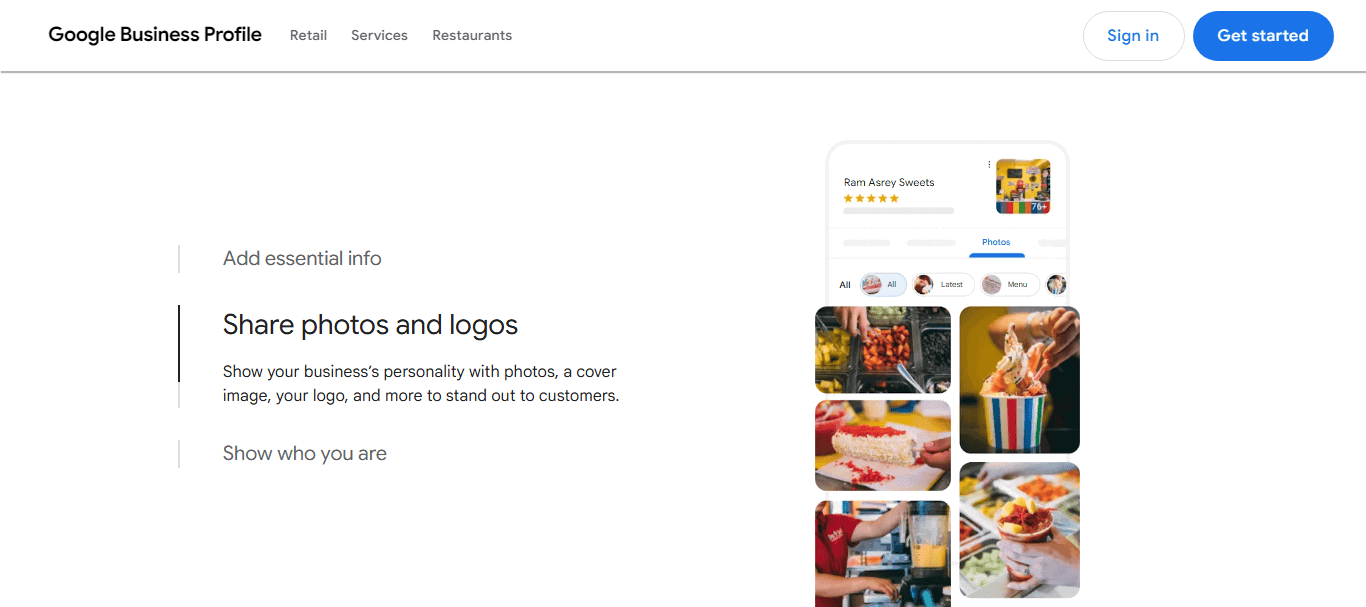
Step 5: Add High-Quality Photos and Videos
Visual content captures attention. Upload high-resolution photos of your business’s interior, exterior, team members, and product offerings. Use videos for deeper engagement, showcasing your services, or sharing behind-the-scenes stories. Quality imagery enhances your profile’s attractiveness.
Step 6: Specify Business Hours
Clear and accurate business hours are essential. Ensure they reflect your current availability and update them for special occasions or holidays. This builds trust and improves customer experiences, as well as search rankings.
Step 7: Utilize Google Posts
Engage your audience with regular Google business posts. Share updates, promotions, and events to create an interactive profile. Active postings signal to Google that your business is up-to-date, enhancing local search visibility.

Step 8: Encourage and Respond to Reviews
Customer reviews are impactful. Encourage satisfied customers to leave positive feedback and interact with both positive and negative comments by expressing gratitude and addressing concerns. Reviews improve credibility and can significantly boost your profile’s ranking.

Step 9: Feature Products and Services
Detail your main products and services within your GBP. Use descriptive names and concise details to provide potential customers with a snapshot of what you offer while also incorporating relevant keywords.

By following these steps, you ensure your Google Business Profile is not only set up correctly but also optimized to its fullest potential.
Know more: Essential SEO Strategies for Your WordPress Site
Google Business Profile Optimization Strategies
Here are 15 strategies to enhance your profile and ensure it stands out.
Strategy 1: Complete Your Profile Information
Ensure every section of your profile is accurately filled out, including your business name, address, phone number, and business website. This builds trust and improves local search rankings.
Example: If you own “Sunny Café,” ensure your profile includes “Sunny Café, 123 Main Street, Anytown, USA, 555-0100, www.sunnycafe.com.” Consistency across platforms helps customers find you easily.
Strategy 2: Verify Your Business
Verify your Google business listing. Follow Google’s verification process to make your profile fully functional and trustworthy.
Strategy 3: Use High-Quality Images
Add high-resolution photos of your business’s interior, exterior, and products. Quality images make your listing more attractive and engaging to potential customers.
Example: Upload bright, inviting images of “Sunny Café’s” well-decorated interior and signature dishes. Customers are more likely to visit if they’re attracted by appealing visuals.
Strategy 4: Craft a Compelling Business Description
Write a succinct, keyword-rich business description that highlights what makes your business unique. This helps with SEO and draws in local clients.
Example: “Sunny Café offers a cozy atmosphere with an extensive menu of freshly brewed coffees and homemade pastries. Located in the heart of Anytown, we are your perfect spot for morning relaxation or afternoon meetings.”
Strategy 5: Specify Accurate Business Hours
Keep your business hours up-to-date, including for holidays and special events. This information improves customer satisfaction and search rankings.
Example: Set “Sunny Café’s” hours as Monday to Friday, 7 AM – 6 PM. Update during holidays like Christmas to reflect special opening hours, ensuring customers are always informed.
Strategy 6: Utilize Google Posts
Engage your audience with regular updates via Google Posts. Share promotions, events, and news to keep your profile active and enhance visibility.
Example: Post weekly updates about “Sunny Café’s” new roast of the week or seasonal pastries. This keeps your audience engaged and informed about what’s new.
Also read: Is Your WordPress Website Losing Traffic
Strategy 7: Encourage Customer Reviews
Ask satisfied customers to leave reviews on your profile. Positive feedback boosts credibility and search rankings.
Example: After a visit, “Sunny Café” can send follow-up emails asking patrons to share their experiences by leaving a review, thus gathering authentic customer feedback.
Strategy 8: Respond to Reviews
Interact with both positive and negative reviews. Thank customers for feedback and address any concerns to show responsiveness and build trust.
Example: If someone praises “Sunny Café” for its great lattes, respond with “Thank you for your kind words! We’re thrilled you loved our lattes. We hope to see you again soon!”
Strategy 9: Add Services and Product Listings
List your main services and products with descriptive names and concise details. Use relevant keywords to draw customer interest.
Example: Include items like “Signature Lattes,” “Gluten-Free Pastries,” and “Free Wi-Fi” under your product/services section to attract more relevant search traffic.
Strategy 10: Select Appropriate Business Categories
Choose the most relevant categories for your business. This helps Google understand your business better and match it with relevant searches.
Example: List “Sunny Café” under categories like “Coffee Shop,” “Bakery,” and “Café” to ensure it appears in relevant local searches.
Best Practices and Tips: Optimizing Your WordPress Website for SEO
Strategy 11: Highlight Special Attributes
Add special attributes such as “Wheelchair accessible” or “Pet-friendly.” These attributes appeal to niche audiences and enhance search visibility.
Strategy 12: Optimize for Local Keywords
Incorporate local keywords into your profile to enhance local SEO. This helps target potential customers in your area.
Example: Use phrases like “Anytown’s best coffee” and “fresh pastries in Anytown” in your business description and posts to attract local customers or browse a coffee and roasters directory.
Strategy 13: Use the Q&A Feature
Utilize the Q&A feature to address common customer queries for Google business optimization. Providing informative answers can preemptively address potential customer concerns.
Example: Anticipate questions such as “Do you have gluten-free options?” and provide answers via the Q&A section to aid customer decision-making before they visit.
Strategy 14: Monitor and Analyze Profile Insights
Regularly review profile insights to understand customer interactions and behavior. Use this data to refine your optimization strategies.
Example: Regularly check how often “Sunny Café’s” profile is viewed and how many direction requests are made. Use these insights to strategize marketing efforts.
Strategy 15: Align with Google’s Quality Rater Guidelines
Ensure your profile follows Google’s Quality Rater Guidelines. Aligning with these guidelines enhances credibility and can improve local search rankings.
Example: Ensure “Sunny Café’s” profile aligns with Google’s guidelines by maintaining profiles up-to-date with genuine content, which can help boost its search ranking.
Conclusion
Taking your Google Business Profile to the next level requires dedication and attention to detail. By focusing on complete and accurate information, engaging content, and strategic keyword usage, you can significantly boost your local search presence. Consistency and transparency in your GBP not only facilitate customer trust but also enhance SEO performance. Use the strategies outlined in this guide to strengthen your online presence and attract more local customers.
FAQs About Google Business Profile
How to get more traffic on Google Business Profile?
To increase traffic, ensure your profile is fully completed with accurate information. Use high-quality photos, post regular updates, and engage with customers through reviews.
How to increase views on Google Business Profile?
Increase views by optimizing your business description with local keywords, keeping your business hours updated, and using Google Posts effectively to share compelling content.
How do I boost my Business Profile on Google?
Boost your profile by adding detailed product/service listings, responding to customer reviews, utilizing attributes, and monitoring performance metrics for continuous optimization.
How to get ranked #1 on Google?
Ranking at the top requires a comprehensive SEO strategy, including maximizing your GBP, optimizing your website for relevant keywords, and earning customer trust through positive reviews and consistent engagement.
What are the benefits of optimizing my Google Business Profile?
Proper GBP optimization improves local search visibility, enhances customer trust, attracts more local customers, and ultimately boosts your business’s online presence and growth.

