


Your WordPress site may look fine today. But what is happening behind the scenes could quietly put your business at risk. DIY WordPress Maintenance sounds simple at first. Update a plugin. Click a button. Save some money. That false sense of control is exactly where problems begin.
WordPress owes its popularity to a low barrier to entry. It is free, open source, and easy to launch. However, being free to install does not mean it is free to manage. Many business owners assume their work ends once the site goes live. This leads to a dangerous ‘set-it-and-forget-it’ mindset or rushed, do-it-yourself maintenance decisions.
The reality is different. One wrong update can break your site. A missed patch can invite hackers. Weak backups can turn a small error into total data loss. Even worse, many issues remain hidden until traffic drops, rankings fall, or customers are unable to access your site.
This guide explores the hidden risks of DIY WordPress Maintenance and explains why professional WordPress maintenance is a worthwhile investment. It is a wise investment in security, performance, and long-term growth.
Why Consistent WordPress Maintenance Matters for Business Growth
WordPress maintenance is not just about keeping software up to date; it is a critical engine for business growth. In the digital age, your website is often the first interaction a potential customer has with your brand. A neglected site that loads slowly or displays security warnings instantly destroys trust.
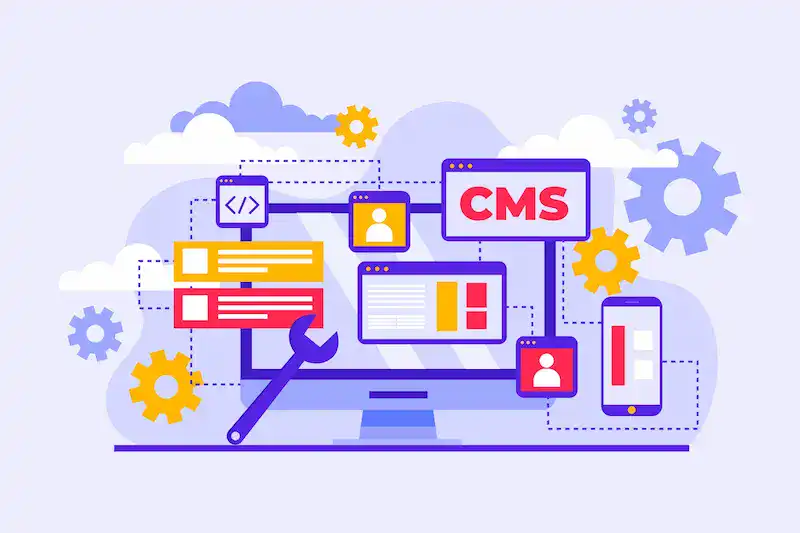
Consistent routine maintenance ensures that your digital storefront is always open, secure, and ready to convert visitors into customers.
It involves a complex checklist of tasks, from database optimization to uptime monitoring, that directly impacts your bottom line.
Search engines like Google prioritize websites that are fast, secure, and error-free. Therefore, maintenance is not just a technical chore; it is a fundamental part of SEO and a key revenue-generation strategy.
Understanding the “Expertise Gap” Between DIY and Professional Maintenance
The core issue with DIY maintenance is the “Expertise Gap.” A site owner may know how to log in and write a blog post, but they rarely possess the full stack of skills required for server-level administration, PHP error troubleshooting, and cybersecurity defense.
DIY website maintenance is typically reactive. The owner fixes things only after they break. If a plugin update crashes the site, they frantically search Google for a solution, losing revenue in the process.
In contrast, professional maintenance is proactive. Experts use enterprise-grade tools to predict and prevent issues before they impact the live site.
They understand the intricate dependencies between WordPress core, plugins, themes, and the hosting server. This gap in expertise is the difference between a site that barely survives and one that thrives.
Protect and Optimize Your WordPress Site Today
Keep your website secure, fast, and up-to-date with our expert WordPress maintenance services.
The Hidden Risks of DIY WordPress Maintenance That Website Owners Often Overlook
The allure of DIY WordPress management fades quickly when technical disasters strike. Below are the specific, often invisible dangers that non-technical owners face when attempting to handle maintenance alone.

Risk 1: Increased Security Vulnerabilities Due to Missed Updates and Weak Configurations
The most significant threat to any WordPress website is security. Hackers use automated bots to scan millions of sites daily, looking for security vulnerabilities. These vulnerabilities often exist in outdated versions of plugins or the WordPress core itself.
In a DIY approach, updates are frequently delayed. A business owner might fear that clicking “update” will break their site, so they leave outdated plugins running for months.
This delay leaves the back door open for attackers. Furthermore, security issues often stem from weak configurations, such as leaving the default “admin” username in place, failing to implement two-factor authentication, or having incorrect file permissions.
Professional services close these gaps by applying security patches immediately and hardening the site’s security posture against brute-force attacks.
Risk 2: Website Downtime and the “White Screen of Death” After Updates
Every WordPress user eventually encounters the panic-inducing “White Screen of Death” (WSOD). This occurs when a script exceeds the memory limit or when a code conflict prevents the site from loading.
For a DIYer, this typically occurs immediately after clicking “Update All” on the plugin dashboard. Without technical knowledge of PHP or FTP access to disable the offending plugin, the site remains down. Website downtime is expensive.
For an eCommerce store, even a few hours offline can mean thousands of dollars in lost revenue and damaged brand reputation. Many business owners are unaware that incompatible plugins are the leading cause of these crashes.
Professional maintenance teams mitigate this by understanding which updates are stable and how to rollback changes instantly if something goes wrong.
Risk 3: No Staging Environment Leading to Critical Live Site Errors
A staging environment is a duplicate copy of your website used for testing. It is a sandbox where you can break things without consequences. One of the most significant hidden risks of DIY WordPress maintenance is the lack of this environment.
DIYers almost always apply updates and code changes directly to their entire site. If an update contains a bug, it breaks the live site immediately for all visitors. Professionals strictly follow a deployment protocol:
- Back up the live site.
- Clone the site to a staging server.
- Apply updates and test functionality (e.g., contact forms, checkout flow).
- Push changes to the live site only after they have been verified. This process ensures that maintenance tasks never disrupt the user experience.
Risk 4: Malware Infections and the High Cost of Delayed Detection
Malware is not always obvious. A hacked site might not display a “You’ve Been Hacked” banner. Instead, sophisticated malware often runs silently in the background, stealing customer data, redirecting visitors to spam sites, or using your server to send phishing emails.

In a DIY maintenance scenario, security monitoring is often nonexistent or relies on free, limited plugins. A site can be infected for weeks before the owner notices, usually when a customer complains or when Google blacklists the domain.
Delayed detection increases the cost of cleanup exponentially and can result in permanent damage to SEO. Professional WordPress maintenance includes real-time malware protection and daily scans to catch and neutralize threats instantly.
Risk 5: Data Loss Caused by Improper or Incomplete Backups
Most hosting providers offer automated backups, but relying solely on them is a gamble. If your server fails or gets hacked, the backups stored on that same server may also be compromised or deleted.
DIY maintenance often lacks a robust “Disaster Recovery Plan.” Owners may assume their host has them covered, only to find out the backup is corrupted or three weeks old when they need it most. Professional services implement redundant, off-site backups.
They store copies of your database and files on independent cloud storage (like Amazon S3 or Google Cloud) and, crucially, they test the restoration process to ensure data loss is never permanent.
Read More: WordPress Backups 101: How to Protect Your Website from Data Loss
Risk 6: Poor Website Performance Due to Lack of Optimization
A slow website is a silent business killer. As you add content, images, and plugins, your WordPress database accumulates “bloat,” thousands of post revisions, spam comments, and transient options that slow down database queries.
Poor website performance is rarely fixed by simply installing a caching plugin. It requires deep performance tuning, including database optimization, image compression, and code minification.
DIYers typically lack the tools to diagnose what is slowing down the “Time to First Byte” (TTFB). The result is a sluggish site that frustrates users and fails Core Web Vitals assessments, ultimately leading to lower search engine rankings.
Risk 7: Invisible SEO Penalties from Broken Links and 404 Errors
Links rot over time. External resources move, pages are deleted, and URL structures change. When a search engine crawler encounters broken links (404 errors), it signals that the site is neglected.
For a site owner handling their own maintenance, checking for broken links is a tedious, often-ignored task. However, a high number of 404 errors can drain your “crawl budget” and negatively impact your search rankings.
Professional maintenance involves regular scans to identify and fix these dead ends, setting up 301 redirects to preserve link equity and ensure a smooth user journey.
Risk 8: Compliance and Privacy Risks from Improper Maintenance
With regulations such as GDPR, CCPA, and various local privacy laws, handling customer data requires strict adherence to compliance. Security breaches resulting from poor maintenance can lead to substantial legal fines.
If a DIY site is hacked because a plugin wasn’t updated, and user emails are leaked, the business owner is liable.
Furthermore, compliance often requires technical updates to cookie notices and privacy policy pages. Professional maintenance providers stay up-to-date on these legal requirements, ensuring that security plugins and firewalls are configured to meet data privacy standards, thereby protecting you from potential legal exposure.
The Strategic Benefits of Professional WordPress Maintenance Services
Switching from a DIY approach to professional WordPress maintenance shifts your website from a liability to an asset. It allows you to reclaim your time and focus on running your business while experts handle the technical heavy lifting.
Utilizing a Staging Environment for Safe Updates and Testing
The hallmark of professional services is the use of a staging environment. Before any update is applied to your live website, it is rigorously tested in a safe, isolated clone of your site.
Professionals verify that the new version of WooCommerce doesn’t conflict with your payment gateway, or that a WordPress core update doesn’t break your theme’s layout.
This layer of quality assurance eliminates the anxiety of updates and ensures that your live traffic never encounters a broken page. It transforms updates from a risky gamble into a controlled, safe process.
Proactive Security Hardening and Real-Time Malware Protection
Professionals do not just install a security plugin and hope for the best; they implement active defense strategies. This includes:
- Firewall Configuration: Setting up Web Application Firewalls (WAF) to block malicious traffic.
- Real-Time Monitoring: 24/7 surveillance of file changes and login attempts.
- Vulnerability Patching: applying “virtual patches” to protect against known exploits before the official developer releases a fix.
This proactive security monitoring significantly reduces the risk of security breaches and ensures that your site’s security is always ahead of the latest threats.
Comprehensive Performance Optimization for Faster Load Times
Speed is a competitive advantage. Maintenance providers treat site speed as an ongoing project, not a one-time fix. They perform regular performance optimization tasks such as:
- Database Cleanup: Removing overhead to speed up queries.
- Asset Optimization: Serving images in next-gen formats (WebP) and deferring non-essential JavaScript.
- Server-Side Caching: Configuring Redis or Varnish for lightning-fast response times.
By consistently optimizing performance, professionals help your site pass Core Web Vitals, which directly contributes to better search rankings and higher conversion rates.
Monthly Reporting and Strategic Consulting for Long-Term Growth
When you hire a pro, you gain a partner. Most maintenance plans include detailed monthly reports that provide transparency into the work that was done.
You will see exactly which plugins and themes were updated, the status of your uptime monitoring, and the results of security scans.
Beyond the data, many providers offer a dedicated account manager who can provide strategic advice.
They can warn you if a plugin has been abandoned by its developer, suggest better alternatives, or advise on when your hosting plan needs an upgrade.
This consulting helps you plan for the long term, avoiding the technical debt that DIY website maintenance often accumulates.
When to Choose What: DIY vs. Managed WordPress Maintenance Plans
Deciding between maintaining the site yourself or hiring a professional comes down to budget, time, and risk tolerance.

When DIY Maintenance Makes Sense
- Budget is Zero: If you are a hobbyist or just starting with absolutely no revenue, DIY maintenance is your only option.
- Low Traffic: Personal blogs with few visitors have lower security risks and performance demands.
- Technical Expertise: If you are a developer who understands PHP, server management, and backup restoration, you can effectively manage your own website.
When to Choose Professional Maintenance
- Revenue Generation: If your website generates leads or sales, the cost of DIY (downtime and lost sales) is far higher than a monthly fee.
- Complexity: eCommerce sites (such as WooCommerce), membership sites, and sites with custom functionality require professional maintenance to prevent database corruption and plugin conflicts.
- Business Focus: If your hourly rate as a business owner is higher than the maintenance fee, outsourcing is a logical financial decision. You should be growing your business, not updating plugins.
Conclusion: Why Professional WordPress Maintenance is a Smart Investment
The hidden risks of DIY WordPress maintenance are real and costly. While the platform is free, the expertise required to keep it secure, fast, and compliant is not.
Small business owners often underestimate the complexity of routine tasks, such as database optimization, malware protection, and compatibility checks, until a disaster strikes.
By attempting to save money on maintenance, you risk incurring the much higher costs of website downtime, data loss, and compromised customer data.
Professional WordPress maintenance services offer more than just updates; they provide insurance for your digital presence. They ensure your WordPress site remains a robust, high-performance tool that drives revenue rather than a vulnerable liability that drains your time.
FAQs About Hidden Risks of DIY WordPress Maintenance
Can I manage my own WordPress site without professional help?
Yes, you can manage your own WordPress site if it is small and low-risk. Basic maintenance includes updates, backups, and routine checks. However, most business owners underestimate the hidden costs of DIY website maintenance. Missed updates can create security holes. Poor maintenance tasks often lead to slow sites, downtime, and lost revenue.
What are the hidden costs of DIY WordPress maintenance?
The hidden costs go beyond time. Failed theme updates, compatibility issues, and broken plugins can hurt site performance. Recovering from hacks, fixing broken links, and cleaning malware often costs more than monthly maintenance services. Downtime without uptime monitoring can also impact sales and SEO.
How does regular WordPress maintenance improve site performance?
Regular maintenance keeps your site fast and stable. It includes database cleanup, image optimization, and fixing broken links. Without routine tasks, slow sites frustrate users and hurt rankings. Regular backups also ensure a quick recovery in the event of an issue.
How does DIY maintenance affect website security?
DIY maintenance often leaves security holes. Missed updates and weak configurations make your site less secure. Without proper monitoring, malware can usually go unnoticed. Regular maintenance helps keep your site safe with patches, scans, and alerts.
How often should WordPress maintenance be done?
Basic maintenance should happen weekly. Monthly maintenance works best for updates, performance checks, and backups. Business owners with growing sites benefit from continuous uptime monitoring and proactive security management.

