In the battle of WordPress vs Joomla, understanding their strengths is crucial. WordPress powers millions of websites with ease, flexibility, and a massive library of themes and plugins. Joomla offers advanced features, strong user management, and the ability to handle complex websites.
Both platforms support SEO, ecommerce, and content management, but each shines in different areas. This guide breaks down their features, usability, security, and customization options.
By the end, you’ll know which CMS fits your goals, whether you’re building a blog, business site, or ecommerce platform.
Overview of WordPress CMS Features, Benefits, and Use Cases
WordPress is the world’s most popular content management system. It began as a dedicated blogging platform but has evolved into a full-featured, highly adaptable system capable of supporting almost any type of website. The platform is renowned for its ease of use and massive ecosystem.
What is WordPress and How the WordPress CMS Works
WordPress is free, open-source software written in PHP. You install WordPress on a web hosting server, and it provides an intuitive interface for creating, publishing, and managing digital content.

The core software separates your content from your design. This means you can change the look of your WordPress site without altering the underlying text, images, and data.
The system relies on three main components to extend its capabilities:
- Core Files: The essential code that makes WordPress function.
- Themes: Templates that control the visual design and layout of your WordPress websites.
- Plugins: Software additions that add new features and functionality.
This architecture makes the WordPress CMS incredibly flexible and beginner-friendly.
Build Your WordPress Site With Expert Developers
Elevate your business with a custom WordPress website designed for performance, SEO, and seamless user experience.
WordPress Dashboard Usability and Beginner-Friendly Interface
One of WordPress’s most significant advantages in the WordPress vs Joomla debate is its exceptionally low learning curve. The admin dashboard is clean, well-organized, and designed for non-technical WordPress users. You can typically install WordPress with a one-click installer offered by most web hosting providers.
Creating new content, such as blog posts or static pages, is simple using the Block Editor (Gutenberg), a visual website builder.
This editor allows you to design layouts and add media without needing any technical knowledge. The straightforward interface makes daily content management and maintenance tasks incredibly easy for new users.
WordPress Themes Ecosystem Including Free Themes and Premium WordPress Themes
WordPress boasts the most extensive collection of templates in the world. The official WordPress theme directory alone hosts thousands of free themes. These themes provide a massive head start for any project.
Beyond the free themes, the market for premium WordPress themes is vast, offering polished, feature-rich designs from marketplaces like ThemeForest and independent developers. These premium themes often come bundled with advanced customization options and dedicated support.
Whether you need a simple aesthetic or a highly specialized web design, the extensive WordPress themes library ensures you can find a suitable look. The ability to switch themes easily without losing your content offers unparalleled design flexibility.
WordPress Plugins and Extensions for Functionality and Scalability
The true power of a WordPress site lies in its WordPress plugin ecosystem. With over 60,000 third-party plugins available in the official directory, you can add virtually any feature to your website. From simple contact forms to complex membership systems, there is a WordPress plugin for everything.

Popular examples include:
- SEO plugins like the Rank Math or AIOSEO plugin for optimizing content.
- Security plugins, such as Wordfence, help protect your WordPress security.
- Caching plugins like FastPixel for improving performance.
- Ecommerce platform plugins like WooCommerce.
This expansive selection means you can scale the functionality of your WordPress site without writing a single line of code. You can easily install plugins directly from the admin dashboard, making the process quick and intuitive for all WordPress users.
Everyday Use Cases for WordPress Websites, Such as Blogs, Business Sites, and Ecommerce
WordPress websites are incredibly versatile, making them suitable for a diverse range of projects.
- Blogs and Personal Sites: WordPress’s origin as a blogging platform means it still excels at content publishing, offering superior editorial tools and robust comment management.
- Business Sites and Portfolios: Small to large business site owners appreciate the platform’s professional themes and ease of management, allowing them to focus on their core business.
- Ecommerce: Paired with the WooCommerce plugin, WordPress transforms into a powerful ecommerce site capable of handling both small shops and high-volume online retailers.
- News and Magazine Sites: WordPress’s flexibility allows it to handle large volumes of content, custom post types, and multi-author environments effectively.
For most general-purpose web development, WordPress stands out as the most accessible and feature-rich option.
Overview of Joomla CMS Features, Capabilities, and Use Cases
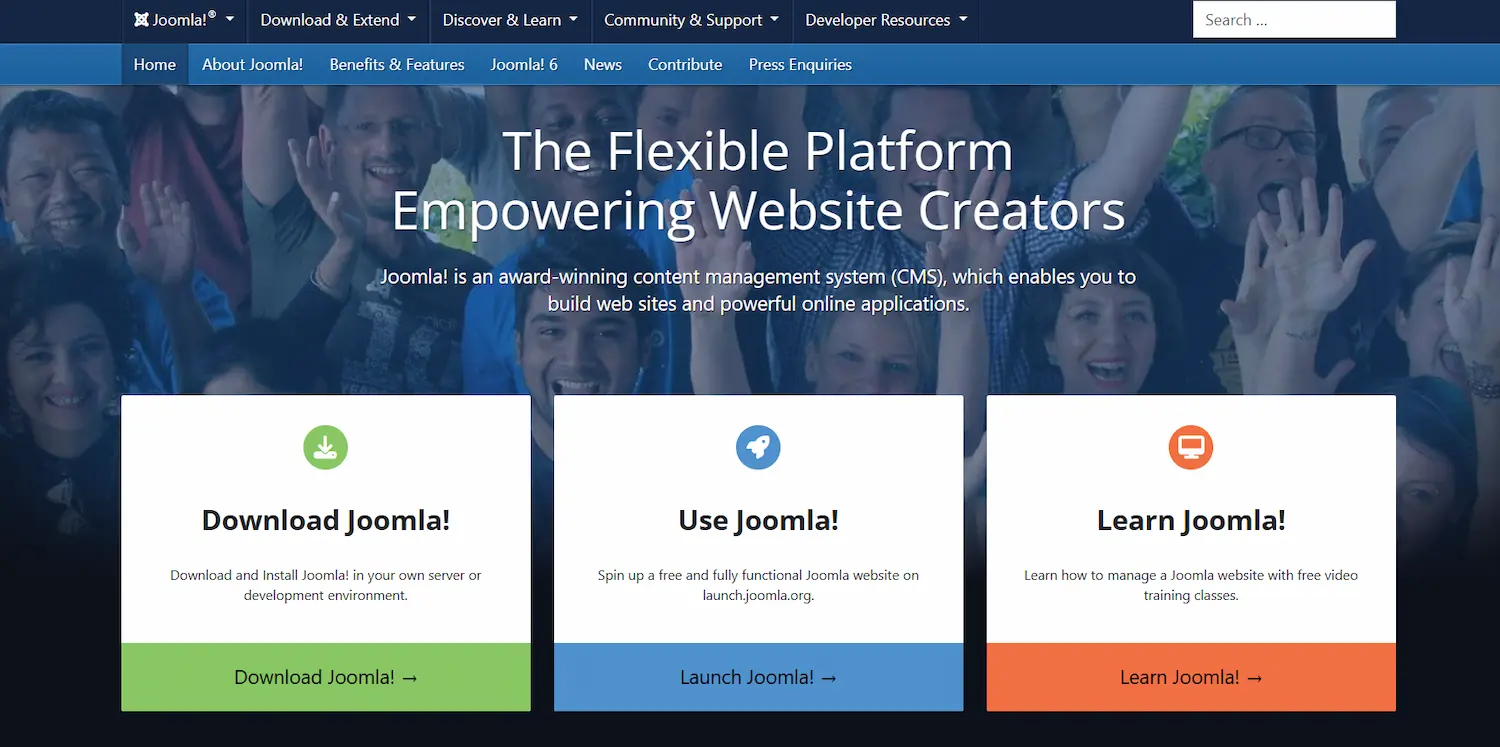
Joomla is the second most popular open-source content management system. It provides a robust, developer-focused framework that excels at handling complex data, intricate user permissions, and native multilingual support. Joomla is a strong competitor for users who require greater structural control out of the box.
What is Joomla, and How Joomla CMS is Structured
Like WordPress, Joomla is an open-source CMS built on PHP. However, unlike WordPress, which started as a blogging platform, Joomla was designed from the beginning as a full-site CMS intended to manage complex content structures.
Joomla’s architecture is based on three primary components:
- Components: The main applications that handle the site’s core functions (e.g., content management, user management).
- Modules: Smaller blocks of content or functionality (e.g., a login form, a list of recent articles) that can be placed in various positions on the Joomla website.
- Plugins (Joomla Extensions): Handlers for events that occur during the execution of any component or module.
This modular structure allows Joomla to offer complex features natively that often require multiple third-party plugins in WordPress.
Joomla Admin Interface and Learning Curve for New Users
When comparing the admin dashboard for Joomla vs WordPress, the Joomla admin interface often presents a steeper learning curve for beginners. While the platform has improved its usability, the extensive options and terminology within the admin screens can feel overwhelming to non-technical users.
Joomla users need more technical knowledge to configure core settings, such as search engine-friendly URLs, which are typically handled automatically in WordPress.
The structured approach is a strength for experienced web developers, but makes initial setup and daily content management less user-friendly for novices. For most standard blogging or small business site needs, the extra complexity of the Joomla editor is unnecessary.
Joomla Templates and Layout Customization Options
Joomla templates determine the visual appearance and layout of a Joomla website. While there is an official template library, the overall selection of Joomla templates is significantly smaller than the WordPress themes ecosystem. This smaller market means finding a perfect, free, or affordable premium design can be more challenging.

However, Joomla offers powerful built-in customization options. Its core template system is highly flexible, allowing web developers to assign specific templates to individual web pages.
This granular control is excellent for creating different looks for different sections of the site, a feature that often requires premium plugins or custom coding in WordPress.
Joomla Extensions for Advanced Functionality and User Management
Joomla extensions are the functional add-ons, equivalent to WordPress plugins. The Joomla Extensions Directory (JED) hosts thousands of free and paid extensions, covering a wide range of topics, from ecommerce to forums. While the quantity is far less than WordPress, the quality and complexity of some core Joomla plugins are highly regarded.
One of Joomla’s standout features is its native advanced user management system, known as Access Control List (ACL).
This system is essential for complex websites or large organizations that need granular control over which user groups can access, edit, or publish specific content. This kind of robust permission control often requires a complex, multi-plugin setup for WordPress users.
Ideal Use Cases for Joomla Websites
Joomla is particularly well-suited for projects that require complex data handling and intricate user permissions, all of which are available out of the box.
- Corporate Intranets and Extranets: The native ACL and advanced user management make Joomla an excellent choice for internal communication platforms.
- Government or Organizational Portals: Sites requiring different security and access levels for various user groups often benefit from Joomla’s core structure.
- Multilingual Websites: Joomla offers native multilingual support without needing a third-party plugin, a significant advantage for global operations.
- Complex Websites with Custom Applications: Web developers often prefer the Joomla framework for building custom, data-heavy web applications.
WordPress vs Joomla Comparison Across Key Website Factors
When you compare WordPress and Joomla, you need to weigh their capabilities across several critical factors to determine the optimal CMS platforms for your project.
| Feature | WordPress | Joomla | Verdict |
| Ease of Use | Beginner-friendly, short learning curve, intuitive visual editor. | Moderate to steep learning curve, more developer-oriented interface. | WordPress wins for general users. |
| Customization | A vast ecosystem of WordPress themes and page builders. Highly flexible. | Smaller selection of Joomla templates, but granular assignment/layout control. | WordPress wins due to the sheer volume and user-friendliness of its themes. |
| Extensions | 60,000+ WordPress plugins; massive, active community. | Approximately 8,000 Joomla extensions; fewer in quantity, but of high quality. | WordPress is the clear winner in volume and variety. |
| Core Multilingual | Requires a third-party plugin (like WPML). | Multilingual support is natively built into the core CMS. | Joomla wins for out-of-the-box global sites. |
| SEO Features | Excellent via SEO plugins like Yoast SEO; easy permalink settings. | Good native basic SEO features (metadata); requires more setup for advanced needs. | WordPress excels in non-technical SEO optimization through its extensive plugin ecosystem. |
| Security | Highly popular target; relies heavily on security extensions and regular updates. | Stronger native security features, including two-factor authentication (2FA). | Joomla has a slight edge in core security; WordPress relies on plugins. |
Ease of Use Comparison Between WordPress and Joomla
For novice or small business site owners who prioritize a fast setup and easy content updates, WordPress is the undisputed champion. The process of installing WordPress, selecting a design, and publishing your first content is streamlined and requires minimal technical knowledge.
The Joomla admin interface requires more time and effort to become familiar with. The organizational structure, separating Articles, Categories, and Modules, is more powerful for complex data but creates a steeper learning curve.
While a developer might find the Joomla structure logical, the average end-user will prefer the simplicity of the WordPress admin dashboard.
Design and Customization Flexibility in WordPress vs Joomla
WordPress’s advantage lies in the quantity and quality of its design assets. The sheer volume of WordPress themes, both free themes and premium WordPress themes, means you can likely find a ready-made design that perfectly suits your needs.

Page builder plugins, such as Elementor and Divi, further democratize web design, offering highly user-friendly drag-and-drop customization.
Joomla templates are professional and capable, but the selection is smaller. While Joomla’s granular template assignment offers unique control, making fundamental design changes often requires more effort and a deeper understanding of the system’s framework than a typical WordPress customization. WordPress stands out for rapid and accessible design changes.
Plugin and Extension Availability for WordPress and Joomla
The size of the plugin and extension ecosystem is perhaps the most significant difference between the two CMS platforms.
WordPress offers a colossal library of over 60,000 WordPress plugins, giving you virtually unlimited options for functionality. This vast choice means that, no matter how niche your requirement, a ready-made, often free, third-party plugin probably exists.
Joomla extensions are high-quality, but the smaller pool of around 8,000 free and paid extensions means you may occasionally need custom web development for a unique feature. For most users, the unparalleled convenience and variety of WordPress plugins are a deciding factor.
Performance and Scalability for Small and Large Websites
Both WordPress and Joomla are robust and scalable content management systems. However, they handle performance differently.
- WordPress performs well out of the box, but its reliance on third-party plugins can introduce bloat or slow down the site if users choose poorly coded additions. Effective scalability in WordPress often depends on the judicious use of caching plugins and a robust web hosting solution.
- Joomla offers excellent native performance. It includes built-in features like page caching and GZIP compression, meaning it is often faster straight out of the gate, especially for complex websites with numerous pages and intricate structures.
For small to medium WordPress websites, performance is not an issue with proper optimization. For massive, data-heavy sites, Joomla’s core framework may provide a more stable, natively high-performing foundation, though WordPress can achieve similar results with dedicated resources.
Community Support, Documentation, and Developer Ecosystem
The size of the community is vital for support, development, and troubleshooting. WordPress has an overwhelmingly large global community.
You can find answers to almost any issue instantly through forums, tutorials, Facebook groups, and developer documentation. The abundance of web developers skilled in WordPress makes finding affordable help easy.
Joomla users also benefit from a dedicated community and comprehensive official documentation. However, the sheer number of experts, resources, and readily available learning materials for WordPress is unmatched. This extensive support network makes WordPress a safer bet for beginners and businesses alike.
WordPress vs Joomla for SEO and Search Engine Optimisation
Search Engine Optimization (SEO) is non-negotiable for online success. Both WordPress and Joomla provide the necessary foundation for high-ranking web pages, but they achieve SEO optimization through different means.

Joomla offers decent basic SEO features natively, such as the ability to set meta descriptions and keywords without installing a third-party plugin. You can also easily enable search engine-friendly URLs from the core configuration, though the process is less intuitive than WordPress.
WordPress stands out because of its exceptional ecosystem of SEO plugins. The AIOSEO plugin and Rank Math are industry-standard tools that walk the WordPress users through every step of SEO optimization, including:
- Content and keyword optimization.
- Readability analysis.
- Automatic sitemap creation.
- Meta descriptions and title tag editing.
- Internal linking suggestions.
For the vast majority of WordPress users, this guided, plugin-based approach to search engine optimisation is easier, more powerful, and more effective than manually configuring native SEO features in the Joomla admin interface.
While Joomla offers technical flexibility, WordPress streamlines the complex aspects of SEO for everyday content creators. The sheer market dominance of WordPress also means search engines like Google prioritize and readily crawl WordPress websites.
Ecommerce Capabilities in WordPress vs Joomla
Building an ecommerce site is a primary goal for many modern web development projects.
WordPress is the clear market leader here due to WooCommerce. This single WordPress plugin is an open-source ecommerce platform that integrates seamlessly with a WordPress site.

WooCommerce powers millions of ecommerce business sites globally, offering an extensive range of dedicated premium plugins and payment gateways. The user-friendly interface makes it the most straightforward path for small to mid-sized ecommerce site owners.
Joomla offers robust ecommerce extensions, such as VirtueMart and HikaShop. These are capable platforms that provide robust features, but they lack the same massive ecosystem, market share, or third-party developer support as WooCommerce.
While Joomla can certainly power a successful ecommerce site, the familiarity, support, and ease of use of the WordPress and WooCommerce combination give WordPress a decisive advantage.
Security, Updates, and Data Protection in WordPress and Joomla
Security is a paramount concern for any CMS platform. Both WordPress and Joomla are open-source platforms that rely on a dedicated community to maintain their security features.
Joomla often has a slight edge in core security. It includes several security features natively, such as two-factor authentication (2FA) and extensive access control, which provide greater protection out of the box. Because Joomla is a smaller target than WordPress, it generally experiences fewer direct hacker attempts.
WordPress security is robust, but its popularity makes it a target. This means WordPress users must be proactive about security. WordPress offers numerous dedicated security extensions, such as Sucuri and Wordfence, that compensate for what isn’t built into the core. Regular core, theme, and plugin updates are crucial for maintaining a secure WordPress site.
The key difference is that Joomla security is more integrated, while WordPress security is often managed through a dedicated third-party plugin. Regular and timely updates are essential on both WordPress and Joomla websites to ensure data protection.
Cost, Hosting, and Maintenance Comparison of WordPress vs Joomla
Both WordPress and Joomla are free, open-source software, so the core system cost is zero. However, the total cost of ownership involves web hosting, themes, plugins, and maintenance.

- Hosting: Both WordPress and Joomla require standard PHP/MySQL web hosting. Due to its immense popularity, many hosts offer highly optimized, one-click install WordPress solutions at a low cost.
- Themes and Extensions: WordPress offers an incredible array of free themes and free plugins, making it possible to build a basic site for free. The market for premium WordPress themes and premium plugins is highly competitive, keeping costs reasonable. While Joomla offers a similar mix of free and paid assets, the selection is smaller.
- Maintenance: Maintenance involves regular updates to the core, themes, and plugins/extensions. Because WordPress has a more straightforward interface, WordPress users generally find updating and basic maintenance less intimidating. However, Joomla’s structured system can sometimes be more stable during updates if developers follow best practices.
Overall, WordPress typically presents a lower barrier to entry and lower long-term costs for beginners or small businesses due to the massive availability of high-quality, free themes and plugins.
Final Verdict on WordPress vs Joomla: Which CMS Should You Choose
The final decision in the WordPress vs Joomla debate hinges on your priority: simplicity and ecosystem, or structural complexity and native features.
For the overwhelming majority of users, bloggers, small businesses, creative professionals, and general ecommerce site owners, WordPress is the superior choice. Its unmatched ease of use, short learning curve, powerful content editor, and the enormous ecosystem of WordPress themes and WordPress plugins make it the most accessible and effective CMS on the market. WordPress stands as the most efficient tool for rapid web development and easy Search Engine Optimisation.
While Joomla offers powerful core features, such as advanced user management and native multilingual support, its steeper learning curve and smaller pool of extensions make it best suited for experienced developers and specific, complex websites.
If you want to build a feature-rich, scalable, and highly optimized website with minimal technical knowledge, the answer is clear: WordPress is the right Content Management System for your needs.
FAQs About WordPress vs Joomla
What is a Content Management System, and why should I choose one?
A Content Management System (CMS) helps you build, manage, and organize your website without deep coding knowledge. Popular CMS platforms include WordPress, Joomla, and Drupal. Choosing the proper CMS depends on your technical skills, website goals, and customization needs.
Should I choose Joomla or WordPress for my website?
In the Joomla vs WordPress comparison, WordPress is easier to use and faster to set up. Joomla offers more advanced controls, but many users prefer WordPress when comparing Joomla and WordPress options for everyday website needs.
Is a Joomla site as secure as a WordPress website?
Joomla security includes strong access controls and extension-based protection. WordPress also provides robust security tools, with broader plugin support and faster updates, making it easier for many site owners to maintain security over time.
How do Joomla plugins compare to WordPress plugins?
Joomla plugins and extensions add useful features, but the WordPress plugin ecosystem is larger and more beginner-friendly. This makes WordPress more adaptable for users who want functionality without complex configuration.
Which platform has a more straightforward installation process for beginners?
The Joomla installation process requires more setup steps and technical knowledge. WordPress offers a quicker installation process, often with one-click hosting support, which makes it a preferred choice when comparing Joomla vs other CMS platforms.