


WooCommerce is the undisputed king of open-source eCommerce platforms. While the core platform is robust and a great free plugin, its true power comes from the vast ecosystem of extensions. To truly compete in the modern ecommerce business, moving beyond basic functionality is necessary. This is where paid WooCommerce plugins become essential.
Successful WooCommerce store owners know that investing in premium tools drives growth. These tools offer advanced features that drastically improve conversion rates, streamline operations, and boost customer satisfaction.
This comprehensive guide explores the absolute top WooCommerce plugins and explains why they are the key to maximizing your ecommerce store’s performance.
Why Paid WooCommerce Plugins Are Essential
Many WooCommerce users start with the free version of plugins. While this works for testing concepts or very small shops, scaling an ecommerce site requires a dedicated investment.

The default WooCommerce experience provides a solid foundation, but it lacks the sophisticated tools needed to solve complex modern challenges like multi-lingual support, high-conversion funnels, or one-click checkouts.
Paid WooCommerce plugins offer superior performance, dedicated development, and high-priority support. They are purpose-built to address specific needs that lead directly to increased revenue and efficiency. Relying on premium extensions is not an expense; it is a vital, non-negotiable investment in your WooCommerce business’s future.
Keep Your WooCommerce Store Running Smoothly
Get expert maintenance that keeps your store secure, fast, and fully optimized for growth.
Benefits of Using Premium WooCommerce Plugins
Investing in the best WooCommerce plugins delivers a competitive edge across every facet of your online store. These extensions are engineered to provide features that directly impact your bottom line.
- Improved Conversions and Increased Sales: Tools focused on the WooCommerce checkout process streamline the journey. Plugins adding order bumps, one-click purchases, or a custom checkout field editor directly reduce cart abandonment and boost sales.
- Superior Performance and SEO: Premium tools like image optimizers ensure your WooCommerce site loads quickly. Site speed is a major ranking factor for search results, making optimized performance crucial for Search Engine Optimization (SEO).
- Dedicated Reliability and Support: When a problem hits your mission-critical ecommerce site, you need immediate help. Premium plugin developers offer specialized, fast-response support teams that keep your store running smoothly.
- Advanced Functionality: Free extensions offer basic tools. Paid ones deliver everything, from multi-currency support via WooCommerce multilingual to complex BOGO deals and marketing automation hooks. This lets you access all the features you need for your marketing efforts.
- Enhanced Customer Experience and Loyalty: Features such as seamless one-click payments, customized notifications, and a more streamlined ordering process significantly improve the overall customer shopping experience. This directly translates to higher customer loyalty and encourages repeat business.
Best Paid WooCommerce Plugins for Online Stores
The following extensions represent the best WooCommerce plugins available today. They are grouped by the critical area of your WooCommerce store that they are designed to revolutionize.
Advanced Coupons: Boost Sales with Smart Discounts
The default coupon functionality in WooCommerce is straightforward, yet often leaves WooCommerce store owners frustrated. Advanced Coupons replaces this basic feature with a powerful, comprehensive suite of tools designed to create highly targeted and profitable discount campaigns.

This premium plugin allows you to move beyond simple percentage or fixed-amount discounts. You can create sophisticated promotions, such as Buy One, Get One (BOGO) deals, automatically add products to the cart when a coupon is applied, and utilize Store Credits to handle refunds.
This is a brilliant way to ensure customers keep their money on your site and encourage repeat business.
Key Features for Boosting Sales:
- Cart Conditions: Apply a coupon only when specific rules are met, such as having a minimum order total, purchasing specific products, or being a member of a designated user role.
- Auto-Apply: Automatically add coupons to a customer’s cart based on specific conditions, significantly increasing the likelihood of them using the discount.
- URL Coupons: Customers can click a link and have the coupon applied instantly, removing the friction of typing a code on the checkout page.
- Store Credits: Offer customers a non-cash refund or loyalty balance that can only be used on your ecommerce store.
- Pricing Insight: Paid plans start at a reasonable annual fee for a single site, making it accessible for growing online businesses.
Explore More: How to Create Coupons in WooCommerce
Barn2 Plugins: Product Filters and Bulk Ordering
For WooCommerce store owners with large inventories, finding products quickly is paramount to improving the customer’s shopping experience. Barn2 Plugins, particularly their WooCommerce Product Filters and WooCommerce Bulk Variations, solve major usability issues on the shop page.

The filters module provides an AJAX-based solution, meaning results update instantly without a page reload. This minimizes frustration and drastically improves conversion rates.
For wholesale or B2B ecommerce websites, the Bulk Variations plugin transforms clunky product pages into efficient, one-page order forms, essential for bulk purchasing or quickly ordering customizable items.
The ability to manage wholesale pricing and display variations in a grid is indispensable for businesses selling many product variants.
Key Features for Usability:
- Product Filters: Create filters based on attributes, custom taxonomies, color swatches, or price sliders. It works seamlessly with any WordPress theme.
- AJAX Filtering: Filters apply instantly for a lightning-fast browsing experience.
- Bulk Ordering Grid: Replaces the default product dropdowns with a clean order form that allows customers to enter multiple quantities on a single page.
- User-Friendly Interface: The plugin is designed to be highly intuitive for both site owners and customers.
FunnelKit: High-Converting Checkout Funnels
The default WooCommerce checkout page is a known point of failure for conversions. FunnelKit (formerly WooFunnels) is a game-changer, allowing WooCommerce store owners to create optimized, high-converting sales funnels that maximize the value of every customer.

It enables you to completely redesign your WooCommerce checkout process using a drag-and-drop builder, offering one-page checkouts, multi-step forms, and most importantly: strategic offers.
You can add Order Bumps to the WooCommerce checkout page a small, highly relevant offer before payment, and then follow up with a One-Click Upsell after the purchase is complete. This system dramatically increases the Average Order Value (AOV) without interrupting the purchase flow.
Key Features for AOV and Conversions:
- Custom Checkout Builder: Use a visual, drag-and-drop editor to build a streamlined, conversion-focused WooCommerce checkout process.
- Order Bumps: Present a related product on the checkout form, increasing AOV with a single click before the sale is finalized.
- One-Click Upsells/Downsells: Offer higher-priced or supplementary products after the initial purchase without requiring the customer to re-enter payment details.
- A/B Testing: Easily test different funnel designs and offers to optimize for the highest conversion rates continuously.
- Deep Analytics: Monitor revenue, orders, and customer user behavior within each funnel step.
Know More: Best WooCommerce Payment Gateways to Boost Your Online Sales
Orderable: Custom Product Options and Ordering
While WooCommerce is versatile, it lacks specific features needed for businesses that rely on scheduled ordering, like restaurants, bakeries, or local florists. Orderable fills this gap with a powerful, dedicated ordering system.

This premium plugin is critical for businesses that sell customized products or require customers to specify a delivery date or pickup time. It provides an “app-like” experience for customers, making the mobile ordering process incredibly smooth.
Store owners can limit the number of orders per time slot, manage different store locations, and easily accept checkout tipping, which is vital for service-based online businesses.
Key Features for Service Businesses:
- Time Slots and Scheduling: Allow customers to select a precise delivery or pickup time and date. Store owners can set a maximum number of orders per slot.
- Product Add-Ons: Easily allow customization for complex items with required or optional additions (e.g., pizza toppings, gift wrapping).
- Delivery Zones: Define specific areas and pricing for delivery services.
- Custom Checkout: Offers a checkout flow specifically designed for food and service ordering, distinct from the standard WooCommerce setup.
- SMS/WhatsApp Notifications: Automate notifications to staff or customers when an order status changes.
Also Learn: Understanding WooCommerce Custom Gateway
PeachPay: One-Click Checkout and Payments
Friction kills conversions. PeachPay aims to eliminate friction entirely by introducing a ubiquitous one-click checkout solution across your WooCommerce store. This is particularly powerful for driving repeat business.
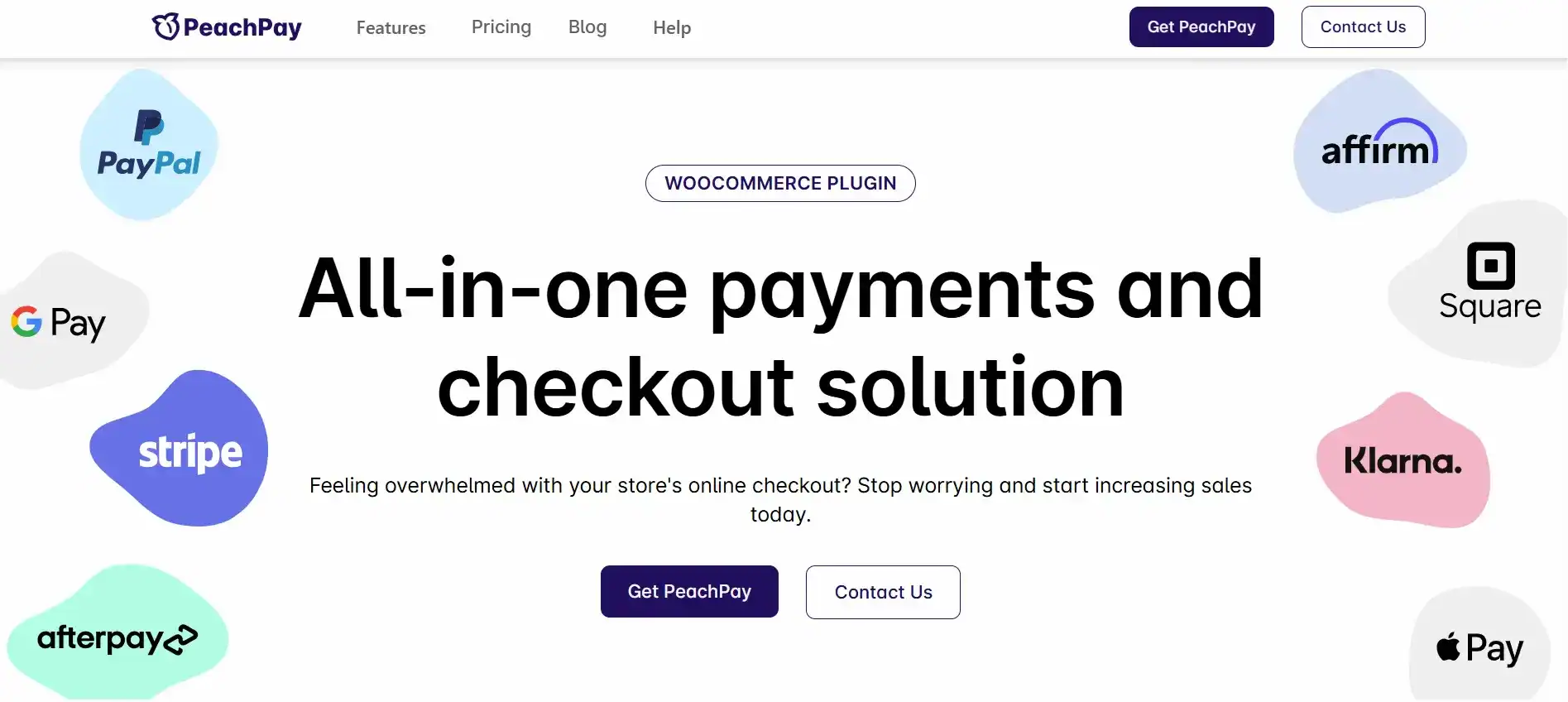
Once a customer completes their first purchase using PeachPay, their information is securely stored. On subsequent visits, the PeachPay button on the product page or cart becomes an instant purchase button.
For a WooCommerce customer making an impulse buy, this reduction in the number of steps dramatically improves the likelihood of a sale. It integrates seamlessly with major payment gateways, providing customers with flexible payment options.
Key Features for Speed and Impulse Buys:
- True One-Click Checkout: Repeat customers can complete a purchase with a single click, bypassing the entire traditional WooCommerce checkout process.
- Express Checkout Buttons: Place a quick-pay button directly on product pages, cart, and the standard checkout.
- Payment Gateway Integration: Supports major gateways like Stripe, PayPal, and more, all within a clean, unified interface.
- Cart Abandonment Reduction: The speed of the process leaves no time for customers to reconsider their purchase.
Explore Further: How to secure your WooCommerce online shop
ShortPixel: Optimize Images for Speed and SEO
Images are crucial for sales but are also the number one cause of slow loading times on any ecommerce site. ShortPixel is one of the best WooCommerce plugins for image optimization, directly contributing to faster page loads and improved SEO.

This plugin automatically compresses and optimizes every image you upload, including product gallery images and thumbnails, using powerful lossy, glossy, or lossless algorithms.
Crucially, it converts images to next-generation formats like WebP, which drastically reduces file size without compromising quality. Since Google prioritizes fast-loading websites, using ShortPixel is a mandatory part of a complete search engine optimization strategy for any serious WooCommerce business.
Key Features for Performance:
- Automatic Image Optimization: Automatically compresses new images on upload and can bulk-optimize your entire existing library.
- WebP Conversion and Delivery: Converts images to the modern, faster WebP format and ensures your WooCommerce site serves them up quickly.
- Lossless/Lossy Options: Choose the level of compression that balances file size reduction with image quality.
- No-Limit Optimization: Paid plans start with flexible credit options, offering bulk or monthly subscriptions for high-volume stores.
Know More: How to set up PayPal for WooCommerce
WPML: Multilingual WooCommerce Stores
Expanding your WooCommerce store to international markets is a surefire way to drive significant increased sales, but it requires robust translation. WPML (WordPress Multilingual) is the industry standard for creating professional, fully multilingual WordPress and WooCommerce websites.

This is far more than just a text translator. WPML, in conjunction with the WooCommerce Multilingual add-on, enables you to translate complex WooCommerce business elements, including products, categories, attributes, variations, and customizable email templates.
It is essential to provide a professional customer shopping experience that builds trust and fosters customer loyalty among global buyers. It handles multiple currencies and ensures all content is correctly indexed for international search engine optimization.
Key Features for Global Commerce:
- WooCommerce Compatibility: Fully translates every aspect of an ecommerce store, including product data, checkout page strings, and shipping classes.
- Multi-Currency Support: Enables customers to view prices and make payments in their local currency.
- SEO-Friendly URLs: Creates clean URLs for each language, which is crucial for international search results.
- Professional Translation Workflow: Allows you to translate content yourself, use in-house translators, or integrate with professional translation services.
Further Reading: What are WooCommerce recurring payments
WP Amelia: Appointment and Booking Management
For service providers, clinics, consultants, or anyone needing to manage staff and time slots, the default WooCommerce setup is useless. WP Amelia is a polished, fully automated appointment and event booking premium plugin that integrates flawlessly with your WooCommerce site.
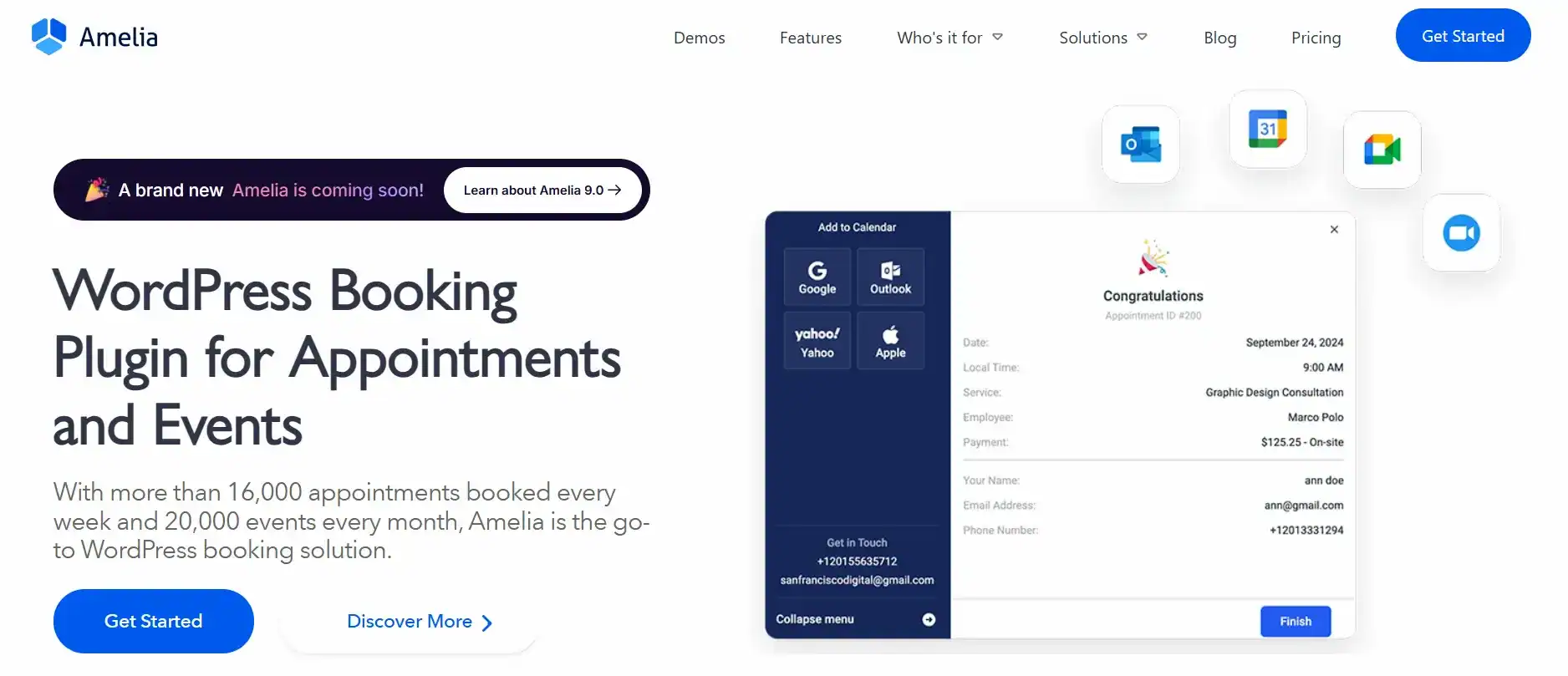
It offers a visually stunning and highly user-friendly interface for customers to book services, select a time slot, and pay instantly through WooCommerce checkout. Store owners gain a powerful back-end dashboard to manage employee schedules, track payments, and automate notifications.
The ability to integrate with Google Calendar and Outlook Calendar prevents double bookings and streamlines the operations of any service-based online store.
Key Features for Service Providers:
- Automated Booking: Allows customers to book appointments 24/7 without staff intervention.
- Employee/Service Management: Manage schedules for multiple employees, services, and locations.
- WooCommerce Payment Integration: Accepts payments via all WooCommerce-supported payment gateway options.
- Calendar Sync: Two-way synchronization with Google Calendar and Outlook Calendar for real-time availability.
- Customizable Forms: Create bespoke booking forms with an appealing, user-friendly interface that matches your WooCommerce theme.
Discover More: How to Change Currency in WooCommerce Programmatically
SureCart: Streamlined Checkout and Cart Management
SureCart is a modern, headless eCommerce platform designed to solve the performance and scalability issues often associated with running a high-volume WooCommerce store entirely on WordPress. It separates the cart and checkout functionality into a dedicated, super-fast system that integrates with your WordPress front end.

The focus is on maximizing conversions and simplifying the complexity of selling subscriptions, digital products, and physical goods.
It offers a visual drag-and-drop checkout builder, robust subscription management (including customer data and upgrades), and built-in sales-boosting features like cart abandonment recovery and order bumps. By handling the intensive tasks on its own platform, it ensures your leading ecommerce site remains blazing fast.
Key Features for Modern eCommerce:
- Headless Checkout: Offloads the heavy cart and checkout processing for superior speed and reliability.
- Visual Checkout Builder: Easily create optimized, multi-step, and customized checkouts.
- Subscription Management: Comprehensive tools for recurring revenue, including payment plans, automated invoicing, and failure recovery.
- EU VAT Compliance: Automatically handles complex tax requirements.
Learn More: How to Change Bank Account Details in WooCommerce
How to Choose the Right Paid WooCommerce Plugins
With numerous WooCommerce plugins available, selecting the right one requires a strategic approach. Prioritizing tools that directly impact your weakest conversion points is key.
- Identify Conversion Leaks: Utilize tools like Google Analytics or FunnelKit’s built-in reports to pinpoint where customers drop off. If they abandon the cart, invest in PeachPay or FunnelKit. If they struggle to find products, invest in Barn2 Plugins.
- Check Compatibility: Ensure the premium plugin has a strong reputation for working with other popular WooCommerce plugins, your WooCommerce theme, and the latest version of WooCommerce. Poor integration can necessitate the use of complex custom code to resolve issues.
- Evaluate the Support Team: For mission-critical tools, a responsive support team is vital. Read reviews regarding their turnaround time and effectiveness.
- Feature vs. Cost: Determine if the jump from the free version justifies the annual cost, especially where paid plans start. Look for plugins that provide unlimited site licenses if you manage multiple online stores.
- Focus on Customer Experience: Prioritize plugins that enhance the shopping experience for WooCommerce customers, whether through one-click checkout, improved product filtering, or simplified appointment booking.
Conclusion: Maximize WooCommerce Performance with the Right Plugins
To run a truly competitive ecommerce business, relying solely on a free plugin is not an option. Investing in paid WooCommerce plugins provides your WooCommerce store with the cutting-edge features, reliable performance, and dedicated support necessary to thrive.
Whether you need to boost sales with the smart discounts of Advanced Coupons, optimize your site speed with ShortPixel for better Search Engine Optimization, or conquer global markets with WPML, the best WooCommerce plugins are the engine for growth.
By strategically implementing these top WooCommerce plugins, WooCommerce store owners can streamline their operations, increase their average order value, and deliver a best-in-class customer shopping experience that builds lasting customer loyalty and generates substantial repeat business.
FAQs About Paid WooCommerce Plugins
Which are the best WooCommerce plugins for marketing automation and boosting sales?
The best WooCommerce plugins include Advanced Coupons, FunnelKit, and Constant Contact. They help with email campaigns, push notifications, and upsells to increase WooCommerce sales. These plugins integrate seamlessly with your ecommerce site.
Can I add custom CSS classes to WooCommerce plugins?
Yes, many plugins, including Checkout Field Editor, allow you to add custom CSS classes. This helps advanced users style checkout fields, buttons, or product pages without coding.
How can I manage appointment bookings with WooCommerce?
An appointment plugin, such as WP Amelia or similar tools, enables seamless integration with your store. Customers can select a delivery date or book services, while you track purchase history and manage schedules efficiently.
Which plugins help improve checkout and delivery options?
Plugins like Checkout Field Editor and Order Delivery Date allow you to customize fields, set exact delivery date options, and efficiently manage just a few products per order. They improve customer experience and reduce cart abandonment.
How can I track analytics and performance for my WooCommerce store?
Using plugins like Google Analytics or MonsterInsights, you can monitor WooCommerce sales, user behavior, and marketing performance. Combined with other plugins, you can optimize your ecommerce site with all the features needed for growth.

