


Keeping your site safe starts now, because cyber threats never take a day off. WordPress security plugins provide the extra defense you need when attacks occur without warning. Many breaches happen through outdated tools or simple human mistakes.
Strong protection is not just smart. It is necessary. The right plugin monitors your site in real time, blocks suspicious activity, and keeps intruders out. It operates quietly in the background, shielding your data while you focus on growth.
This guide shows you what to look for and how to choose a trusted security tool that fits your needs. By the end, you will be ready to lock down your site with total confidence.
Why WordPress Security Plugins Are Essential
Many website owners wonder if they genuinely need a security plugin if they already use a secure hosting provider. The answer is an emphatic “yes.” A hosting provider provides server-level protection. A WordPress security plugin, however, offers application-level security, defending your site from threats that target the WordPress core, its files, and your login system.

Here are the key reasons why a dedicated security solution is indispensable for all WordPress websites:
- Defense Against Brute Force Attacks: Automated bots constantly try to guess your login credentials. These brute force attacks can quickly lead to unauthorized access. The best WordPress security plugins offer brute force protection by limiting login attempts and implementing stronger login security.
- Malware Detection and Removal: Hackers often inject malicious code into your files. A dedicated malware scanner can automatically detect malware and alert you. Many premium security plugins also offer one-click malware removal services.
- Proactive Threat Blocking (Firewall): A Web Application Firewall (WAF) filters out malicious traffic before it even touches your server. This proactive firewall protection is crucial for blocking common web exploits, such as SQL injections and cross-site scripting (XSS).
- Vulnerability Patching: The majority of security breaches on WordPress websites stem from vulnerabilities in themes or WordPress plugins. Advanced security plugins can effectively patch these vulnerabilities, providing an additional layer of security even before an official update is released.
- Compliance and SEO: A hacked site can be blacklisted by search engines, severely damaging your SEO and reputation. Using an effective security plugin helps maintain site safety and avoids Google penalties.
Investing in a robust WP security tool is not an expense; it is a fundamental business necessity that protects your data, your users, and your brand integrity.
Key Features to Look for in WordPress Security Plugins
When evaluating different security plugins for WordPress, focus on those that provide a multi-layered approach to defense. The most popular security plugins combine several essential features into a single, cohesive security solution.
Here are the critical features every site owner should prioritize:
| Feature | Description | Why It’s Important |
| Web Application Firewall (WAF) | Blocks malicious requests like SQL injection and XSS before they hit the WordPress core files. | Provides a critical first line of defense against most common attacks. |
| Malware Scanner | Scans all your WordPress files and database for malicious code and backdoors. | Essential for detecting hidden infections and zero-day threats. |
| Brute Force Protection | Limits failed login attempts and often includes CAPTCHA or reCAPTCHA. | Protects your login page from automated brute force attacks. |
| Two-Factor Authentication (2FA) | Requires a code from a mobile device in addition to a password for login. | Adds a vital layer of enhanced security to login security. |
| File Integrity Monitoring | Notifies you of unauthorized changes to core WordPress files and directories. | Helps you immediately detect malware or unauthorized modifications. |
| Activity/Audit Log | Records all user and system actions, including plugin installations, setting changes, and logins. | Provides visibility to identify suspicious activity and pinpoint the source of a security issue. |
| Security Hardening | Includes one-click options to enforce best practices, like disabling PHP file execution in specific folders, hiding the WordPress version, and protecting .htaccess files. | Reduces the number of potential attack vectors, strengthening site security. |
Look for a plugin that offers a powerful free version for smaller sites, or a comprehensive premium option that includes a cloud-based WAF and professional malware removal services for high-traffic or e-commerce WordPress websites.
Best WordPress Security Plugins
Choosing the best WordPress security plugins can be overwhelming due to the sheer number of options. We have analyzed the leading tools to help you find the right security plugin for your specific needs, from comprehensive protection to specialized functions.
Note that you should generally avoid using multiple security plugins that perform the same functions (like two different firewalls), as this can lead to conflicts and slow down your WordPress site.
Wordfence Security: Firewall and Malware Protection
Wordfence is arguably the most recognizable name in WordPress security. Its popularity stems from its robust, integrated approach, making it one of the most popular security plugins on the market.

Key Features:
- Endpoint Firewall: Wordfence’s Web Application Firewall runs directly on your server (endpoint firewall). It is a highly configurable defense mechanism designed to block malicious traffic and malicious requests before they can reach your WordPress core.
- Malware Scanner: The built-in malware scanner performs deep scans of your WordPress files to check for malicious code, backdoors, and known vulnerabilities. It also compares your core files, themes, and plugins against the official WordPress.org repository. This allows you to repair modified core files automatically.
- Brute Force Attack Protection: This includes robust brute force protection, which limits login attempts and enforces strong passwords.
- Live Traffic Monitoring: Advanced users can view real-time traffic, including origin, IP address, and time spent, which helps identify and manually block suspicious IPs that other security measures might miss.
Wordfence offers a highly capable free WordPress security plugin. The premium Wordfence Security Premium adds real-time firewall rules and malware scanning signature updates. This is crucial for protection against zero-day exploits. The plugin can be resource-intensive, so site owners with limited server resources should monitor its performance.
SolidWP: Login Security and Site Hardening
SolidWP (formerly known as iThemes Security) is a well-respected security solution that focuses heavily on site hardening and proactive prevention, giving you more than 30 ways to protect your site. It is an excellent choice for those prioritizing comprehensive login security.

Key Features:
- Two-Factor Authentication (2FA): SolidWP makes it easy to enable Two-factor authentication for all WordPress users or specific roles, significantly strengthening login protection.
- Site Hardening: It offers a suite of tools to improve your overall security posture, including changing the default login URL, disabling file editing from the dashboard, and enforcing SSL.
- Brute Force Protection: It provides network brute force protection by monitoring global attack data and blocking known malicious IP addresses. It also offers local brute force protection by limiting login attempts.
- File Change Detection: The plugin monitors your WordPress files for unauthorized changes, alerting you to potential hacks.
SolidWP offers a free plugin that covers all the essential features for basic WordPress security. Solid Security Pro offers advanced features, including automated malware scanning, WordPress version management, and enhanced database backups. It is a strong contender for the title of best security plugin, thanks to its user-friendly interface and focus on preventative security measures.
BlogVault: Backup and Restore for Security
BlogVault is primarily a premium backup service, but its fast and reliable recovery features make it an essential part of any comprehensive security solution. A complete and tested backup is the ultimate defense against a catastrophic security breach.

Key Features:
- Offsite Real-Time Backups: It stores your site backups securely on its own servers, ensuring that if your primary server is compromised, your backup remains safe.
- One-Click Restore: If a hack occurs, you can restore your entire WordPress website with a single click, minimizing downtime.
- Integrated Staging: You can test updates or perform hack cleanups on a staging site before deploying changes to your live site.
- Integrated Malware Removal: BlogVault includes built-in scanning and malware removal tools, complementing its powerful backup system.
For sites where downtime results in significant revenue loss, having Blogvault’s reliable site backup and recovery system is a crucial security measure.
Jetpack Security: All-in-One Protection and Monitoring
Jetpack is a modular plugin suite developed by Automattic (the company behind WordPress.com). The Jetpack Security features provide a comprehensive, all-in-one solution that integrates well with the WordPress core.

Key Features:
- Automated Backups: Jetpack includes real-time site backups (formerly VaultPress). This is a vital component of any security solution, allowing for quick recovery after a hack or site crash.
- Malware Scanning: Automated, continuous malware scanning detects vulnerabilities and malicious code. Premium plans offer one-click fixes for most security threats.
- Brute Force Protection: Jetpack’s global network helps identify and block malicious IP addresses, providing excellent brute force protection.
- Downtime Monitoring: The plugin constantly monitors your site and alerts you the moment it goes down, allowing for rapid response.
Jetpack is an appealing option for those who want to minimize the number of WordPress plugins they use. Its security, backup, and performance features are integrated into a single platform. The best security features are found in the paid plans.
Akismet: Spam and Form Protection
Akismet, also developed by Automattic, is the definitive security plugin for combating comment spam. While it may not provide a firewall or malware scanner, it is an indispensable tool for maintaining a clean and trustworthy website.

Key Features:
- Spam Filtering: It automatically checks all comments and form submissions against a global database of spam.
- Hidden Links and Malicious Content: Akismet can detect and block comments that contain hidden or misleading links, as well as other potentially malicious code.
- Performance: It performs its checks in the cloud, which minimizes its impact on server resources and site speed.
Every WordPress site that allows comments should use Akismet. Spam is not just an annoyance; it can contain links to malware-infested sites or low-quality content that can harm your SEO. Akismet is a highly effective security measure in this specific domain.
WP Activity Log: User Activity Monitoring
WP Activity Log is a specialized WordPress security plugin that focuses solely on auditing and logging every change made to your website. This is a critical feature for large teams, e-commerce sites, and agencies.

Key Features:
- Detailed Logging: It tracks all user activities, including logins, logouts, post edits, plugin installations, theme changes, and modifications to settings.
- Security Monitoring: The log can help an administrator track down the source of a security issue or pinpoint an authorized but accidental change by a WordPress user.
- Real-time Alerts: You can configure the plugin to send immediate alerts when critical changes occur, such as the creation of a new administrator or the deactivation of a plugin.
While it is not a primary tool for brute force protection or malware scanning, it complements other security plugins perfectly by providing necessary visibility and accountability. Knowing who did what and when is essential for effective incident response.
Really Simple SSL: HTTPS and Data Encryption
SSL (Secure Sockets Layer) is the foundation of modern website security. It encrypts the data transferred between your user’s browser and your server, making it a critical ranking factor and a signal of site safety. Really Simple SSL makes implementing this essential security measure incredibly easy.

Key Features:
- One-Click SSL Activation: The plugin automatically detects your SSL certificate (often a free SSL certificate provided by your host) and configures your WordPress site to run entirely over HTTPS.
- Mixed Content Fixer: It automatically corrects all your old HTTP URLs to HTTPS, preventing “mixed content” warnings that can confuse users.
- Hardening: Includes optional hardening features, such as HTTP Strict Transport Security (HSTS), for enhanced security.
Every website must use SSL certificates. This plugin is the simplest way for WordPress users to ensure their entire site, including the admin area, is secured with HTTPS. While this is not a traditional security plugin with a firewall, it is a non-negotiable step in foundational WordPress security.
WPRemote: Remote Management and Backup
WPRemote is another excellent all-in-one management tool that places a strong emphasis on security through management and backup. It is particularly popular with agencies and advanced users who manage multiple WordPress websites.

Key Features:
- Single Dashboard Management: Manage updates, backups, and security scans for dozens of sites from one central dashboard.
- Cloud Backups: Similar to BlogVault, it offers secure, off-site, and automated database backups and file backups.
- Performance-Friendly: It is designed to be lightweight, avoiding the high server resource usage that can plague some heavy-duty security plugins.
- Security Audits: It provides regular security audits and vulnerability alerts across all connected sites.
WPRemote makes managing site safety at scale efficient and straightforward. The ability to monitor multiple WordPress sites for security issues and vulnerabilities from a single place provides a significant advantage for those with larger portfolios.
Sucuri Security: Cloud WAF and Malware Scanning
Sucuri is a comprehensive, cloud-based platform and one of the most popular security plugins for good reason. Unlike most endpoint security plugins, Sucuri’s core strength lies in its Cloud WAF, which acts as a powerful shield outside your hosting environment.

Key Features:
- Cloud WAF (Premium): The Sucuri Firewall is a DNS-level web application firewall. All your website traffic passes through Sucuri’s cloud servers first. This stops malicious traffic and large-scale attacks, such as DDoS, before they reach your WordPress site, saving crucial server resources.
- Remote Malware Scanning (Free): The free version of the Sucuri Security plugin provides remote malware scanning and file integrity checks.
- Post-Hack Cleanup (Premium): Sucuri is renowned for its excellent malware removal service. If your site gets hacked, their security experts will clean it, providing a crucial incident response service.
- Blacklist Monitoring: It checks your site against various blocklists used by search engines and security authorities.
Sucuri Security is considered the best WordPress security solution by many high-traffic sites because its cloud-based protection provides superior performance and robust protection against complex attacks. However, the Cloud WAF is a paid service.
All In One WP Security & Firewall: Beginner-Friendly Protection
The All-In-One WP Security & Firewall (AIOS) plugin is a free WordPress security plugin known for its beginner-friendly approach. It uses a grading system to help users understand their security level and provides clear instructions on how to implement recommended security features.
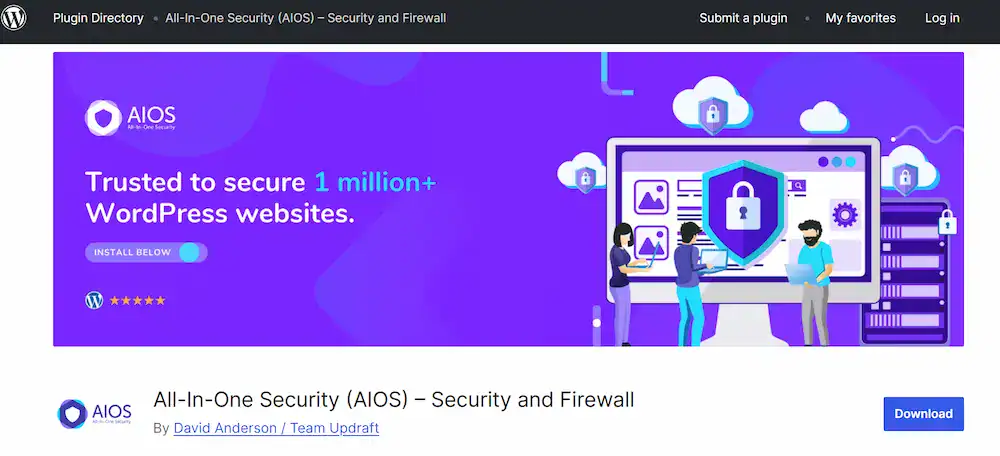
Key Features:
- Graded Security Meter: A visual meter indicates the security strength of your site. This helps beginners quickly grasp how well-protected they are.
- Firewall Protection: This includes basic, intermediate, and advanced firewall protection rules that can be easily enabled via .htaccess files. This application-level firewall is highly effective.
- Brute Force Attack Protection: Features such as login lockdown, CAPTCHA on the login page, and banning specified IP addresses are included for comprehensive protection against brute force attacks.
- Database and File Security: AIOS offers features to protect your database by changing the default database prefix, and includes file integrity checks.
AIOS is a fantastic free plugin for new WordPress users who want to implement a wide array of security features without having to manage complex settings. It delivers an outstanding balance of features without the high cost of some premium plugins.
How to Choose the Right WordPress Security Plugin
Selecting the right security plugin requires a realistic assessment of your site, your technical skills, and your budget. Using the best WordPress security tools means finding the right balance of protection and practicality.
Assess Your Site’s Needs
- Small Blog/Hobby Site: A powerful free WordPress security plugin, such as the free version of Wordfence or All-in-One WP Security & Firewall, will likely suffice. Focus on brute force protection and basic malware scanning.
- Business/E-commerce Site: You need complete protection. Invest in a premium plan with a cloud-based WAF or a premium endpoint solution (like Wordfence Premium). Integration with a reliable backup solution, such as BlogVault, is also essential.
Consider Endpoint vs. Cloud Firewall
This is a critical choice when looking for the best WordPress security solution:
- Endpoint Firewall (e.g., Wordfence): Runs on your server. It is closely integrated with WordPress core and cannot be bypassed. However, it uses your server resources to run scans and block attacks.
- Cloud WAF (e.g., Sucuri): Filters traffic before it reaches your server. This reduces server load and is generally more effective against massive DDoS or brute force attacks. It requires a DNS change and is usually a paid service.
Avoid Using Multiple Security Plugins for the Same Function
Never install multiple security plugins that offer the same security features, especially if both include a firewall or protection against brute force attacks. This will almost certainly lead to conflicts, slow down your site, and potentially block legitimate users.
You can, however, mix and match specialist tools with your primary security solution:
- Primary Security: Wordfence (Firewall + Malware Scanner)
- Specialist Tool 1: Akismet (Spam Protection)
- Specialist Tool 2: WP Activity Log (Auditing)
- Essential Layer: Really Simple SSL (HTTPS Enforcement)
This strategic combination gives you maximum enhanced security without overburdening your system.
Read Reviews and Check Developer Activity
Ensure the security plugins you choose are actively maintained. Check the last update date, the number of active installs, and the reviews. An outdated plugin is a security risk in itself. The most popular security plugins are popular because they are trustworthy and updated frequently.
Prioritize Ease of Use
If you are not an advanced user, a simple user interface is key. Plugins like AIOS or SolidWP provide a clear dashboard and helpful tips. A complex plugin that is not fully configured is less secure than a simpler, well-configured one.
Conclusion: Securing Your WordPress Site Effectively
Securing your WordPress site is a continuous process, not a one-time setup. The foundation of this security lies in selecting the best WordPress security plugins and adhering to fundamental WordPress security best practices.
By choosing a robust security solution, whether a comprehensive tool like Wordfence or a cloud-based powerhouse like Sucuri Security, you implement vital security measures that proactively defend your site.
Remember, a strong WordPress website security plan includes a robust firewall, continuous malware scanning, adequate protection against brute force attacks, and reliable site backups.
Do not rely on luck. Install a high-quality free plugin or one of the top-tier premium plugins today. Take control of your site safety and ensure your WordPress websites remain fast, reliable, and secure for all your WordPress users.
FAQs About WordPress Security Plugins
What are the best other WordPress security plugins for advanced protection?
Plugins like SolidWP, Jetpack, and WP Activity Log offer advanced tools for monitoring, firewall protection, and login security. Using multiple plugins can strengthen your wp website’s bulletproof security.
How do anti-malware security plugins protect my WordPress site?
Anti-malware security plugins scan your files, detect suspicious code, and remove malware. Plugins like Wordfence and Sucuri automatically prevent brute force attacks and alert you if your wp website is at risk.
Do most security plugins affect site performance?
Some of the most secure plugins, especially those with active firewalls or real-time scans, can slow down your WordPress website. Choosing lightweight plugins, such as Really Simple SSL, or combining performance-friendly plugins, ensures strong protection without compromising speed.
How often should I update plugin versions for security?
Updating plugin versions regularly is crucial. Old or outdated plugins increase vulnerability to attacks. Keep all security plugins, themes, and WordPress core up to date to maintain bulletproof security.
Can security plugins work with Google Analytics for monitoring threats?
Yes, some advanced tools integrate with Google Analytics or other monitoring systems to track suspicious activity, login attempts, and unusual traffic. Combining analytics with security plugins like Wordfence or Jetpack helps prevent brute force attacks and strengthens overall site protection.

