


In this guide, we’ll cover everything you need to know about using the Lovable website builder to create a portfolio site easily, from setup and design to customization and deployment.
A portfolio website is more than just a collection of projects; it’s your personal brand online. Whether you are a developer, designer, photographer, or freelancer, your portfolio showcases your skills, achievements, and creativity.
But here’s the challenge: building a portfolio site from scratch can feel intimidating. Coding, design, hosting, responsiveness, and optimization, all these moving parts often slow people down.
Here, Lovable, an AI-powered website builder, can be immensely helpful in creating functional and beautiful websites from simple natural language prompts. Whether you know how to code or not, you can generate a professional portfolio website within minutes.
What Are Portfolio Websites?
A portfolio website is an online platform that displays your work, skills, and achievements. Unlike a résumé, which summarizes your experience, a portfolio gives people a visual and interactive look into what you can do.
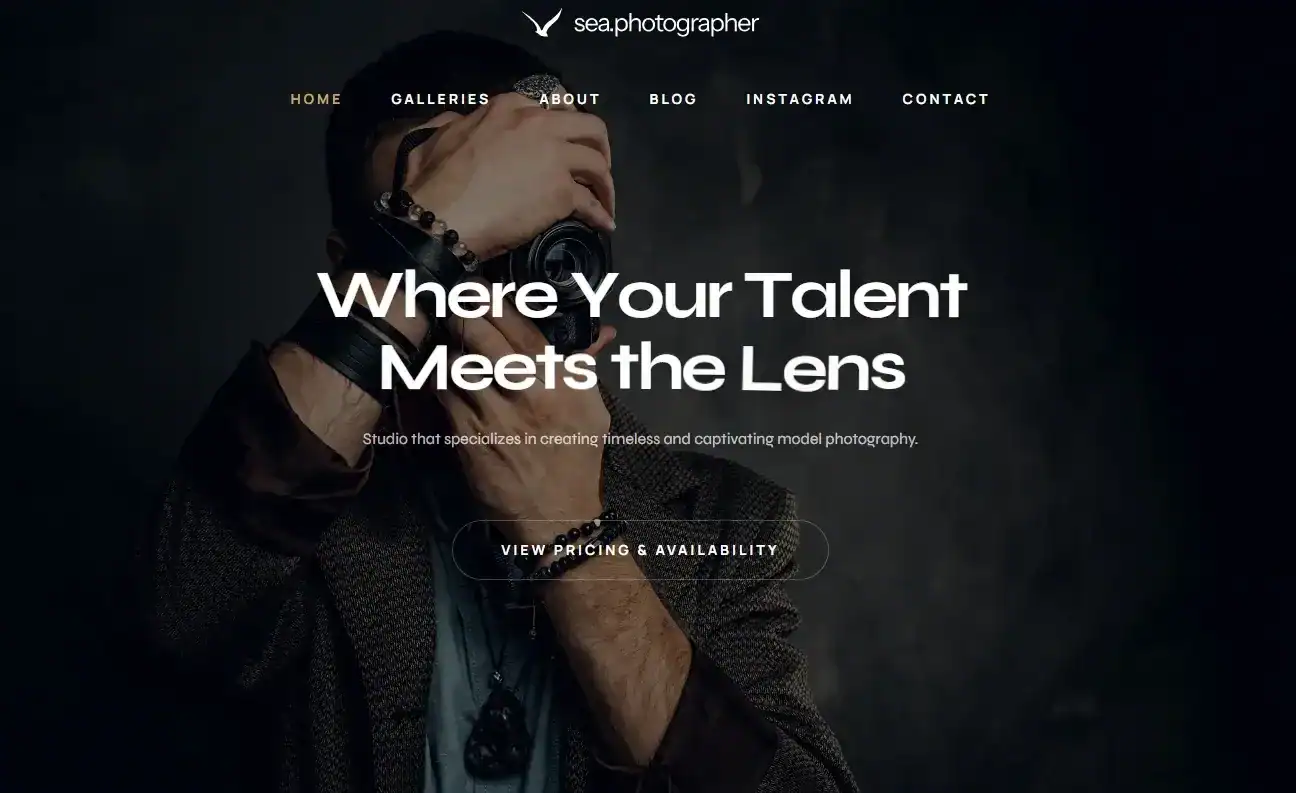
Here’s why portfolio websites are important:
- For developers: They demonstrate your coding projects, GitHub repositories, apps, or case studies.
- Creatives (designers, writers, artists): They showcase your artwork, UX designs, content samples, or campaigns.
- For non-technical professionals: They highlight achievements, testimonials, and work history in an engaging way.
Example: A front-end developer can showcase their JavaScript projects with live demos, while a graphic designer can use image galleries to display logos, illustrations, and branding designs.
Without a doubt, a portfolio website is your digital business card, always available to potential clients, recruiters, and collaborators.
Build Your Portfolio Site with Lovable Today
Showcase your best work effortlessly and let your portfolio open new opportunities. Contact us, and we’ll help you create a professional portfolio site quickly and easily.
Why Use the Lovable Website Builder for Portfolios?
Creating a portfolio site is often seen as a challenge. Traditional methods either demand technical expertise or force you to work within rigid templates. The Lovable website builder eliminates these barriers by combining the flexibility of coding with the simplicity of no-code tools. Let’s break down why it stands out.
Traditional Options: The Limitations
Manual Coding (HTML, CSS, JS) gives developers complete control but requires advanced skills and significant time investment. For beginners, it can be overwhelming.
Drag-and-Drop Builders are easier to use but often come with restrictions. Customization is limited, and designs can feel generic.
Read: How to Hire WordPress Developers for Your Project
Lovable’s Hybrid Approach
Lovable takes the best of both worlds. It generates real, customizable code while staying accessible to non-technical users through AI-driven natural language prompts. This means whether you’re a developer or a beginner, you can build a professional portfolio without stress.
Key benefits of Lovable website builder are:
- AI-Generated Web Apps: With just one prompt, you can create functional websites complete with frontends, backends, and even database connections.
- Code Access for Developers: Advanced users can dive into the code and tweak it for maximum control.
- No-Code Simplicity for Beginners: You don’t need to touch code to build a professional-looking site.
- Faster Build Times: What usually takes weeks can now be done in minutes.
- Customization Made Easy: Adjust layouts, colors, typography, and features by simply describing what you want.
Example Prompt: “Create a portfolio website with a hero section, three project cards, an about section, and a contact form.”
Lovable will then generate a ready-to-use, fully functional portfolio site tailored to your needs.
Which to Choose: Hostinger Website Builder vs WordPress
How to Build a Portfolio Website with Lovable?
Here’s a step-by-step guide to help you create your own stunning portfolio site with Lovable website builder:
Step 1: Sign Up and Get Started
The first step is to visit Lovable AI and create an account. Once you log in, you’ll be welcomed by an intuitive prompt interface. This is where you’ll describe what you want your portfolio to look like, making it quick to start shaping your vision.
Step 2: Choose Your Starting Point
Next, decide how you’d like to begin:
- Start from Scratch: Use natural language prompts to describe your portfolio site in detail.
- Use the Prompt Library: Browse through pre-written prompts designed for portfolio websites and customize them to fit your needs.
Example Prompt for Creatives: Build a modern photography portfolio with a minimalist theme, grid gallery, and Instagram feed integration.
Example Prompt for Developers: Create a dark-themed developer portfolio with project showcases, GitHub API integration, and a contact form.
Step 3: Customize Design & Layout
Once Lovable generates your first prototype, it’s time to personalize it. You can refine the design simply by adjusting your prompts. For instance, you can type:
- Change the background to white with pastel accents.
- Add a testimonial section below the projects.
- Make the navigation sticky at the top.
This makes customization endless and stress-free, without requiring technical skills.
Step 4: Add Your Content
Your portfolio’s impact depends on the content you showcase. Here’s what to include:
- About Section: Share a short, compelling introduction about yourself.
- Projects or Case Studies: Highlight your best work with clear descriptions.
- Testimonials: Add client or employer feedback for credibility.
- Contact Form/CTA: Make it easy for visitors to get in touch.
Developer Example Prompt: Show a case study of how I built a React app for an eCommerce store, including challenges and solutions.
Creative Example Prompt: Add a gallery section that highlights five branding design projects with before-and-after visuals.
Step 5: Launch Your Site
Finally, once you’re satisfied with the design and content, Lovable makes deployment seamless. You can connect your custom domain and publish your portfolio instantly, ready to share with clients, recruiters, or your professional network.
Learn: White Label Beaver Builder Development to Grow Your Design Studio
Visual Design Considerations for Portfolios
The way your portfolio looks is just as important as the content it holds. A well-designed site creates a strong first impression and makes your work more engaging.
The good news is that the Lovable website builder gives you full control over your portfolio’s UI/UX design without requiring advanced skills. By keeping a few design principles in mind, you can make your site both professional and memorable.
Minimalism Wins
When it comes to portfolios, less is often more. A minimalist layout keeps the focus on your projects rather than distracting elements. Avoid clutter, unnecessary widgets, and too many sections. Clean design not only improves readability but also ensures visitors can quickly grasp your strengths.
Typography Matters
The fonts you choose say a lot about your personality and brand. Use simple, legible typography that works across devices.
For instance, sans-serif fonts often give a modern and approachable feel, while serif fonts may communicate professionalism and tradition. Consistency across headings, subheadings, and body text helps maintain a polished look.
Stick to a Consistent Color Scheme
Color plays a vital role in branding. Choose a palette of two to three main colors that reflect your style and align with your industry. For example, creative portfolios may use bold accents, while professional portfolios might stick to subtle, muted tones. Consistency in color use ties your site together visually.
Add Interactive Elements
Consider adding subtle animations and interactive effects to make your portfolio more engaging. Hover transitions, smooth scrolls, or fade-in animations can create a modern, dynamic feel without overwhelming users. These small details can help hold a visitor’s attention longer.
Example Prompt for Design Customization: Apply a modern, minimal theme with sans-serif typography and a light color palette. Add smooth fade-in animations for projects.
With Lovable, prompts like this allow you to instantly adjust your design and experiment until your portfolio perfectly matches your style.
Tips to Enhance Your Portfolio with Lovable Features
Once you’ve built the foundation of your portfolio, the next step is making it more powerful and engaging. The Lovable website builder goes beyond the basics by offering advanced features that improve performance, visibility, and user interaction. Here’s how you can take your portfolio to the next level.
Analytics Integration: To grow your portfolio’s reach, you need to understand how visitors interact with it. With Lovable, you can integrate analytics tools to track visits, clicks, and user behavior. This data helps you refine your design and content strategy.
SEO Optimization Prompts: Search engine visibility is critical for attracting opportunities. Lovable allows you to add meta descriptions, optimize images with alt text, and even structure your site with schema markup, all through simple prompts.
Example Prompt: Add meta descriptions for each project and optimize images with alt text for SEO.
Social Media Integration: Your portfolio shouldn’t stand alone. With Lovable, you can connect platforms like Instagram, GitHub, LinkedIn, or Dribbble directly to your site, making it easier for visitors to explore more of your work.
Example Prompt: Integrate my LinkedIn and GitHub profile links in the footer with icons.
Forms and CTAs: Whether you want client inquiries, collaborations, or job offers, forms and clear call-to-action buttons make it effortless for visitors to reach you.
Blog Sections: Adding a blog enhances credibility. Use it to share case studies, tutorials, or industry insights that showcase your expertise and thought leadership.
With these features, the Lovable website builder ensures your portfolio is not just visually appealing but also impactful and effective.
Creating Multiple Portfolio Websites
In many cases, one portfolio isn’t enough. If you work across industries, technologies, or creative niches, having separate websites allows you to tailor your presentation for each audience. The Lovable website builder makes this process quick and effortless. You can build multiple portfolio websites in minutes and manage them with ease.
For Developers
Developers often specialize in different areas. Instead of cramming everything into one site, you can create focused portfolios. For example:
- Web Apps Portfolio: Showcase UI-rich projects and live demos.
- Machine Learning Portfolio: Highlight data-driven applications and research work.
Example Prompt: Create a dark-themed developer portfolio highlighting machine learning projects with case studies and GitHub integration.
Ultimate Guide: Custom WordPress Development Services
For Creatives
Photographers, designers, and artists typically serve diverse clients. With Lovable, you can design separate portfolios, each with a unique theme. For instance:
- Wedding Photography Site: Minimalist, romantic design with soft colors.
- Commercial Photography Site: Bold layout with high-contrast imagery.
Example Prompt: Build a photography portfolio with a light pastel theme, a wedding gallery, and an Instagram feed.
Check out: Top WordPress Development Trends
For Freelancers
Freelancers who work across industries need flexibility. Instead of one generic portfolio, you can create industry-specific sites that highlight relevant skills. For example:
- Marketing Clients Portfolio
- Tech Clients Portfolio
Example Prompt: Design a portfolio for marketing clients with testimonials, project case studies, and a contact form.
With Lovable’s speed and customization, managing multiple portfolios no longer feels overwhelming; it becomes a strategic advantage.
Explore: Best WordPress Management Tools
Best Practices for Portfolio Websites
No matter which platform you use, whether it’s the Lovable website builder or another tool, following proven best practices will make your portfolio more effective. A great portfolio not only showcases your work but also creates a lasting impression. Here are a few guidelines to keep in mind.
- Keep It Updated: A stale portfolio can make it seem like you’re inactive. Regularly add new projects or case studies to show growth and ongoing work.
- Focus on Quality Over Quantity: It’s tempting to display everything you’ve ever done, but less is more. Highlight only your best work that reflects your skills and professionalism.
- Ensure Mobile-Friendliness: With most visitors browsing from smartphones, a mobile-friendly design is non-negotiable. Test your site on different devices to guarantee smooth navigation.
- Include Clear CTAs: Don’t let visitors guess what to do next. Use call-to-action buttons or forms to encourage them to contact, hire, or explore your services.
- Highlight Your Uniqueness: Your portfolio should reflect your personality and strengths. To stand out from the competition, add a personal touch, whether it’s storytelling, branding, or interactive elements.
By applying these practices, you’ll ensure your portfolio not only looks good but also works effectively to attract opportunities.
Also read: Best White Label Elementor Development Agencies for Your Projects
Conclusion
A portfolio website is your digital gateway to new opportunities. It’s where clients, recruiters, and collaborators see your expertise in action. But instead of spending weeks coding or struggling with clunky drag-and-drop tools, you can now build a stunning, functional site in minutes using the Lovable website builder.
Whether you’re a developer looking to showcase your projects, a creative professional highlighting your designs, or a non-technical beginner wanting a simple way to display achievements, Lovable makes the process easy, fast, and fun.
All you need is a prompt, and Lovable will handle the rest.
So, if you’ve been putting off building your portfolio, now’s the perfect time. Head over to Lovable AI website builder, type in your first prompt, and watch your professional portfolio site come to life.
FAQs About Lovable Website Builder
What is an AI website builder?
An AI website builder is a tool that uses artificial intelligence to generate complete websites from prompts or descriptions, saving time and effort.
How do I start building with Lovable.dev?
You can start building by creating a free account, entering a simple prompt, and letting Lovable generate your site instantly. Building with Lovable requires no coding skills.
Can I add user authentication to my portfolio?
Yes, using Lovable, you can include user authentication features such as login and signup, making your site more secure and functional.
Why does Lovable excel at portfolio websites?
Lovable excels because it provides real, customizable code while still being easy for non-technical users. With a single prompt, you can adjust the context, design, and functionality.
Can I deploy my site after building it with Lovable?
Yes, once you finish building with Lovable, you can deploy your site instantly. You can also export the code if you prefer hosting elsewhere.
What if I only have an idea and no design skills?
Even if you only have an idea, you can start building by describing it in a single line. Lovable will generate a draft site and solve problems like layout or structure for you.
What has impressed users most about Lovable?
Many people are impressed by how Lovable allows them to go from idea to live site in minutes. Features like instant customization, adding a contact message form, and fast deploy options make it ideal for anyone creating a portfolio.

