Choosing a WordPress page builder is a major decision for any website owner or developer. Two names consistently dominate the conversation: Beaver Builder vs Elementor. Both tools aim to simplify web design. They allow you to create stunning layouts without writing a single line of code.
However, they cater to different workflows and technical needs. Beaver Builder and Elementor are not just a battle of features. It is a choice between stability and creative abundance.
This comprehensive guide will help you navigate this comparison. We will look at speed, ease of use, long-term maintenance, and pricing.
By the end, you will know exactly which tool is best suited for your web projects.
Key Factors to Compare When Choosing Between Beaver Builder and Elementor
When comparing Beaver Builder to Elementor, it is easy to get distracted by flashy demos. Both tools can build a beautiful homepage. But how do they handle technical SEO? How do they perform on a mobile device? These questions define your site’s long-term success.

Why Comparing WordPress Page Builders Matters
A WordPress page builder comparison is essential because your choice dictates your site’s architecture. Changing a page builder later is often difficult and time-consuming. It often requires a full redesign.
If you choose a builder that is too heavy, your page load speed will suffer. If you pick one that lacks features, you will spend extra money on third-party plugins. Understanding the dynamic between Beaver Builder and Elementor helps you avoid these pitfalls. It ensures you select a tool that scales with your business or agency.
Essential Factors to Evaluate for the Best Page Builder
Finding the best WordPress page builder involves examining specific metrics. You should not just follow the crowd. Consider these pillars:
- Performance: Does the builder produce clean vs bloated code in the WordPress builder experience?
- Workflow: How fast can you go from a blank canvas to a live page?
- Maintenance: Is the builder stable? Does it break during WordPress core updates?
- Ecosystem: Are there enough templates and third-party addons?
- Cost: Does the pricing model support your growth, whether you have one site or one hundred?
Ready to Build or Redesign Your WordPress Website the Right Way?
Our experts help you choose and implement the right page builder, redesign your website, and create high performing WordPress experiences that convert visitors into customers.
Detailed Comparison of Beaver Builder vs Elementor
To truly understand Beaver Builder vs Elementor, we need to dive deep into their core mechanics. While both are WordPress drag-and-drop builders, their philosophies differ significantly.
Beaver Builder vs Elementor: Overview
Elementor is often described as the “everything” builder. It is a feature-rich platform with a massive Elementor widget library, offering a significant advantage in comparison.
It targets designers who want pixel-perfect control and advanced animations. It remains the most popular builder, powering millions of websites worldwide.
Beaver Builder takes a more conservative, “rock-solid” approach. It is widely recognized for its lightweight Beaver Builder code and developer-friendly design.
It doesn’t release new features as quickly as its rival. Instead, it focuses on stability and compatibility. For many professional agencies, this reliability is the deciding factor in the debate between Beaver Builder and Elementor.
Ease of Use Comparison Between Beaver Builder and Elementor
When it comes to usability, both tools excel in the drag-and-drop editor. However, they use different interfaces.

Elementor’s Interface
Elementor uses a fixed sidebar on the left. This sidebar houses all your widgets and settings. To build a page, you drag widgets from the sidebar onto your canvas.
The Elementor beginner-friendly features include a “Navigator” and a search bar to quickly find widgets. Most users find it very intuitive because all controls are visible at once.
Beaver Builder’s Interface
Beaver Builder offers a more minimalist approach. The editor sits at the top of the screen. When you want to add a module, you click a “+” icon to open a menu.
You can then drag modules into your layout. One unique aspect of Beaver Builder is its use of pop-up settings boxes. While some prefer the fixed sidebar of Elementor, others love that Beaver Builder keeps the workspace clean.
Both tools now support inline text editing. This means you can click on a heading and type directly on the page. This feature has significantly enhanced the ease of editing WordPress pages using builders.
In the page builder ease of use comparison, Elementor often wins for hobbyists, while Beaver Builder is favored by those who want a distraction-free environment.
Beaver Builder vs Elementor Maintenance and Long-Term Usability
A major part of any WordPress site builder review is the “maintenance” factor. How much work is required to keep the site running smoothly?
Stability and Updates
Beaver Builder is famous for being “stable as a rock.” It rarely breaks during updates. This is because the developers prioritize backward compatibility.
If you build a site today, it will likely look and function exactly the same three years from now. This makes it a top choice for WordPress builder maintenance tips and long-term projects.
Elementor is more aggressive with updates. They frequently introduce cutting-edge features, such as Elementor’s advanced motion effects and AI-driven tools.
While these are exciting, they can occasionally lead to conflicts with other plugins. However, Elementor has improved its testing processes significantly in recent years.
Long-Term Maintenance WordPress Builder Considerations
Beaver Builder creates very clean code. If you ever decide to deactivate the plugin, your content remains in the WordPress editor as standard HTML.
This is a huge plus for the clean code page builder comparison. Elementor uses shortcodes and a specific structure. If you remove it, you will need to do more cleanup work.
Performance Comparison of Beaver Builder vs Elementor
Page speed WordPress builder performance is non-negotiable. Google’s Core Web Vitals builder directly impacts your SEO rankings.

Speed Benchmarks
In many page builder speed benchmarks, Beaver Builder consistently ranks higher for mobile performance. It generates fewer “wrapper” divs (invisible containers surrounding your content).
Beaver Builder versus Elementor tests often show Beaver Builder achieving mobile scores in the high 90s, while Elementor may hover in the 80s without significant optimization.
Performance Optimization WordPress Page Builders
Elementor has worked hard to close this gap. It now includes features like “Optimized Asset Loading” and “Lightweight Mode.” It also offers its own “Hello” theme, which is designed for speed. However, because Elementor offers so many built-in features, it naturally carries more “weight” in its JavaScript and CSS files.
If you prioritize WordPress performance optimization tools, Beaver Builder gives you a cleaner head start. If you choose Elementor, you will likely need a strong caching plugin, to achieve the same level of WordPress page load speed comparison results.
Design Flexibility and Features Comparison
This is where the Beaver Builder vs Elementor battle gets interesting.
Elementor Page Builder Features
Elementor is a powerhouse of design. It includes:
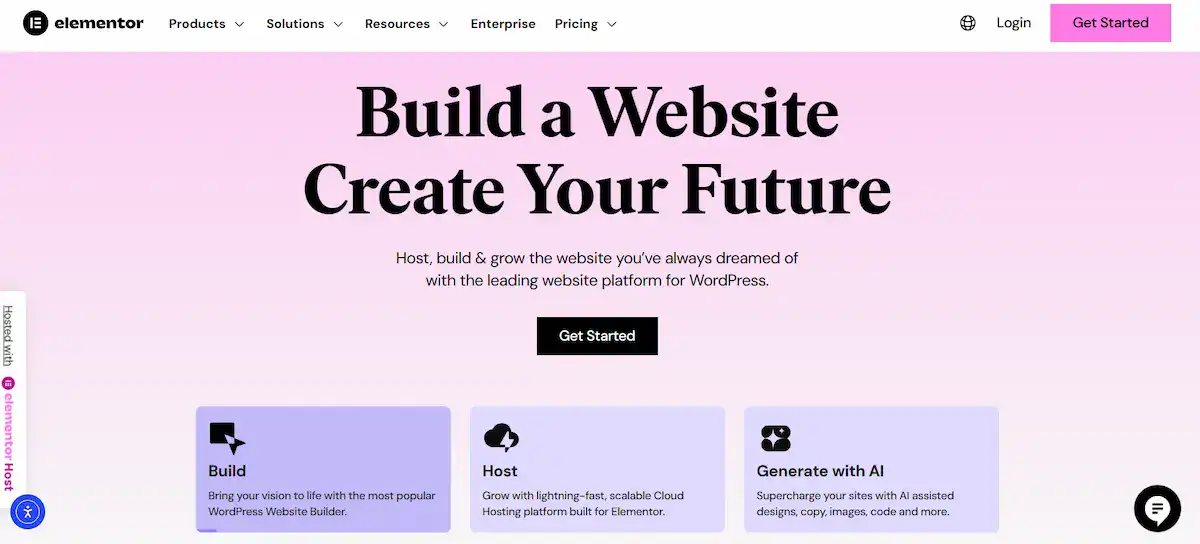
- Elementor theme builder benefits: You can design your own headers, footers, and archive pages visually.
- Elementor dynamic content support: It works seamlessly with Advanced Custom Fields (ACF) and Toolset.
- Elementor global styling features: You can set site-wide colors and fonts that update everywhere instantly.
- Motion Effects: It includes parallax, entrance animations, and mouse-track effects that are native to the builder.
Beaver Builder Features
Beaver Builder covers all the essentials but lacks the flashy animations of its rival. Its strengths include:
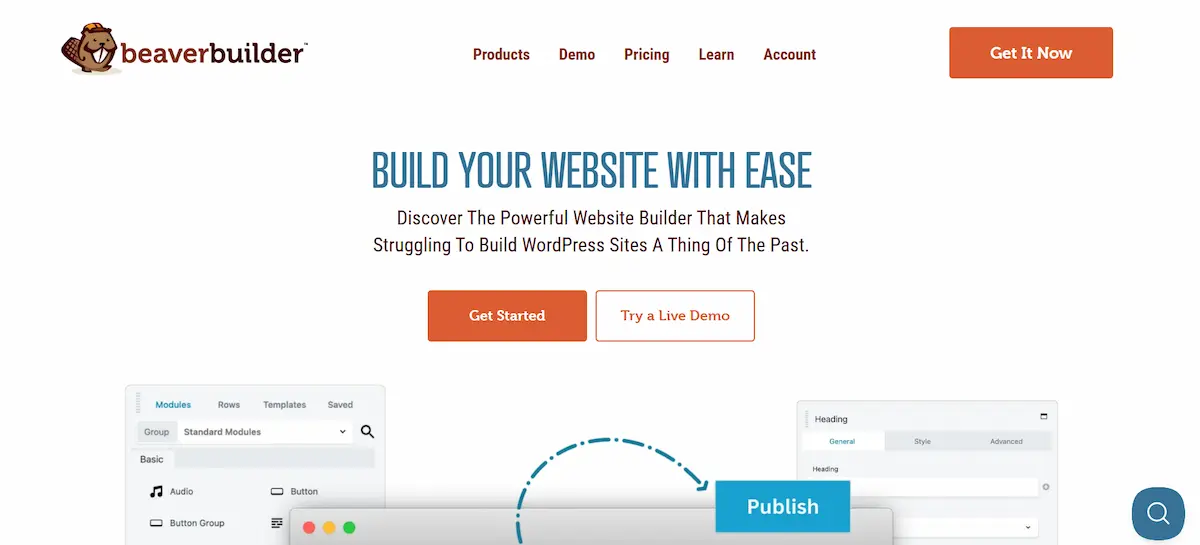
- Beaver Builder Themer addon: Included in all plans, this allows you to create custom layouts for headers, footers, and post types.
- Beaver Builder custom module builder: This is a dream for developers who want to create their own custom tools.
- Beaver Builder white labeling options: High-level plans allow you to replace “Beaver Builder” branding with your own agency name.
For WordPress design flexibility comparison, Elementor wins due to its sheer volume of creative tools. Beaver Builder wins for developers who want to build their own bespoke systems.
SEO Impact of Beaver Builder vs Elementor
Is Elementor better for SEO than Beaver Builder? The answer is: they are both excellent.
Builder Compatibility with SEO Plugins
Both builders are fully compatible with major plugins, including AIOSEO, Rank Math, and SEOPress. They allow search engines to crawl your content easily. They also both support schema markup.
Elementor vs Beaver Builder SEO Impact
The primary difference lies in performance. Since speed is a ranking factor, the Beaver Builder lightweight code gives it a slight edge in “Technical SEO.” However, Elementor’s ability to create highly engaging layouts can improve “User Signals,” like time on page and bounce rate.
In the debate over the best page builder for SEO and speed, the builder is only half the battle. Your hosting, image optimization, and content quality play a larger role. Both tools provide an SEO-friendly code structure.
Pricing and Value Comparison
Pricing is where the Beaver Builder vs Elementor paths diverge most sharply.

Beaver Builder Pricing and Value
Beaver Builder uses a “tiered site” model. Interestingly, all plans now include the Beaver Themer and Loop Builder.
| Plan | Price | Site Limit | Key Features |
| Starter | $89/year | 1 Site | Builder Plugin, Themer, WooCommerce Support |
| Plus | $179/year | 3 Sites | All Starter features |
| Professional | $299/year | 50 Sites | Multisite Capable |
| Unlimited | $546/year | Unlimited | White Labeling, Cloud Storage |
Beaver Builder is the best builder for agencies due to its “Unlimited Sites” and white-labeling options.
Elementor Pricing Plans Pros Cons
Elementor prices its plugin based on features and the number of sites. It is often more affordable for single-site owners but more expensive for large agencies.
| Plan | Price | Site Limit | Key Features |
| Essential | $60/year | 1 Site | 57 Pro Widgets, Theme Builder |
| Advanced Solo | $84/year | 1 Site | 86 Pro Widgets, Popup Builder |
| Advanced | $99/year | 3 Sites | All Solo features |
| Expert | $204/year | 25 Sites | Collaborative Notes, 5000 Templates |
The Elementor pricing plans offer a low barrier to entry for beginners. However, the lack of an “Unlimited” plan can be a drawback for high-volume agencies compared to the Beaver Builder pricing and value proposition.
Beaver Builder vs Elementor Use Case Recommendations
Who should choose which?
- Small Business Websites: For a page builder for small business websites, Elementor is often the best choice due to its extensive library of page builder templates. You can launch a professional site in hours.
- Agencies: When choosing a page builder for client websites, Beaver Builder is often the preferred option. Its stability and white-labeling make it easier to hand off to clients.
- Landing Pages: For the best templates for landing pages, Elementor’s visual flair and pop-up builder make it the winner for high-converting marketing campaigns.
- Developers: Those who want an advanced customization WordPress builder will love Beaver Builder’s clean API and hooks.
Choosing the Right Page Builder: Beaver Builder vs Elementor
Deciding between Beaver Builder vs Elementor comes down to your priorities. Do you value creative freedom above all else? Or do you prioritize a lean, stable foundation?
Reasons to Pick Beaver Builder
Beaver Builder is the “reliable choice.” You should pick it if:
- You are an agency: The Beaver Builder developer-friendly design and unlimited site licensing are perfect for scaling.
- You want clean code: It produces fewer HTTP requests, which is great for mobile performance for WordPress builders.
- You value stability: You want a site that doesn’t break every time a major WordPress update occurs.
- You need Multisite support: It has excellent WordPress multisite builder support in its Professional and Unlimited plans.
- You want White Labeling: You can brand the builder as your own to provide a premium experience for clients.
Reasons to Pick Elementor
Elementor is the “creative choice.” You should pick it if:
- You are a designer: The Elementor responsive design tools and motion effects allow for unmatched creativity.
- You need a Template Kit: The Elementor template kit examples enable you to import entire website designs with a single click.
- You want the best free version: The free version of Elementor is far more powerful than the free version of Beaver Builder.
- You need a Popup Builder: Creating high-converting popups is built directly into the Elementor Pro interface.
- You are a beginner: The Elementor beginner-friendly features make it the ideal builder for those who want results without a steep learning curve.
Final Verdict: Beaver Builder vs Elementor
In the final Beaver Builder vs Elementor analysis, there is no “wrong” choice. Both are industry-leading tools that have defined the WordPress design workflow.
Elementor wins for users who want a feature-packed, all-in-one solution. Its massive ecosystem of 3rd party add-ons and AI-powered tools makes it the ultimate creative playground. If you want a site that looks like a high-end design agency built it, Elementor is your best bet.
Beaver Builder wins for users who want performance and peace of mind. Its Beaver Builder lightweight code and consistent reliability make it the preferred tool for professional developers and agencies. If you want a site that is fast, easy to maintain, and “just works,” Beaver Builder is the way to go.
Ultimately, your choice in the Elementor vs Beaver Builder performance debate should depend on your specific project goals. If you are building a simple landing page, Elementor’s templates might be faster. If you are building a massive corporate site for a client, Beaver Builder’s stability might be safer.
Whichever you choose, both tools represent the pinnacle of WordPress drag-and-drop builders. They have both committed to improving Core Web Vitals and enhancing user experiences.
FAQs About Beaver Builder vs Elementor
Which is easier to use, Beaver Builder or Elementor?
Beaver Builder offers a clean and straightforward interface that beginners can easily pick up. Elementor has more features, which may feel overwhelming at first, but it provides more design flexibility once you get familiar with it.
Which page builder is faster and better for performance?
Both builders allow SEO optimization through clean code, heading structure, and plugin compatibility. Beaver Builder is leaner, which may improve speed and Core Web Vitals. Elementor offers advanced SEO tools and integrations for more control.
Can I switch from one builder to another without losing content?
Switching can be challenging. Beaver Builder uses cleaner shortcodes, so content remains more intact if the plugin is deactivated. Elementor pages may require rebuilding specific layouts due to dependencies on shortcodes.
Which builder is best for developers, agencies, or clients?
Beaver Builder suits developers and agencies who want clean, stable code and client-friendly editing. Elementor is ideal for designers or businesses needing rich templates, advanced design features, and dynamic content support.